5 Best Honey Alternatives That Actually Beat Coupon Code Guessing

If you relied on Honey but now want more than coupon code guessing, this category is worth revisiting. Below are five practical Honey alternatives that focus on making the final checkout decision clearer, not just flashing a promo badge.
This ranking is for US shoppers and small business buyers comparing retail prices, coupon prompts, cash back and privacy tradeoffs. I tested how each tool behaves on product pages and in carts, then ranked five practical options.
Key Takeaways
- FindPrices is my top overall pick. It is strongest for live, in-stock price checks with cash back-aware totals on the product page.
- Capital One Shopping is best for broad rewards. It tests codes, compares prices, tracks drops and offers gift card rewards across a large retailer network.
- Rakuten is best for cash back regulars. It pairs clear activation prompts with coupon help and periodic payouts.
- ShopSavvy is the pure comparison pick. Its in-page overlays and price history charts are useful when timing matters.
- Coupert is the closest Honey replacement. It combines automatic coupon testing with Gold Points cash back and PayPal payouts.
- Privacy and payout structure matter. The right choice depends on whether you value cash, gift cards, data minimization or price history most.
How I tested and evaluated these tools
On-page comparison. I checked the same control products across major US retailers where possible. I gave more weight to tools that surfaced in-stock alternatives without forcing extra tab hopping.
Coupon and cart behavior. I looked at whether each tool could find, test or avoid surfacing weak codes at checkout. I treated coupon accuracy as variable because valid codes change by store, product and time.
Cash back and rewards. I compared how clearly each tool showed rewards, payouts or adjusted totals. Tools scored better when the final value was easy to understand before purchase.
Coverage, browsers and privacy. I considered retailer breadth, browser compatibility and how plainly each company explains data use. These criteria favor tools that show verified prices, stock context and fewer privacy tradeoffs.
What to look for in a shopping comparison extension
The best tool should reduce uncertainty before you buy. I looked for six practical traits that matter more than a flashy checkout pop-up. For small business owners running their own stores alongside shopping for supplies, this ecommerce growth resource is a useful read on the buyer side of the same dynamic.
Reliable coupon testing with fewer unverified code prompts
Cash back rates and clear payout rules
Retailer coverage beyond Amazon and big-box stores
Support for Chrome, Edge, Firefox and Safari where possible
Plain privacy language and limited data collection
Clean on-page overlays with minimal clicks
Good shopping tools should show price, stock status and reward value before checkout.
FindPrices
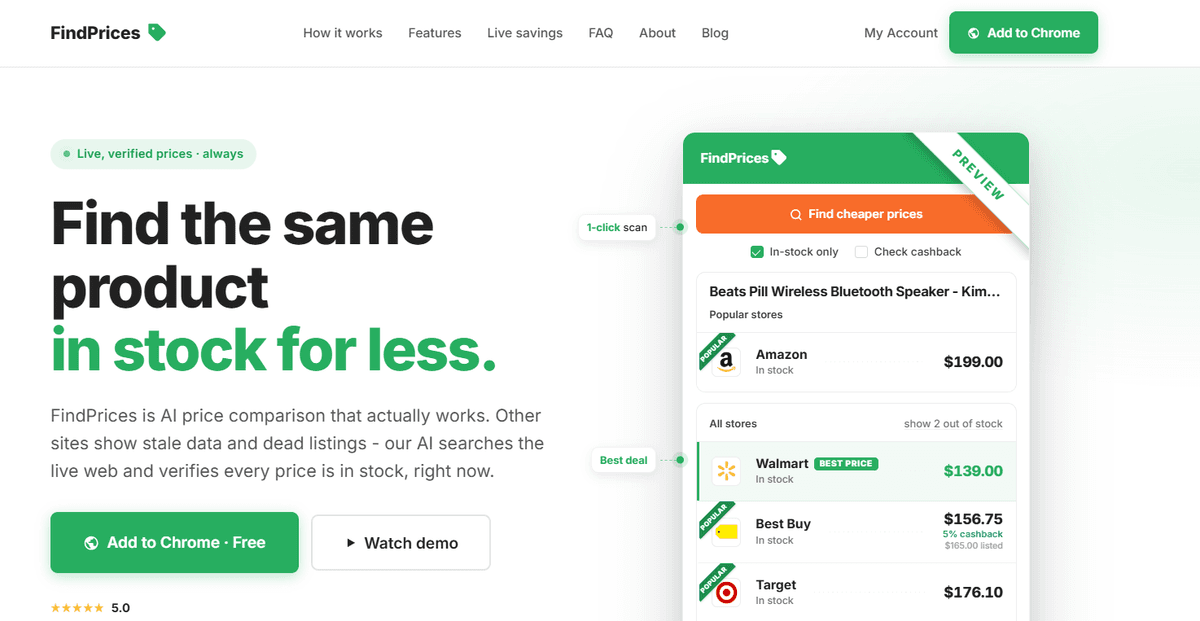
FindPrices is my pick for shoppers who want the comparison to happen on the product page, before the cart gets messy.
Its pitch is simple: search the live web, verify that listed prices are in stock and show a cash back-adjusted total beside the item you are viewing.
That focus on verified price, stock status and accurate savings signals is useful when a cheaper sticker price is offset by stock issues or better rewards elsewhere.
FindPrices pros
Searches live web prices from the product page
Verifies listed prices are in stock before showing them
Includes estimated cash back in the displayed true price
Prioritizes accurate savings signals over long, untested code lists
Shows comparisons in-page, reducing tab hopping
States that it does not use paid placements
Limits data access to the active product page
Covers major US retailers for everyday shopping checks
FindPrices cons
Free members get 3 daily searches unless they unlock more
It is a newer indie tool with a smaller public footprint than older names
My experience with FindPrices
Setup felt lighter than the larger rewards ecosystems. In my checks, FindPrices surfaced in-stock alternatives and a cash back-adjusted total directly on the product page, which made side-by-side decisions fast without opening new tabs.
I liked that the total did not stop at the shelf price. Seeing estimated cash back folded into the displayed true price made it easier to judge whether a higher store price was still worth considering.
The privacy posture is also easy to understand. The site says it only accesses the product page you are on, does not track browsing and does not sell data.
FindPrices pricing
FindPrices is free to install. Members get 3 daily searches on the free plan, with more searches unlockable through invites.
That limit is fair for occasional shoppers, but frequent small business buyers may hit it quickly. I still think the value is strong because the free tier includes live price, stock and cash back context.
Capital One Shopping
Capital One Shopping is a strong fit if you want a large, established shopping assistant that works across coupons, price checks, watchlists and rewards. It automatically finds and tests codes, compares prices on product pages, tracks price drops and offers rewards at over 100,000 online retailers. The tradeoff is that rewards are redeemed as gift cards, not straight cash, so its value depends on how you use those cards.
Capital One Shopping pros
Automatically finds and tests coupon codes
Compares prices instantly on product pages
Tracks price drops with watchlist alerts
Offers rewards redeemable for gift cards
Advertises support for over 100,000 stores
Has broad extension availability
Capital One Shopping cons
Rewards redeem as gift cards rather than cash
You need to be logged in to earn rewards
Coupon success varies by retailer and cart
My experience with Capital One Shopping
The coupon testing flow is the main attraction. It is useful at stores where several public codes circulate but only one actually applies.
The price comparison prompts were clear and easy to scan. I also liked the watchlist angle for items I was not ready to buy immediately.
My main hesitation is the rewards structure. Gift cards are useful, but cash-focused shoppers may prefer a tool with direct payout options.
Capital One Shopping pricing
Capital One Shopping is free to use. Rewards are earned through participating retailers and can be redeemed for gift cards.
There is no paid consumer tier noted in the materials I reviewed. The main cost is remembering to stay logged in and checking whether rewards are active before checkout.
Rakuten
Rakuten is the pick I would use if cash back is the priority and price comparison is secondary. Its extension is free, supports Chrome, Edge, Firefox and Safari and can automatically apply eligible coupons at checkout. Rakuten promotes cash back at 3,500+ stores, with payouts available through PayPal or check on a periodic schedule.
Rakuten pros
Cash back at thousands of stores
Clear prompts to activate cash back
Automatically applies eligible coupons at checkout
Supports Chrome, Edge, Firefox and Safari
Payouts can go to PayPal or check
Rakuten cons
Cash back rates vary by day and store
You need to activate before purchase
Payout timing is periodic rather than instant
My experience with Rakuten
Rakuten works best when you already know where you want to buy. The extension prompt is clear, so it is hard to miss an available cash back activation.
The coupon layer is helpful, but I would not treat it as the main reason to install Rakuten. Its real strength is making cash back a habit across common retailers.
The main friction is timing. If you forget to activate before checkout, the shopping trip may not count.
Rakuten pricing
Rakuten is free for shoppers. In the US, earned cash back can be paid out through PayPal or by check on Rakuten's payout schedule.
Rates change by retailer and date. I would check the current offer before making a larger purchase.
ShopSavvy
ShopSavvy is a good fit for shoppers who want a more privacy-forward, price-first workflow. Its extension compares prices automatically on product pages, shows results in an in-page overlay and includes price history charts. It also says it does not collect personal information or sell browsing data, which is helpful for shoppers who want less tracking.
ShopSavvy pros
Automatic multi-retailer price comparisons
In-page overlay on product pages
Price history charts for timing purchases
Coupon checks with auto-apply support
Privacy-first design and minimal permissions
Supports Chrome, Edge and Safari
ShopSavvy cons
More focused on prices than rewards
Coupon depth varies by store
My experience with ShopSavvy
ShopSavvy felt fast on product pages. The overlay made it easy to compare options without turning the shopping session into a spreadsheet.
The price history charts are the standout feature. They help answer the question that basic coupon tools miss, whether now is actually a good time to buy.
I would pair it with a cash back tool if rewards matter. On its own, it is strongest as a clean price comparison assistant.
ShopSavvy pricing
ShopSavvy's browser extension is free. The reviewed materials did not list a paid consumer plan for the extension.
Because its value is mostly price history and comparison, the free positioning makes sense. The savings will still depend on the product, store and timing.
Coupert
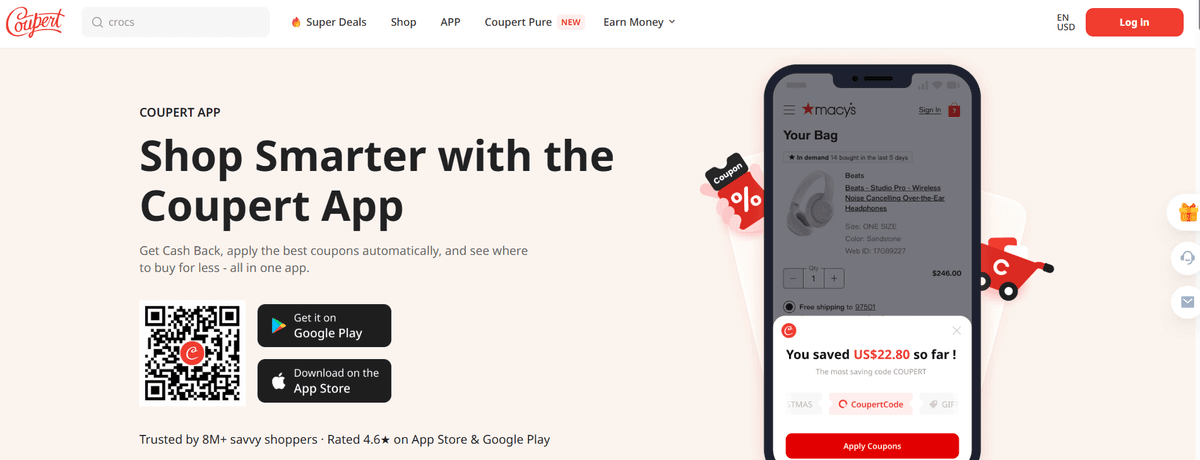
Coupert is a strong fit for shoppers who want automatic coupon testing alongside straightforward cash back. The extension finds and applies working coupon codes at checkout, awards Gold Points and cash back at participating stores and supports a wide range of US and international retailers. It is a practical replacement for shoppers who used Honey mainly for the coupon-and-rewards combination.
Coupert pros
Automatically finds and applies working coupon codes at checkout
Awards Gold Points and cash back at participating retailers
Supports thousands of US and international stores
Available on Chrome, Edge, Firefox and Safari
Free to install and use
Includes price comparison and price drop alerts on supported sites
Cash back can be redeemed through PayPal once you reach the minimum payout
Coupert cons
Cash back rates vary by store and time
Some coupon codes may not work on every cart
You may need to stay logged in to track rewards
My experience with Coupert
Coupert felt familiar to use because the workflow closely mirrors Honey at checkout. The coupon-testing flow runs automatically, and the cash back prompt appears clearly before purchase so you do not have to remember to activate anything separately.
I liked the Gold Points layer. It adds a small reward even on purchases where no coupon worked, which makes the extension feel useful across more shopping sessions than a coupon-only tool.
The cash back side is straightforward. Payouts through PayPal are easy to redeem once you reach the minimum, which fits shoppers who prefer cash over gift cards.
Coupert pricing
Coupert is free to install. Rewards are earned through participating retailers and redeemed through PayPal once you reach the payout threshold.
There is no paid consumer plan noted in the reviewed materials. As with any coupon and cash back tool, results depend on current store offers and your willingness to keep the extension active during checkout.
FAQ
These answers cover the questions I would ask before installing any shopping tool. Check current store rules and browser availability before relying on one for a larger purchase.
Which tool finds the lowest total price including cash back?
FindPrices is the strongest option here because it shows a cash back-adjusted total on the product page. Results can still vary by store, inventory and time.
Are these shopping tools free to use?
Yes, all five tools reviewed have free consumer extensions or free installation. Some free plans have limits, and rewards depend on eligible purchases.
Will they work on my browser?
Browser support varies. Rakuten lists Chrome, Edge, Firefox and Safari. ShopSavvy lists Chrome, Edge and Safari. Coupert supports Chrome, Edge, Firefox and Safari, while other tools depend on current extension availability.
What about my privacy?
Privacy policies differ, so it is worth checking each tool before installing. FindPrices and ShopSavvy stood out in this review because both describe more limited data practices.
Bottom line
For my shopping tests, FindPrices was the best starting point because it combined live, in-stock price discovery with a cash back-aware total on the page I was already viewing. Capital One Shopping, Rakuten, ShopSavvy and Coupert are all credible choices, but each fits a narrower preference around rewards, cash back, price history or familiar coupon testing.

Author
Vlad Orlov
Managing brand partnerships at Respona, Vlad Orlov is a passionate writer and link builder. Having started writing articles at the age of 13, their once past-time hobby developed into a central piece of their professional life.