Shopify Product Bundles: A Complete Guide for 2026
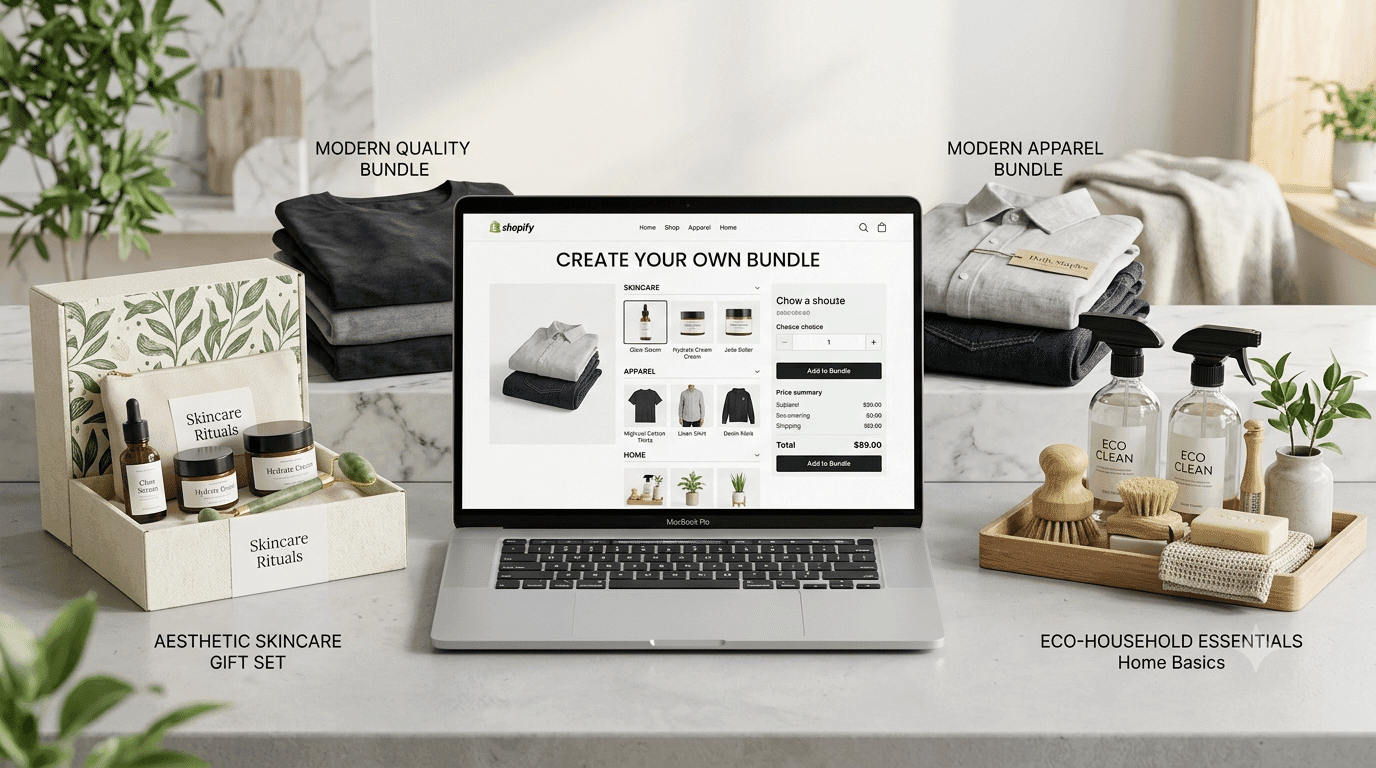
Shopify product bundles have become a popular strategy for ecommerce merchants looking to increase average order value (AOV), improve product discovery, and create a more convenient shopping experience. Instead of encouraging customers to purchase individual products, merchants can combine complementary items into attractive offers that deliver additional value.
In 2026, product bundling involves more than creating a simple kit or offering a discount. Shopify merchants can choose from fixed bundles, multipacks, mix-and-match offers, volume discounts, frequently bought together recommendations, and free-gift promotions. Each approach serves a different business objective, from encouraging larger purchases to introducing customers to new products.
Choosing the right bundling strategy requires careful consideration of pricing, inventory management, storefront design, and customer behavior. This guide explains how Shopify product bundles work, which strategies to consider, and how to build a more effective bundling experience for your store.
What Is a Shopify Product Bundle?
A Shopify product bundle is a combination of two or more products offered together as part of a single purchasing experience. Merchants may offer a discount or another benefit to encourage customers to purchase the products together rather than individually.
For example, a skincare brand could combine a cleanser, moisturizer, and serum into a complete skincare routine. A clothing retailer might offer a shirt, trousers, and accessories as a coordinated outfit.
Product bundles help customers discover complementary products while giving merchants another way to merchandise their catalogs.
In 2026, common Shopify bundling strategies include:
Fixed bundles: A predefined collection of products sold together, such as gift sets or starter kits.
Multipacks: Multiple units of the same product sold as one offer.
Mix-and-match bundles: Customers choose products from a selected collection to create their own combination.
Volume discount bundles: Customers receive better pricing when purchasing larger quantities.
Buy One, Get One (BOGO) offers: Customers receive an additional product under specified promotional conditions.
Frequently Bought Together (FBT): Complementary products are recommended on product pages.
Bundle-as-product (BAP): A product combination is presented through a dedicated listing, with its own description, images, and URL.
The best option depends on your catalog, margins, fulfillment capabilities, and customer preferences.
Native Shopify Bundles: What You Need to Know
Shopify provides a free Shopify Bundles app that allows merchants to create fixed bundles and multipacks. It is a practical starting point for stores that want to introduce product combinations without immediately investing in a third-party bundling app.
One of the key advantages is component-level inventory management. When a customer purchases a bundle, Shopify accounts for the inventory of the individual products included in that bundle. This helps merchants avoid treating a bundle as an entirely separate stock quantity without considering the availability of its components.
The native solution can be suitable for stores that need straightforward product combinations and a relatively simple setup.
However, merchants should evaluate their requirements before relying on it for more complex offers.
Where Native Shopify Bundles May Fall Short
Depending on your business model, you may need capabilities beyond fixed bundles and multipacks.
Limited bundle-building flexibility: Merchants who want customers to choose their own products may need a dedicated app or another supported solution.
Advanced discount requirements: Quantity-based discounts, complex BOGO promotions, and other promotional rules may require separate discount configurations or third-party tools.
Bundle presentation: Stores that need highly customized bundle builders or specialized product-page layouts may require additional customization.
Inventory requirements: Businesses with multiple fulfillment locations or complex inventory workflows should verify how their chosen bundle setup handles availability and fulfillment.
Reporting requirements: Shopify provides bundle-related sales reports, but stores with advanced attribution, experimentation, or profitability requirements may need additional analytics.
Shopify's features and technical limits can change, so consult its current documentation before selecting a bundle implementation.
When Is a Shopify Bundle App Worth the Cost?
A third-party Shopify bundle app becomes worth considering when your merchandising requirements exceed what your current setup can comfortably handle.
You Want Customers to Build Their Own Bundles
Build-your-own-box experiences let customers select products based on their preferences. This approach can work well for beauty products, snacks, apparel, personalized gifts, and subscription businesses.
For example, a skincare retailer could allow shoppers to select any four products from a collection. Customers get more control over their purchase, while the merchant can promote a broader range of products.
Increasing Average Order Value Is a Priority
If increasing AOV is one of your business objectives, product bundles can encourage shoppers to purchase complementary items or larger quantities.
A third-party app may provide quantity breaks, bundle discounts, promotional widgets, and additional reporting. Evaluate these features against your store's actual requirements before paying for them.
Your Product Catalog Has Complex Variants
Apparel stores may sell the same product in multiple sizes and colors. Beauty retailers may have different shades or formulations, while electronics stores may offer several configurations.
As your catalog grows, managing bundle combinations can become more complicated. Check the variant limits and configuration capabilities of your selected solution.
You Need More Flexible Promotional Offers
Some bundle apps combine fixed bundles, volume discounts, mix-and-match offers, and frequently bought together recommendations within one interface.
Consolidating related functionality can simplify administration, although compatibility with existing discount apps and theme customizations should be verified.
Your Store Has Advanced Operational Requirements
Stores with complex inventory processes, wholesale pricing, multiple markets, or specialized fulfillment rules should assess whether a third-party app or custom integration is necessary.
The right solution should simplify operations rather than introduce more maintenance and compatibility issues.
How to Choose the Right Shopify Bundle App
Choosing a bundle app requires more than comparing feature lists. The solution should support your sales strategy while maintaining reliable inventory and a smooth shopping experience.
1. Bundle Type Support
Identify the offers you actually intend to create. Do you need fixed bundles, mix-and-match selections, volume discounts, BOGO promotions, or frequently bought together recommendations?
Choose an app that covers your priority requirements without forcing you to pay for unnecessary features.
2. Inventory Accuracy
Inventory accuracy is essential when products are sold individually and as part of multiple bundles.
Check how the app updates component inventory, handles out-of-stock products, and supports multiple fulfillment locations. If your business sells through several channels, confirm how inventory changes are synchronized across the systems involved.
3. Storefront Performance
Bundle widgets should load efficiently and work smoothly on desktop and mobile devices.
Review the app's implementation, theme compatibility, loading behavior, and any additional scripts it introduces. Do not assume that a particular badge or feature alone guarantees that an app will have no performance impact.
4. Customization Options
Your bundle offers should match your storefront's branding and layout.
Look for flexible product selectors, clear pricing displays, responsive designs, understandable calls to action, and the ability to present bundle details without confusing shoppers.
A well-designed Shopify theme can complement bundling functionality by making product information, recommendations, and purchasing options easier to navigate.
5. Analytics and Reporting
Useful analytics can help you understand whether bundles are contributing to your business goals.
Consider tracking bundle sales, conversion rates, average order value, component-level performance, and gross margins. More advanced stores may also benefit from controlled experiments and additional attribution tools.
6. Pricing and Scalability
Compare monthly subscription fees, usage-based charges, order limits, and any additional costs.
An app that appears inexpensive at a small scale may become more costly as order volume grows. Review pricing tiers and limitations before committing.
7. Compatibility and Support
Check whether the app supports your current Shopify theme, discount setup, inventory system, and other important integrations.
Reliable documentation and responsive support can be particularly valuable when your store uses customized product pages or complex fulfillment workflows.
Shopify Bundle Apps Worth Considering in 2026
The best app depends on the bundle types you want to create, the complexity of your catalog, and your budget.
Shopify Bundles
Shopify Bundles is a free option for merchants who primarily need fixed bundles and multipacks. It is a sensible starting point when advanced customization and customer-built bundles are not essential.
Fast Bundle
Fast Bundle is an option to investigate if you need more varied product bundling and promotional configurations. Check its current feature set, supported bundle types, pricing, and compatibility with your storefront.
Bundler
Bundler is another option for merchants evaluating product combinations and discount-based offers. Review its current capabilities to determine whether they match your merchandising requirements.
Pumper Bundles
Pumper Bundles is worth evaluating if you want to introduce bundle offers and quantity-based promotions. Confirm its current features and pricing before choosing it for your store.
Custom Shopify Development
A custom implementation may make sense for businesses with specialized bundle rules, complex integrations, or operational requirements that existing apps cannot satisfy.
Custom development typically requires more upfront planning and ongoing maintenance, so it is best justified by a clear business need.
Important: App features, prices, and compatibility can change. Compare the current Shopify App Store listings and documentation before making a decision.
The Shopify Bundle Types That Can Support Revenue Growth
Different bundle types serve different business objectives. Choose an approach that complements your products and customers' buying behavior.
Fixed Product Bundles
Best for: Gift sets, starter kits, skincare routines, and seasonal collections.
Fixed bundles combine predefined products into one offer.
For example, a beauty retailer could combine a cleanser, toner, and moisturizer into a skincare set. A home goods store might package a bedsheet, pillowcases, and matching accessories.
The advantage is convenience: customers can purchase a coordinated collection without searching for every item individually.
Pricing tip: Start by calculating the combined regular price and your total costs. Test a discount that communicates value without compromising profitability.
Mix-and-Match Bundles
Best for: Cosmetics, apparel, snacks, and personalized gift boxes.
Mix-and-match bundles allow customers to choose products from a selected collection.
An offer such as "Choose any four products from our collection" provides more flexibility than a predefined set. It can also help customers discover products they may not have considered previously.
Implementation tip: Keep the selection process straightforward. Clearly show available products, selection requirements, final pricing, and any applicable discounts.
Volume Discount Bundles
Best for: Household essentials, consumables, supplements, and replenishment products.
Volume discounts encourage customers to purchase larger quantities by offering better pricing at defined thresholds.
For example, a merchant could offer a small discount for two units and a larger discount for four units.
Pricing tip: Calculate the margin at every quantity level. A larger order is not automatically more profitable if the discount is too aggressive.
BOGO and Free-Gift Offers
Best for: Seasonal promotions, product launches, and selected clearance campaigns.
Buy One, Get One offers and free gifts with qualifying purchases give customers an additional benefit for meeting specific purchase conditions.
For example, a merchant could offer a complimentary accessory with a qualifying product or provide a second item as part of a promotional campaign.
Implementation tip: State the eligibility rules clearly and test how the promotion interacts with existing discounts and bundle pricing.
Frequently Bought Together
Best for: Electronics accessories, beauty products, fashion add-ons, and home goods.
Frequently bought together offers recommend products that complement the main item.
A customer purchasing a camera, for example, might also need a memory card or protective case. A relevant recommendation can help the customer discover these products without searching the entire catalog.
Recommendations may be manually curated or informed by purchase data, depending on the solution being used.
Implementation tip: Prioritize relevance. Display products that genuinely complement the main purchase instead of filling the page with unrelated suggestions.
Bundle-as-Product
Best for: SEO campaigns, seasonal landing pages, gift collections, and targeted advertising.
A bundle-as-product setup presents a product combination through a dedicated listing. The page can include unique imagery, a product description, pricing details, and information about the items included.
Dedicated pages can make it easier to promote specific bundles through search, email, and paid campaigns.
SEO tip: Write original product descriptions, use accurate structured product information, and make the bundle's contents clear. Avoid creating multiple near-identical pages that provide little additional value.
Shopify Bundle Pricing: How to Protect Your Profit Margins
An attractive discount can encourage customers to purchase a bundle, but excessive discounting can reduce profitability.
Use this framework when setting bundle prices.
Step 1: Calculate the Combined Product Value
Add the regular selling prices of all products included in the bundle. This establishes the undiscounted value against which the bundle offer can be evaluated.
Step 2: Set a Discount Based on Your Objective
Your pricing strategy should reflect what you want the bundle to accomplish.
AOV-focused offers: Test modest discounts that encourage customers to add complementary products.
Customer acquisition offers: Consider introductory incentives when the expected customer value and margins justify them.
Clearance bundles: Evaluate larger discounts when moving seasonal or slow-selling inventory is a priority.
These are starting points for testing, not fixed industry benchmarks. The appropriate discount depends on product costs, customer demand, and competitive conditions.
Step 3: Calculate Gross Margin
Subtract the cost of goods sold for all bundle components from the bundle's selling price.
Also consider packaging, fulfillment, payment processing, shipping subsidies, and other relevant expenses when evaluating the overall economics of the offer.
A bundle that generates more revenue but leaves very little profit may not be a good long-term strategy.
Step 4: Account for Cannibalization
Some customers who would otherwise have purchased individual products at full price may choose the discounted bundle instead.
Compare bundle sales with your usual sales patterns to determine whether the offer is generating incremental purchases or mainly shifting existing demand toward a lower-margin option.
Step 5: Communicate the Value Clearly
Display the bundle price and combined regular price when the comparison is accurate and permitted by applicable pricing rules.
Customers should understand what is included, how much they pay, and what benefit they receive.
Transparent pricing helps build trust and makes it easier for shoppers to compare options.
Inventory and Operational Considerations
Inventory management is an important part of a successful Shopify bundling strategy. A well-designed offer can still create problems if stock availability, fulfillment, or reporting is not handled correctly.
Component-Level Inventory
When a bundle contains several products, inventory management should account for the availability of each component.
If one item becomes unavailable, the store needs to handle the bundle appropriately rather than continuing to promise a combination that cannot be fulfilled.
Verify how your chosen implementation manages component stock and concurrent orders.
Multi-Location Stock
Stores fulfilling orders from multiple warehouses should review location-specific inventory behavior.
Shopify's native bundle inventory has limitations around location-specific stock tracking, so merchants with complex fulfillment requirements should evaluate the current documentation and their operational setup carefully.
Multi-Channel Inventory
If the same products are sold individually, through bundles, and on other sales channels, inventory changes must be coordinated across the relevant systems.
For example, selling the final unit of a product individually should affect the availability of any bundle that requires that unit.
Confirm how your inventory system handles synchronization and whether updates are sufficiently timely for your sales volume.
Bundle SKU Management
A consistent naming convention makes bundles easier to organize as your catalog grows.
For example, a store might use a format such as BUN-SKINCARE-001 to identify a skincare bundle internally.
Documenting the relationship between bundles and their component products can also simplify reporting, customer support, and catalog maintenance.
Reporting and Performance Tracking
Track metrics that help you understand both commercial performance and operational efficiency.
Useful metrics include:
Bundle conversion rate.
Average order value compared with your store baseline.
Revenue attributed to each bundle.
Gross margin per bundle.
Component-level sales performance.
Returns and cancellations.
Inventory turnover.
If you use email marketing software such as Brevo, relevant purchase data can also support follow-up campaigns and recommendations for complementary products, subject to your data practices and customer consent requirements.
How Product Bundles Can Improve Inventory Performance
Bundling can help merchants manage inventory more strategically when the product combinations make sense for customers.
Move Slow-Selling Inventory
Pair a slow-selling product with a relevant bestseller to introduce customers to an item they might otherwise overlook.
The combination should provide genuine value rather than making the bundle feel like a way to dispose of unwanted stock.
Manage Seasonal Products
Seasonal bundles can help organize products around holidays, back-to-school shopping, or other relevant occasions.
Planning promotions in advance can make it easier to coordinate inventory, product pages, and marketing campaigns.
Encourage Bulk Purchases
Volume-based offers can help move excess inventory when customers have a genuine reason to buy larger quantities.
Calculate the discount carefully to ensure the additional sales justify the reduced margin.
Improve Product Discovery
Curated bundles can introduce customers to products that are less visible in the normal browsing journey.
This can be particularly useful when complementary products are spread across different categories.
Manage Products Approaching Expiration
For eligible cosmetics, supplements, and food products, clearly disclosed offers may help sell inventory before its expiration date.
Always comply with applicable product-safety requirements, labeling rules, and expiration-related restrictions.
Common Shopify Bundling Mistakes to Avoid
Even well-planned bundle offers can underperform when merchants overlook the customer experience or operational details.
Bundling unrelated products: Choose combinations that serve a shared purpose or complement each other. Running shoes and performance socks make more sense together than running shoes and an unrelated kitchen accessory.
Offering excessive discounts: Deep discounts can undermine margins and encourage customers to wait for promotions rather than purchasing at regular prices.
Ignoring inventory synchronization: Inaccurate component inventory can lead to orders that cannot be fulfilled.
Launching too many bundles at once: Start with a manageable selection and evaluate the results before expanding.
Allowing discount conflicts: Check how bundle prices interact with coupon codes, automatic discounts, and storewide promotions.
Neglecting mobile shoppers: Test bundle pages, product selectors, pricing displays, and purchase flows on mobile devices.
Ignoring unsuccessful offers: Review performance regularly and update or retire bundles that no longer meet your objectives.
Overlooking the customer experience: Make the bundle contents, pricing, product options, and purchasing requirements easy to understand.
A focused collection of relevant offers is often easier to manage and optimize than a large collection of overlapping promotions.
Shopify Bundling Strategy for Shopify Plus Stores
Shopify Plus merchants may have additional options for implementing advanced discount logic, business-to-business pricing, and customized checkout experiences.
However, not every capability is exclusive to Plus, and access depends on the specific feature, API, app, and current Shopify requirements.
Shopify Functions and Discount Logic
Shopify Functions can support custom discount and checkout-related business logic where the relevant extension points are available.
For stores with specialized pricing requirements, developers can investigate whether a custom implementation offers meaningful advantages over existing apps.
B2B Bundle Offers
Merchants serving wholesale customers may need bundle pricing based on customer segments, negotiated terms, minimum quantities, or purchasing agreements.
Evaluate how your selected bundle solution integrates with your B2B catalog and pricing configuration.
Checkout Customization
Checkout-related bundle offers require careful attention to Shopify's supported checkout extension points and plan-specific restrictions.
Before planning an in-checkout offer, verify which customization options are available for your store and whether your intended functionality is supported.
Workflow Automation
Automation tools can help merchants organize internal processes related to bundle purchases, customer communications, and inventory workflows.
For example, an order containing a particular bundle could trigger a relevant post-purchase email or internal notification when the appropriate integrations are configured.
The best implementation is one that reduces manual work without creating additional operational complexity.
Improving the Bundle Shopping Experience with Debutify
Creating attractive product bundles is only one part of an effective Shopify strategy. Merchants also need a storefront that presents product combinations clearly, communicates savings, and makes purchasing straightforward across devices.
A well-organized product page can explain what the bundle includes, highlight relevant product details, and help customers understand the value of purchasing items together.
Storefront design also matters. Clear navigation, responsive layouts, consistent styling, and visible calls to action can make it easier for customers to explore offers and complete purchases.
Merchants looking to improve their storefront experience can explore a conversion-focused Shopify theme like Debutify, which offers product bundles and volume discount features alongside customizable storefront sections.
A theme and a dedicated bundling app serve different purposes. Your theme shapes how customers experience the storefront, while the bundle implementation determines how product combinations, pricing, and inventory are managed. Before selecting a solution, confirm the features available in the current theme version and its compatibility with your chosen apps.
The goal is to create a consistent shopping experience in which customers can discover relevant bundles, understand their value, and purchase with confidence.
A Practical Framework for Choosing Your Shopify Bundle Setup
If you are unsure whether to start with Shopify's native option or install a third-party app, answer these questions:
Do you only need fixed bundles or multipacks?
Do customers need to select their own products?
Are quantity discounts or complex promotional rules important?
Does your catalog have extensive product variants?
Do you need detailed bundle analytics?
Do you have specialized inventory, fulfillment, or wholesale requirements?
If your requirements are straightforward: Start by evaluating the native Shopify Bundles app.
If you need more flexibility: Compare third-party apps that support your preferred bundle types, discount rules, and storefront experience.
If your operations are complex: Evaluate advanced apps or custom development based on integration requirements, expected benefits, and long-term maintenance costs.
Review your results regularly and adjust your approach as your catalog and customer needs evolve.
Final Thoughts
Shopify product bundles can help merchants increase average order value, introduce customers to complementary products, and manage inventory more strategically.
Success depends on choosing relevant product combinations, setting sustainable prices, maintaining accurate inventory, and presenting offers through a user-friendly storefront.
Start with two or three bundles that solve clear customer needs. Track conversion rates, average order value, gross margin, and inventory performance before expanding your catalog.
Combine a thoughtful bundling strategy with a clear, consistent shopping experience, and you will have a stronger foundation for improving your Shopify store in 2026.
Frequently Asked Questions
1. What is a Shopify product bundle?
A Shopify product bundle is a combination of two or more products offered together as part of one purchasing experience. Merchants use bundles to promote complementary items, offer convenience, or provide savings on combined purchases.
2. Can you create product bundles directly in Shopify?
Yes. Shopify offers the Shopify Bundles app for creating fixed bundles and multipacks. Merchants with more advanced requirements can evaluate third-party apps and other supported solutions.
3. How do I create a product bundle on Shopify?
Start by reviewing the Shopify Bundles app in the Shopify App Store. Follow its current setup instructions to select the products, configure the bundle, review inventory behavior, and publish the offer. If you need customer-built bundles or advanced promotional logic, investigate suitable alternatives.
4. What is the best Shopify bundle app?
The best app depends on your catalog, budget, required bundle types, inventory workflows, and reporting needs. Shopify Bundles is a starting point for straightforward fixed bundles and multipacks, while third-party apps may offer additional functionality.
5. Do Shopify product bundles increase average order value?
They can encourage customers to purchase complementary products or larger quantities, which may increase AOV. Results depend on product relevance, pricing, customer behavior, and how the offer is presented.
6. How should I price a Shopify product bundle?
Calculate the combined selling price of the component products, subtract their costs and other relevant expenses, and choose a discount that fits your objectives. Track gross margin as well as order value to assess whether the bundle is profitable.
7. Do product bundles help with inventory management?
Bundles can help merchants promote slow-selling products, manage seasonal collections, and encourage larger purchases. However, accurate component-level inventory and appropriate fulfillment processes are essential.
8. Does a Shopify theme affect product bundling?
A theme affects how bundle offers appear and how customers interact with them. The actual bundle configuration, pricing logic, and inventory behavior may depend on Shopify's native functionality, a dedicated app, or a custom integration.
9. Is Debutify a product bundling app?
Debutify is a Shopify theme solution rather than simply a dedicated bundling app. Its theme features can support the storefront experience, while merchants should verify the current bundling functionality and any additional app requirements for their specific setup.

Author
Debutify
Debutify is the easiest way to launch and scale your eCommerce brand.