The Click Happens Before the Video Starts: What the Data Says About Thumbnail Strategy in 2026
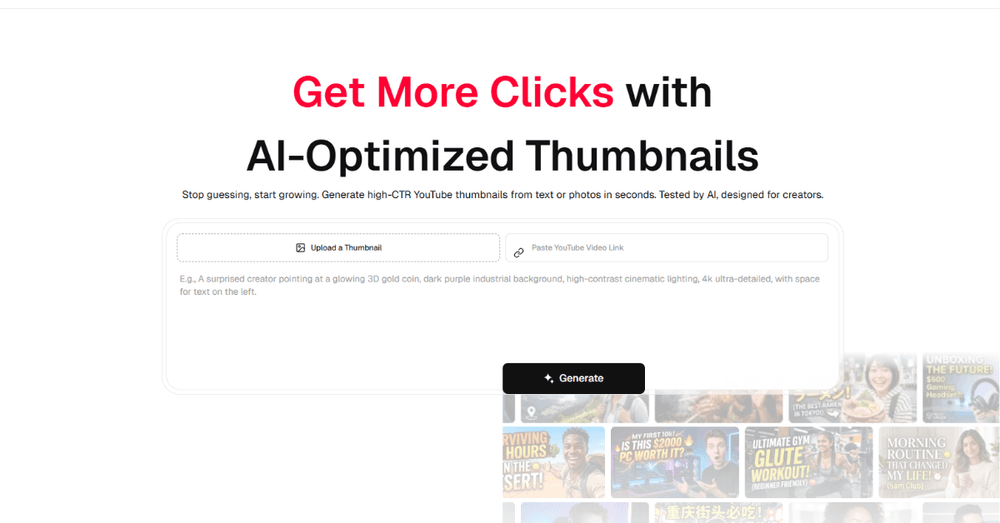
After analyzing engagement patterns across hundreds of YouTube channels, one finding keeps surfacing: the single highest-leverage intervention for a mid-size creator is not posting frequency, video length, or even topic selection. It is the thumbnail. Not the quality of the thumbnail in any abstract aesthetic sense. Specifically: whether the thumbnail communicates a clear visual promise within the roughly 1.3 seconds a viewer spends scanning a feed. Tools like Thumbs.ai have emerged to help creators work on exactly that problem. This piece looks at what the data says about thumbnail strategy in 2026, where AI tooling genuinely helps, and where the judgment still belongs to a human.
Why Thumbnail Design Has Become a Bottleneck
YouTube's own internal data, cited in their Creator Academy resources, suggests that thumbnails are the primary factor in click-through rate for the majority of recommended videos. CTR, in turn, is one of the stronger signals in YouTube's recommendation algorithm, which means a weak thumbnail does not just lose a click, it suppresses future distribution.
The implication is straightforward: thumbnail quality is a distribution input, not a cosmetic choice. Yet most mid-size creators treat it as an afterthought, producing one in minutes at the end of an editing session that took days. The bottleneck is not talent; it is that the design decisions involved, composition, contrast, text hierarchy, subject placement, are a second discipline most creators never trained in. Volume makes it worse: channels publishing weekly need fifty strong thumbnails a year, and fatigue shows.
What AI Thumbnail Tools Actually Change
The most significant practical shift that AI thumbnail generation introduces is not speed, though speed matters. It is the elimination of the blank canvas problem. Starting a thumbnail from scratch requires a series of decisions that most creators are not trained to make efficiently: composition, color contrast, text hierarchy, subject placement, background treatment. Each decision costs attention, and the stack of them is why thumbnails get rushed. A structured YouTube Thumbnail Maker flips the workflow: instead of composing from nothing, the creator evaluates and adjusts structured options, making a smaller set of higher-quality decisions. The output still needs human judgment, but the expensive part of the work moves from execution to choice.
Where the Tool Operates — and Where It Doesn't
It is worth being precise about what AI thumbnail generation solves and what it does not. The tools are effective at structural and compositional decisions: layout, contrast, text placement, style consistency. They are less effective at the semantic layer: understanding what specific visual promise will resonate with a specific audience for a specific piece of content. That judgment still requires someone who understands the channel, the viewers, and the video itself.
In practice, the strongest results come from treating the tool as a junior designer with excellent technical instincts and no strategic context. Give it constraints, generate options, then apply the audience knowledge it cannot have. Channels that skip that final step produce thumbnails that are competent and forgettable.
The Broader Shift in Creator Tooling
A 2024 McKinsey report on generative AI adoption noted that creative production workflows were among the fastest-adopting categories, with thumbnail and visual asset generation cited as a high-frequency use case among content creators. The pattern they identified matches what is observable on YouTube: AI tools are compressing the production gap between large channels with dedicated designers and smaller ones run by a single person.
That democratization comes with caveats. When good-looking thumbnails become cheap, the bar for standing out moves upstream to concept and promise. The channels still outperforming are the ones pairing efficient production with sharper strategic choices, not merely prettier packaging.
A Practical Framework for Using Thumbnail AI Effectively
Based on what the data suggests about thumbnail performance, the most useful framing before using any thumbnail generation AI comes down to three questions:
- What is the single visual promise this thumbnail needs to communicate? Not the topic of the video, but the specific emotional or informational hook that makes a viewer want to click
- What does my channel's established visual language look like? If the answer is nothing yet, decide on three recurring elements before generating anything
- What will this look like at phone size? Most impressions happen on small screens, so test every candidate shrunk to one inch wide
Answer those three questions first and the tool becomes an accelerator. Skip them and it becomes a way to produce weak thumbnails faster.
The 1.3-second window is not going to get longer. If anything, as platform feeds become denser and viewer attention becomes more fragmented, the pressure on that first visual impression will increase. The creators who treat thumbnail design as a strategic discipline, not a production afterthought, are the ones the data consistently shows outperforming their peers on distribution metrics. The tools available in 2026 remove the execution bottleneck; what remains is the strategic work, and that is exactly where creators should spend their attention.

Author
Azaan Malik
SEO Writer