GenPPT Reviewed: What Fast AI Decks Mean for Busy Store Teams
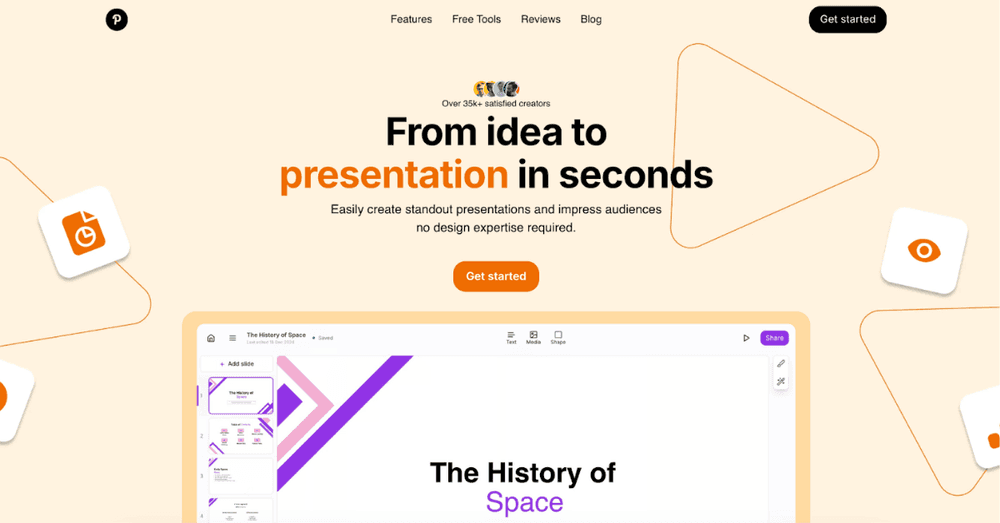
Quick overview: GenPPT is an AI-powered presentation maker that creates complete slide decks from a topic prompt in under sixty seconds. If you need a first draft fast and do not mind editing, it delivers. The interesting question is what that speed is worth to creators and small teams who live inside decks they did not have time to make.
This review covers pricing, real results, strengths, weaknesses, and the workflow that makes it pay off. The store angle is worth keeping in mind throughout: the same tool that builds a pitch deck builds a supplier presentation, a wholesale line sheet, and a launch review, all of which a growing store needs and none of which anyone has time for.
What Is GenPPT?
GenPPT sits in the category of the best AI presentation maker tools that turn a prompt into structure, copy, and design in one pass. Its pitch is the sixty-second draft, and in testing it holds up: you describe the deck, and a complete one arrives.
The useful framing is that GenPPT sells the first hour back to you. The outline, the slide order, the talking points, the first visual pass: that is the work it removes, and that work is exactly the part most people procrastinate on. What it does not sell you is the last hour, the editing that makes the deck yours.
GenPPT Pricing: What You Actually Pay
The pricing follows the familiar freemium shape: a limited free tier to try the workflow, and paid plans that remove the limits and unlock exports. The honest way to read it is by deck: what does a finished deck cost you, in money and in edits?
That deck-level math is the right unit for any tool a store evaluates. Not the monthly fee, but the cost per unit of output you actually ship. A tool that costs more per month but halves the editing time is usually the cheaper one, and the only way to know is to price the finished artifact, not the subscription.
Testing GenPPT: Real-World Results
In testing, the results split cleanly. On familiar topics the drafts are genuinely usable after light editing. On niche topics the structure holds but the content needs real correction, because the model reaches for the generic when it lacks the specific.
That split is the honest forecast for any generated content tool, and it predicts your results with any of them. The output quality tracks your topic's commonness, which means the tool is a multiplier of what you already know, not a substitute for what you do not. Bring the expertise and the tool shines. Bring only the prompt and you will spend the savings on corrections.
GenPPT Strengths: What It Does Well
The strengths are consistent. Speed, obviously, but more importantly the structural instinct: the decks arrive with a logical order, sensible section breaks, and slide counts that match the brief. The design is clean enough to present, which is a high bar for a first draft.
Structure is the underrated strength here, because structure is the part most people cannot draft quickly. The visual polish can be tweaked. The narrative order is the hard part, and getting it generated in a minute is the actual value, even for people who change every word that follows.
GenPPT Weaknesses: Where It Falls Short
The weaknesses are the mirror image. Depth requires real input, and the tool cannot supply what you do not give it. Design variety is limited compared to a designer. And the generic phrasing that works on common topics becomes a liability on specialized ones.
The pattern matters more than the specifics. Every generation tool has the same shape of weakness: strong on structure and breadth, weak on depth and originality. Knowing the shape tells you how to use any of them, which is to supply the depth yourself and let the machine carry the breadth.
Who Should Use GenPPT
The fit is clearest for people who make decks often and have no time for them: founders pitching, managers reporting, teachers preparing, and anyone who presents weekly. The tool pays off in proportion to how many decks you owe.
The store version of the fit test is simple. Do you present to suppliers, wholesale buyers, or your own team more than a few times a quarter? If yes, the tool earns its place. If your business runs on decks, even informal ones, the sixty-second draft is not a gimmick. It is a workflow change.
GenPPT vs. the Alternatives
The alternatives cluster by philosophy. Beautiful.ai leads on design quality, and is the pick when the deck must look exceptional. Presentations.ai competes on brand consistency across a team's output, and Beautiful.ai remains the reference point for the design-first end of the market.
The comparison teaches the universal lesson of tool categories: the right choice is the one built for your dominant constraint. Speed, beauty, and brand consistency are different products, and the teams that choose by constraint get more from whichever tool they pick than the teams that choose by feature list.
Real-World Workflow: How We Use GenPPT
The workflow that works has four steps. Prompt with a real outline, not just a topic. Edit the content hard, keeping the structure. Drop in your own visuals where they matter. And rehearse from the result, because the deck is a support, not a script.
Notice what the workflow assumes: the human supplies the outline, the judgment, and the visuals. The tool supplies the skeleton and the first skin. That division is what makes the output presentable, and it is the same division that makes any generated content work, from decks to product pages.
Pricing Reality: Is GenPPT Worth It?
The worth question answers itself at the deck level. If a draft saves you ninety minutes and you build five decks a month, the subscription is the cheapest hire you will ever make. If you build two decks a year, the free tier is your ceiling and you should stay on it.
The discipline is the same for every subscription a store considers. Price the output, count the frequency, and buy only when the math is boringly obvious. The tools that survive a review like that are the ones that were actually earning their place, and the rest were habits wearing invoices.
What I Wish GenPPT Had
The wishlist is short and specific. Deeper control over design templates. Better handling of niche content from provided documents. And stronger brand controls for teams. Each one points at the same theme: the gap between a good draft and a deck that feels like the company made it.
The gap is the whole market, and it is why the category keeps evolving. Every tool is racing toward the same destination: generated output that needs less human finishing. The stores watching this space should track the finishing time, not the generation time, because the first number is the one they actually pay.
Final Verdict: Should You Use GenPPT?
The verdict is a conditional yes: yes if you make decks often, yes if you will edit honestly, and yes if the topic is one you know well enough to correct the machine. No if you expected the tool to supply the expertise, because no tool in the category does that yet.
The conditional is the honest form of every verdict in this era. The tools are genuinely useful and genuinely limited, and the people who get value from them are the ones who hold both facts at once. Use it for the skeleton, bring the substance, and the sixty-second draft becomes what it promises: an hour of your week, returned.
How to Try GenPPT
Trying it takes minutes. Head to genppt.com, start with the free tier, and generate a deck about something you know well. Then do the real test: hand it to a colleague without telling them it was generated, and watch where they ask questions.
The colleague test is the most honest evaluation available, and it costs nothing. The places where the questions land are the places the draft was thin, and they predict exactly where your real decks will need editing. Run the test before you pay for the plan, and the decision makes itself.
FAQ: Common Questions About GenPPT
The common questions are practical. Can I use the output commercially? Check the current terms on your plan. Does it export to the formats my team uses? The paid tiers cover the common ones. And how much editing should I budget? Plan on the last hour being yours, because it will be. Before you commit, run this checklist:
- Prompt with a real outline, not just a topic.
- Edit the content hard and keep the structure.
- Replace the stock visuals where they matter.
- Run the colleague test before you pay.
- Price the tool per finished deck, not per month.
- Budget the final hour as yours, always.
The generation race is really a race to shorten the distance between a prompt and something presentable, and GenPPT is a serious entry in that race for teams that understand the division of labor. Bring the substance, let the tool bring the skeleton, and the deck stops being the thing nobody had time for.

Author
Vlad Orlov
Managing brand partnerships at Respona, Vlad Orlov is a passionate writer and link builder. Having started writing articles at the age of 13, their once past-time hobby developed into a central piece of their professional life.