AI Agent25 min read28 May 2026

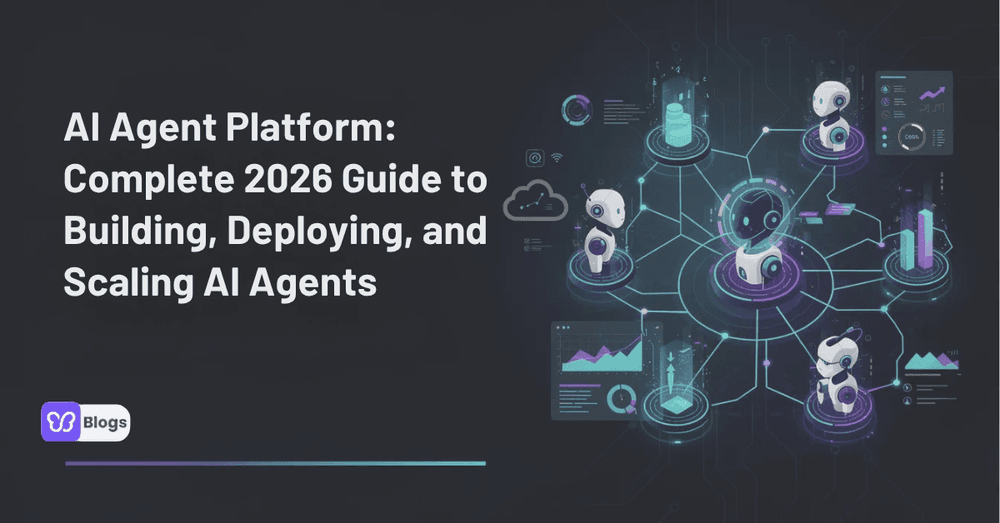
AI Agent Platform: Complete 2026 Guide to Building, Deploying, and Scaling AI Agents

AI Agent Platform: Complete 2026 Guide to Building, Deploying, and Scaling AI Agents

AI agents have moved from experimental demos to everyday business systems. In 2026, companies are using them to book meetings, summarize documents, update CRMs, draft customer replies, screen candidates, and coordinate work across multiple apps.

The challenge is no longer whether artificial intelligence can help. The challenge is choosing the right ai agent platform so your team can build useful agents safely, connect them to your existing tech stack, and measure whether they actually save time.

This guide explains what agent platforms do, how they work, where they fit, and how to evaluate the best ai agent tools for your business.

TL;DR: What is an AI Agent Platform and Why It Matters in 2026?

An ai agent platform is software that lets you design, run, monitor, and improve ai agents without manually stitching together models, prompts, tools, databases, and dashboards. Instead of building every piece from scratch, teams use an agent platform to create agents, connect them to business systems, and manage agent execution in production.

Modern agent platforms combine LLMs, ai models, memory, tool access, workflow orchestration, and analytics. That lets an agent automate multi-step work such as sales outreach, support triage, reporting, contract review, or internal research.

In practical terms, an ai agent is closer to a digital coworker than a simple chatbot. Effective AI agents operate autonomously by sensing their environment, analyzing it, and acting to meet specific goals, making them proactive partners rather than just tools.

Here’s the short version:

  • An ai agent is a software system that utilizes artificial intelligence to perform tasks autonomously and achieve specific goals, combining language understanding with decision-making capabilities.
  • An agent platform is used by sales, support, finance, operations, legal, HR, and technical teams that want to automate repetitive tasks without losing oversight.
  • AI agents are designed to perform tasks autonomously and can handle complex workflows, while traditional automation tools typically follow fixed rules and execute predefined actions.
  • Unlike automation tools that require explicit instructions for every action, AI agents can interpret unstructured data and make decisions based on context, allowing for more dynamic interactions.
  • This article is a 2026 buyer’s guide to the best ai agents, ai agent software, ai agent development tools, ai agent tool categories, and how to choose the best ai agent platform for your needs.

What Is an AI Agent and How Do Agent Platforms Work?

An ai agent is an autonomous software entity that can plan, decide, and take actions toward a goal. If you tell a chatbot, “Write me an email,” it responds. If you tell an agent, “Research these 50 prospects, update the CRM, draft tailored emails, and flag risky leads,” it can break that goal into steps and work through them.

AI agents can perform multi-step workflows autonomously, such as booking meetings, summarizing documents, and updating CRMs, which distinguishes them from simpler AI tools that only handle single tasks. AI agents can automate a variety of tasks, such as booking meetings, summarizing documents, filling forms, and updating CRMs, effectively acting as digital coworkers.

The basic pattern is simple:

  1. The agent receives a goal in natural language.
  2. It analyzes the current environment, such as a CRM record, inbox, document, ticket queue, or database.
  3. It decides what to do next.
  4. It calls tools, APIs, or internal systems.
  5. It checks the result, updates memory, and continues until the task is complete or needs help.

AI agents evolve and improve over time by learning from user interactions and feedback, which enhances their performance and adaptability in various tasks. That feedback may come from human approvals, corrections, rating systems, test results, or performance data.

An ai agent platform provides the runtime, integrations, monitoring, and UI to support both single agents and agent teams. It lets you build agents, define permissions, connect systems, review activity, and deploy agents into real business processes.

Think of a 2026 customer support agent watching a Zendesk queue. It reads new tickets, checks purchase history, updates HubSpot, drafts a response, escalates low-confidence cases, and remembers recurring complaints for future issues.

That is different from a fixed workflow. A workflow follows the same logic every time. An agent decides in real time, based on context, available tools, memory, and guardrails. Agent development is the discipline of designing that reasoning plus the actions the agent is allowed to take.

A person is seated at a modern office desk, intently reviewing digital dashboards on a laptop, showcasing various data visualizations and metrics. The setting reflects a focus on automation tools and AI capabilities, ideal for technical teams and sales teams looking to build and deploy intelligent agents.

Core Components of a Modern AI Agent Platform

A modern ai agent platform is more than a prompt box. It is an operating layer for intelligent agents that need to reason, call tools, use memory, and complete work across multiple systems.

The strongest platforms combine a flexible model layer with connectors, orchestration, governance, and observability. Without those pieces, an agent may work in a demo but fail when deployed to real customers, real data, and real operational risk.

Core components usually include:

  • LLM engine: The model layer that handles reasoning, planning, writing, summarization, and decision-making. Some platforms let you choose between multiple ai models or bring your own api keys.
  • Tool-calling layer: The connection between the agent and external systems such as CRMs, databases, calendars, ticketing tools, ERP systems, email, Slack, web search, and internal APIs.
  • Memory and state store: The place where context, task history, user preferences, and long-running state are stored.
  • Orchestration layer: The logic that manages single agents, multiple agents, multi agent systems, scheduling, retries, and handoffs.
  • Agent development tools: Testing, debugging, tracing, logging, prompt management, scenario replays, and release controls.
  • Evaluation suite: Offline tests, live tests, quality scoring, safety checks, and analytics for tracking agent behavior.
  • Deployment targets: Web apps, backend jobs, Slack bots, browser extensions, API endpoints, chat interfaces, or embedded ai agent apps.

This is also where serious ai agent products differ from toy apps. Production-ready ai agent software needs observability, versioning, permissions, audit logs, rollback, data controls, and secure tool use.

Observability and analytics are crucial for tracking agent performance, evaluating success, and measuring ROI. If a support agent resolves 2,000 tickets, you need to know how many were correct, how many needed review, how much they cost, and what broke when the prompt changed.

Top ai platform companies now expose native agent mode, agent builder layers, or managed orchestration instead of only raw APIs. According to reporting on Gartner projections, task-specific agents are expected to appear in a much larger share of enterprise applications by the end of 2026 than in 2025, which is why governance and platform maturity now matter more than novelty.

Types of AI Agent Platforms and Tools to Build AI Agents

The market for AI agent platforms is rapidly evolving, with new tools emerging that offer innovative features for automating workflows and enhancing productivity. Still, most tools to build ai agents fall into a few clear categories.

The primary market division for AI agent platforms is between Code-First Developer Frameworks and No-Code/Low-Code Enterprise Platforms. AI agent platforms differ primarily in their technical accessibility, integration ecosystems, and target use cases.

Here are the main options:

  • No-code platforms: Best for non technical users, operations teams, and business owners who want to create ai agents without writing code. These often include a no code visual builder, pre built agent templates, drag-and-drop logic, and simple integrations.
  • Low-code enterprise platforms: Good for enterprise teams that need governance, approval flows, security, connectors, and a visual builder, but still want technical teams to extend functionality with custom code.
  • Code-first developer frameworks: Best for engineering teams that want full control over orchestration, memory, models, testing, and deployment on own infrastructure. These have a steeper learning curve but more flexibility.
  • Open-source platforms: Useful when teams need self-hosting, privacy, customization, or control over the tech stack. Open-source options may require more maintenance and internal expertise.
  • Cloud-native agent stacks: Built for companies already using cloud LLM providers, google cloud, private cloud, or enterprise cloud services. These are often strong for scale, compliance, and integration with cloud data.
  • Vertical agent platforms: Designed for specific industries such as healthcare, finance, legal, recruiting, or customer support, where compliance and domain knowledge matter.

AI agent platforms can be categorized into no-code, open-source, and enterprise solutions, each catering to different user needs and technical expertise levels. AI agent platforms are software that allows users to create, deploy, and manage AI agents, typically through no-code or low-code interfaces, enabling automation of repetitive tasks.

Agent builders, ai agent builders, and ai automation features now appear across nearly every category. Some platforms help non technical teams configure workflows. Others help developers build agents through SDKs and APIs. The right choice depends on whether you need speed, control, compliance, or deep integration.

Top Use Cases: How Businesses Use AI Agent Platforms in 2026

The best ai agents for business are not generic assistants. They are mapped to clear, recurring workflows with measurable outcomes.

The best AI agent platforms are designed to help automate routine tasks, allowing users to focus on more complex activities that require human oversight. The ultimate goal of AI agents is to automate repetitive tasks, allowing users to focus on higher-value work, which is particularly beneficial for solopreneurs and freelancers.

Here are the most common business use cases in 2026:

1. SDR and outbound sales automation

A sales agent researches leads, enriches company data, writes personalized emails, updates the CRM, schedules follow-ups, and alerts the sales team when a prospect replies.

AI agents are utilized in sales to automate lead generation, outreach, and follow-up processes, allowing teams to focus on higher-value tasks while maintaining consistent engagement with prospects.

Inputs may include a lead list, target accounts, messaging rules, CRM fields, and past campaign data. Outcomes include more consistent follow-up, cleaner CRM data, and fewer manual research hours.

2. Tier-1 customer support

A support agent reads incoming tickets, searches the knowledge base, drafts responses, updates customer records, and escalates sensitive or low-confidence issues.

AI agents are increasingly used in customer support to automate responses across various channels, including chat, voice, and social media, enhancing efficiency and scalability for businesses.

This is where human in the loop workflows matter. The agent can ask for approval before issuing refunds, changing subscription terms, or sending a response in a regulated context.

3. FP&A and internal reporting

A finance agent pulls data from spreadsheets, BI dashboards, ERP systems, and internal databases. It prepares weekly reports, highlights anomalies, drafts narratives, and sends alerts.

The value is not just speed. It is consistency. The same reporting logic can run every week, while the agent adapts when it finds unexpected values or missing data.

4. Recruitment screening

A recruiting agent reviews resumes, compares profiles against role requirements, summarizes candidates, drafts outreach, and schedules interviews.

Humans should still own hiring decisions. But the agent can remove repetitive sorting, form filling, and candidate communication from the process.

5. Marketing content operations

A multi agent content workflow may use one research agent, one writing agent, and one QA agent. The research agent collects market context, the writer drafts content, and the reviewer checks structure, tone, and factual consistency.

Multi-agent coordination enables specialized agents to communicate and collaborate to complete larger workflows. This kind of multi agent collaboration is useful when one business goal requires multiple specialized agents.

6. Legal research and contract work

In legal settings, AI agents can automate tasks such as contract review, legal research, and document drafting, significantly reducing the time required for these processes.

Legal agents should be constrained carefully. For example, they can summarize risk, identify unusual clauses, and prepare redlines, but lawyers should approve final advice and high-impact decisions.

7. Operations and admin automation

Admin agents can book meetings, reconcile forms, update project tools, send reminders, summarize documents, and move data between systems.

AI agents can integrate with existing tools and systems, allowing them to automate tasks across different applications and streamline workflows for users. This is especially useful when a business process touches multiple apps and no single SaaS tool owns the whole workflow.

A diverse group of team members collaborates around laptops in a modern conference room, engaged in discussions about building AI agents and exploring automation tools. The atmosphere is focused and dynamic, showcasing the teamwork essential for developing complex workflows and intelligent agents.

How to Evaluate and Choose the Best AI Agent Platform

Picking the right ai agent platform in 2026 is a strategic decision. The platform you choose may become the layer that connects your data, tools, workflows, permissions, and business logic.

A bad choice creates cost creep, fragile automations, vendor lock-in, and security risk. A good choice gives your team a repeatable way to automate business processes safely.

When evaluating AI agent platforms, users should consider factors such as ease of use, integration capabilities, scalability, and the specific needs of their business processes. Evaluation criteria for AI agent platforms include native integrations with tools, API flexibility, and support for both structured and unstructured data.

Use this checklist:

Evaluation areaWhat to look for
Ease of useCan business users create agents quickly? Is there a free plan available for testing?
Integration coverageDoes it connect to your CRM, ticketing, ERP, email, database, and other tools?
API flexibilityCan developers extend it with custom code and connect internal systems?
ReliabilityDoes it support retries, fallbacks, approvals, and failure handling?
ObservabilityDoes it include logs, traces, scenario replays, dashboards, and analytics?
GovernanceDoes it support RBAC, SSO, audit logs, versioning, and approval workflows?
SecurityDoes it offer enterprise grade security, PII controls, and data residency options?
PricingDoes pricing match usage, scale, and expected ROI?
DeploymentCan you run it in cloud, private cloud, or own infrastructure?
SupportDo enterprise plans include dedicated support and onboarding?

The best ai agents are not the ones with the flashiest demo. The best ai agent tools are the ones that perform reliably in your environment. The best ai agent software is the one your team can govern. And the best ai agent platform is the one that fits your workflows, compliance needs, and budget.

Before expanding across departments, run a narrow 2–4 week pilot. Choose one workflow, such as ticket triage or CRM updates. Track:

  • Time to first agent
  • Accuracy rate
  • Human review rate
  • Cost per completed task
  • Mean-time-to-fix after a prompt or tool change
  • Hours saved per month
  • Error rate and escalation rate

This keeps the evaluation practical. It also helps you compare the best ai agent platforms using real work instead of vendor slides.

Comparing AI Agent Builder and Development Options

An ai agent builder is the UX layer of an ai agent platform. It is where users design agent goals, tools, guardrails, triggers, memory, and approval rules.

There are two common approaches:

  • Visual no-code builder: Good for non technical users and non technical teams that need speed. A no code platform can help operations, HR, sales, and support teams create agents from templates.
  • SDK-based development: Good for technical teams that need tests, custom code, model routing, security controls, and integration with internal infrastructure.

The trade-off is speed versus control. A visual builder helps you move quickly, but complex workflows in regulated environments often need deeper ai agent development. SDKs require more skill, but they let you implement custom logic, write tests, use own api keys, and control deployment.

A common pattern is to combine both:

  • Product managers define behavior in the UI.
  • Engineers extend capabilities through APIs.
  • Compliance teams approve tools and permissions.
  • Operators review performance dashboards.

This gives the business speed while giving engineering full control where it matters.

The right ai agent builder depends on your team. If your goal is to create agents for simple internal tasks, a no code option may be enough. If your goal is to deploy agents into high-risk operations, you will likely need stronger ai agent development platforms and deeper agent development tools.

Some organizations also compare relevance ai-style workflow builders, enterprise orchestration tools, and open-source frameworks. The point is not the label. The point is whether the right ai agent builder matches your technical accessibility, governance requirements, and use case complexity.

Best AI Agents and Tools by Scenario (2026 Landscape Overview)

This section does not endorse specific brands. Instead, it maps scenarios to the type of ai agent tool or ai agent software that is usually best suited to the job.

Here is a practical way to think about it:

  • For support automation: Look for native ticketing integrations, knowledge base search, human approvals, response quality scoring, and escalation rules.
  • For sales outbound: Prioritize CRM sync, lead enrichment, email sequencing, personalization controls, and clear safeguards around messaging frequency.
  • For internal analytics: Choose platforms that support structured and unstructured data, BI access, spreadsheet handling, permission controls, and narrative reporting.
  • For legal or compliance workflows: Choose specialized agents with strong auditability, document handling, approval gates, and data retention controls.
  • For operations automation: Look for broad integrations, browser actions, forms, scheduling, and the ability to coordinate across multiple apps.
  • For engineering workflows: Prioritize code-first options, testing, logs, pull request workflows, and secure sandboxing.

AI agent apps can be packaged as web apps, chatbots, backend jobs, browser extensions, internal copilots, Slack bots, or API endpoints. The packaging matters less than whether the agent can complete the workflow safely.

The best ai agents for business are often domain-specialized agents built on a general-purpose agent platform. A generic chatbot may answer questions, but a specialized support agent can read policy, check order status, update records, and escalate edge cases.

Align ai agent products with your data residency, compliance requirements, and stack. An enterprise with ERP and strict governance will evaluate differently than a freelancer who wants a free tier, paid plans later, and quick automated workflows.

AI Agent Development Lifecycle: From Prototype to Production

AI agent development works best when treated as a lifecycle, not a one-time prompt. The goal is to move from prototype to production without losing control over quality, cost, or risk.

A simple lifecycle looks like this:

  • Discovery: Identify one workflow with high volume, clear rules, and measurable impact. Document inputs, systems, exceptions, and desired outcomes.
  • Design: Define the agent’s goal, tools, memory, permissions, escalation rules, and success criteria.
  • Prototype: Build a small version using an ai agent builder, SDK, or no code platform. Keep scope narrow.
  • Evaluation: Test against real examples. Include edge cases, failure cases, and adversarial prompts.
  • Deployment: Release to a small group with human in the loop review and rollback plans.
  • Monitoring: Track completion rate, cost, errors, latency, escalations, and customer impact.
  • Improvement: Review logs, update prompts, refine tools, add tests, and improve agent behavior over time.

Offline evals are especially important. They let you test changes before they affect users. Live A/B tests can then compare versions in production.

Developer-focused agent development tools such as tracing, logging, scenario replays, and prompt versioning are must-haves for serious ai agent platforms. Without them, your team may not know why an agent made a decision or how to fix it.

Human approval is still critical for high-risk actions. AI agent platforms should feature human-in-the-loop capabilities, allowing agents to request human approval before executing significant actions. This is essential for payments, compliance decisions, customer refunds, legal outputs, account changes, or anything that could create material risk.

A developer is intently reviewing code and analytics displayed across multiple monitors, showcasing a complex workflow involving various AI models and automation tools. The scene highlights the use of advanced technology for building and managing intelligent agents, emphasizing the importance of multi-agent collaboration in technical teams.

Security, Governance, and Compliance in AI Agent Platforms

Enterprise adoption of ai agent software depends on security and governance as much as automation features. Agents may access customer records, financial data, private documents, internal tools, or production systems.

That creates a larger attack surface than a basic chatbot. If an agent can take action, it needs identity, permissions, policy limits, and monitoring.

Key controls include:

  • RBAC for role-based access
  • SSO for centralized authentication
  • Audit logs for every important action
  • PII redaction and sensitive data controls
  • Data residency options
  • Model-level access controls
  • Tool-level permissions
  • Prompt and workflow versioning
  • Approval rules before risky actions
  • Environment separation between testing and production

Data privacy and compliance certifications like SOC 2 Type II and GDPR are essential considerations for AI agent platforms. Many enterprise companies also look for ISO 27001, regional hosting, retention controls, and vendor security documentation.

Security should apply to the entire agent lifecycle. That includes prompts, training data, memory, logs, tools, external APIs, and who can publish ai agent apps into production.

Your chosen agent platform should support policy-based restrictions on tools and external APIs an agent can call. For example, a support agent may read account data but not issue refunds without approval. A finance agent may create a report but not move funds. A legal agent may draft language but not finalize contract terms.

According to security-focused reporting, many organizations still struggle to distinguish agent actions from human actions. That is why identity, traceability, and permission design are becoming core requirements for agent platforms, not optional extras.

Cost, ROI, and Pricing Models for AI Agent Platforms

AI agent pricing varies widely. AI agent pricing models vary widely, with some platforms offering free plans while others charge monthly fees ranging from $20 to over $500 depending on features and usage.

Many AI agent platforms utilize a subscription-based pricing model, where users pay monthly or annually for access to features and capabilities, often with tiered plans based on usage.

Common pricing dimensions include:

  • Per-user pricing
  • Per-agent pricing
  • Per-run pricing
  • Per-token model usage
  • Usage based pricing for tool calls or executions
  • Platform subscription tiers
  • Add-ons for integrations, security, or analytics
  • Enterprise pricing for large deployments

Custom pricing is common among enterprise-level AI agent platforms, where costs are determined based on the specific needs and scale of the organization, rather than a fixed price. Some vendors also offer custom enterprise pricing when a company needs private deployment, unlimited active scenarios, advanced governance, or dedicated support.

A simple ROI model should include:

MetricExample question
Hours savedHow many human hours does the agent remove each month?
Cost per taskIs the automated task cheaper than manual work?
Error reductionDoes the agent reduce rework or mistakes?
SpeedDoes it shorten response time or cycle time?
Revenue impactDoes it increase replies, conversions, retention, or capacity?
Supervision costHow much review time is still required?

Hidden costs matter. Integration work, change management, internal training, governance design, monitoring, and vendor lock-in can outweigh subscription fees.

That is why pilot budgets are important. A free plan can help you test basic fit. A free tier may be enough for a freelancer. Paid plans often unlock integrations, more executions, or team features. Enterprise plans usually add SSO, audit logs, data controls, support, and procurement terms.

The best ai agent tool for ROI is not always the cheapest. It is the one that can automate the target workflow reliably at a lower total cost than manual execution.

Best No-Code AI Agent Platforms

For non-technical teams or rapid deployment, no-code platforms offer visual builders, templates, and integrations to create own ai agents quickly without programming.

  • Gumloop: A robust no-code platform with a drag-and-drop interface, extensive integrations, and collaborative agent building. Ideal for marketing, sales, and operations teams automating complex workflows.
  • Make (formerly Integromat): Offers ai workflows with goal-driven agents that adapt dynamically. Its vast app ecosystem and visual builder make it a top choice for flexible automation.
  • Relay.app: Simple, user-friendly platform with a strong integration library, perfect for agencies and small businesses seeking straightforward agent building.
  • Relevance AI: Enables building multi-agent teams with specialized roles through a visual interface, empowering non-technical users to deploy coordinated AI workflows.

Best AI Agent Development Platforms and SDKs

For engineering teams seeking full control, customization, and scalability, code-first frameworks and SDKs provide deep capabilities for building sophisticated agents.

  • LangChain and LangGraph: Popular open-source frameworks supporting complex orchestration, multi-agent coordination, and explainable AI workflows. Favored for custom enterprise-grade agents.
  • AutoGen by Microsoft: Advanced open-source platform designed for collaborative multi-agent systems with observability and real-time interaction, suitable for production environments.
  • CrewAI: Python-first framework focused on role-based agents and scalable orchestration, widely adopted by Fortune 500 companies for ai agent development tools.
  • OpenAI Agents SDK: Lightweight, modular SDK supporting tool calling, task handoffs, and guardrails, ideal for building production-ready AI agents with flexible model support.

Best Enterprise AI Agent Platforms

Enterprises benefit from platforms offering governance, compliance, security, and seamless integration with existing infrastructure.

  • IBM watsonx.ai: Enterprise-grade platform combining model training, deployment, and governance with strong data privacy controls.
  • Google Cloud Vertex AI Agent Builder: Full-stack solution powered by Gemini models, balancing ease of prototyping with deep customization and scalability.
  • Kore.ai: Comprehensive conversational AI platform with multi-channel support, analytics, and enterprise security features.
  • Stack AI: Tailored for regulated industries, offering secure ai agent development platforms with encryption and compliance.

Specialized AI Agent Tools

Certain platforms excel in niche domains or use cases:

  • Lindy AI: Focused on customer support and sales automation with ai agent apps that integrate into existing tech stacks.
  • Harvey: Legal AI agent platform automating contract review, research, and drafting with compliance and auditability.
  • Devin AI: Autonomous software development agent that assists with coding, debugging, and deployment.
  • Decagon: Enterprise customer support automation with structured agent operating procedures (AOPs) for complex workflows.

Considerations When Choosing the Best AI Agent Tool

  • Integration Ecosystem: Ensure the platform supports your current CRMs, databases, communication tools, and APIs.
  • Scalability and Reliability: Evaluate if it can handle your workload growth and maintain performance.
  • Security and Compliance: Check for certifications like SOC 2, GDPR compliance, and data residency options.
  • Ease of Use vs. Control: Balance no-code simplicity with the flexibility of code-first platforms based on your team’s skills.
  • Pricing Model: Understand subscription tiers, usage costs, and any enterprise licensing requirements.

Frequently Asked Questions About AI Agent Platforms

1. What is an ai agent platform?

An ai agent platform is software for creating, deploying, monitoring, and managing ai agents. It usually includes models, tools, memory, integrations, governance, and analytics in one environment.

2. How is an ai agent different from Zapier-style automation?

Traditional automation tools usually execute predefined steps. AI agents can manage multi-step processes and adapt to changing conditions, whereas automation tools are generally limited to executing a series of predetermined tasks without flexibility.

3. Can non-developers use ai agent builders?

Yes. Many ai agent builders are designed for non technical users with no code interfaces, templates, and guided setup. For complex tasks, security-sensitive workflows, or custom integrations, technical teams may still need to help.

4. Which are the best ai Which are the best AI agent platforms, tools, and software in 2026?

Choosing the best ai agent platform depends on your business needs, technical expertise, and desired workflows. Here’s a curated overview of leading options across categories to help you build, deploy, and scale AI agents effectively.

Summary

The best ai agent platform in 2026 is one that aligns with your business goals, technical capabilities, and compliance needs. Whether you want to quickly deploy own ai agents via no-code platforms or build complex, custom multi-agent systems with developer frameworks, the market offers diverse ai agent software and ai agent development tools to fit every scenario.

By leveraging the right ai agent tool, businesses can automate repetitive tasks, streamline operations, and unlock new productivity gains across sales, support, legal, marketing, and beyond.

This completes the comprehensive guide to AI agent platforms, helping you navigate the evolving landscape and choose the best tools to build, deploy, and scale intelligent agents in 2026.

Debutify

Author

Debutify

Debutify is the easiest way to launch and scale your eCommerce brand.
Share post