AI Agent15 min read06 Aug 2026

Artificial Intelligence for Software Development: Complete Guide for Modern Teams

Artificial Intelligence for Software Development

Introduction: Why AI Matters for Software Development in 2024–2026

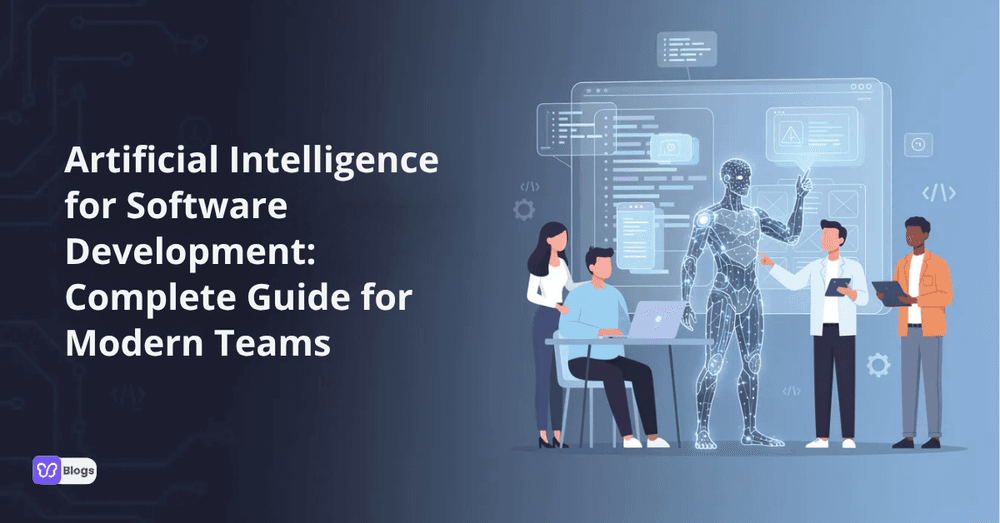
Not long ago, writing code meant starting from a blinking cursor with nothing but documentation and Stack Overflow. Today, artificial intelligence for software development has shifted that reality. Developers describe a feature in plain English, and within minutes they have working code, tests, and documentation ready for review. Artificial intelligence transforms software development into a more automated process, and this shift from manual coding to collaborative assistance is already reshaping how teams ship products.

AI for developers has evolved from basic autocomplete circa 2016 to advanced assistants like GitHub Copilot, Claude, Gemini, and CodeWhisperer that understand full repositories, product context, and architectural patterns. Terms like ai assisted software development, ai based software development, ai-driven software development, and ai powered software development all describe different shades of this collaboration - from light inline suggestions to orchestrated multi-step workflows.

The core promise is straightforward: accelerate the software development process, reduce bugs, and free human experts from repetitive tasks so they can focus on architecture, strategy, and user experience. This guide covers both strategic topics like the ai impact on software development and practical how-tos for how to use ai in software development day to day.

What Is AI Software Development? Key Concepts and Definitions

So what is ai software development exactly? It is the practice of building, enhancing, or maintaining software systems with the help of AI models - especially machine learning and large language models. It is important to distinguish between two related but different ideas:

  • Software that uses AI: recommendation engines, computer vision systems, predictive analytics features inside a product.
  • AI used to build software: automating code generation, writing tests, generating documentation, and reviewing pull requests.

This article focuses on the second category. The core building blocks include:

  • Large language models (LLMs): trained on massive code and text corpora, capable of generating, translating, and summarizing code across programming languages.
  • Code-focused models: fine-tuned specifically for syntax, API usage, and framework idioms.
  • Vector databases and retrieval-augmented generation: feeding existing repo context, docs, and test history into AI so outputs stay relevant.
  • Traditional machine learning models: used for classification, anomaly detection, and predicting CI failures.

Artificial intelligence in software engineering plugs into the software development lifecycle as an assistant at each phase rather than a replacement for human engineers. You can generate code in Python, Java, JavaScript, C#, or Go from English descriptions. You can convert a legacy Java backend to Kotlin. You can suggest refactors in a large monolith. But AI can produce syntactically correct code that still requires human validation to ensure logic and correctness - the human remains the final arbiter.

AI Across the Software Development Lifecycle

Using AI in software development now touches every SDLC stage. Rather than being a one-trick tool, AI functions as a continuous loop: it learns from codebases, test results, incidents, and production metrics to keep improving suggestions. This concept of ai in software development life cycle means AI involvement is not a single step but a persistent layer.

Here is how it maps phase by phase:

  • Requirements → Generative AI optimizes requirements by converting high-level ideas into structured specifications, generating user stories from stakeholder interviews → reduces ambiguity, speeds planning.
  • Design → AI accelerates design prototyping, allowing for faster feedback between design and implementation; suggests architecture templates and dependency graphs → improves scalability decisions upfront.
  • Implementation → Natural language to code generation; inline completion; multi-file scaffolding → speeds writing code, reduces boilerplate.
  • Testing → AI generates unit, integration, and end-to-end tests; flags missing edge cases → improves coverage, catches bugs early.
  • Deployment → AI predicts flaky tests in CI, recommends rollback strategies, suggests pipeline optimization → enhances deployment confidence.
  • Maintenance & Documentation → Generative AI automates the creation of documentation. AI models can write documentation in natural language for code, and AI can automatically create documentation as code is written. AI helps ensure documentation is up-to-date and accurate → reduces long-term maintenance costs.

AI-powered planning tools also analyze historical velocity and defect data to improve estimation and roadmap accuracy, giving project management teams a sharper picture of what is realistic.

Core Use Cases: Code Generation, Completion, and Refactoring

Code generation from natural-language prompts is the flagship feature of ai for software developers. AI significantly increases coding productivity by enabling code generation and completion, turning what used to take hours of boilerplate work into minutes of guided iteration.

There are three tiers of generation. Inline suggestions predict the next few lines as you type - AI-powered autocompletion predicts next lines of code efficiently based on project context. Full-function generation takes a prompt like "build a CRUD API for tasks in FastAPI with JWT auth" and returns usable starter code with endpoints, auth logic, and data models. Multi-file scaffolding goes further, creating REST APIs, React components, database schemas, and CI configs from a single spec.

AI tools can generate entire code blocks from natural language inputs, and generative AI can produce entire code blocks from user prompts. AI tools automate code generation using natural language processing to bridge the gap between what a developer wants and what the machine produces. AI models can produce code snippets based on user-defined requirements, and AI tools like GitHub Copilot assist in writing code faster and with fewer errors.

Generative AI can automate repetitive coding tasks, enhancing productivity - think boilerplate controllers, serializers, validation logic. Beyond generation, AI handles refactoring: proposing better naming, extracting repeated logic, simplifying nested conditions, and modernizing patterns such as migrating from callbacks to async/await.

Here is a typical workflow. A developer prompts: "Generate a FastAPI CRUD API with JWT auth for managing tasks." The AI returns scaffold code with endpoints for create, read, update, and delete. Next prompt: "Add unit tests for edge cases - missing fields, invalid token." The AI produces relevant code snippets for testing. Then: "Refactor to separate business logic from route handlers." The AI suggests reorganization. Finally: "Optimize database queries." The AI adjusts to batch operations.

Guardrails matter. Always review ai generated code. Enforce tests and static analysis. Track performance and security impact before merging.

AI for Testing, Debugging, and Code Review

AI-powered tools can automatically generate unit, integration, and end-to-end tests from existing code, user stories, or API contracts. AI tools generate test cases from user stories, making it possible to go from a product requirement to a passing test suite without writing every assertion by hand. AI-driven testing systems prioritize critical tests to improve quality, ensuring the most important paths get verified first.

AI models can identify bugs, vulnerabilities, and performance bottlenecks in code by scanning large codebases for patterns like null-pointer exceptions, race conditions, SQL injection risks, and weak cryptographic usage. AI can automatically detect bugs and suggest fixes during testing, and AI tools can detect bugs and suggest fixes automatically - reducing the feedback loop between finding and resolving issues. AI in software development enhances automated testing through efficient bug detection, and automated testing reduces manual testing time significantly.

AI enhances testing efficiency by analyzing historical data for predictions - for example, flagging modules that have historically introduced regressions so reviewers can pay closer attention.

For debugging, engineers paste failing stack traces or log excerpts into an AI assistant that pinpoints root causes and suggests candidate fixes. This workflow turns hours of investigation into minutes.

In code review, AI can summarize large pull requests, highlight risky changes, and check for style and security issues. AI can enhance code quality by recommending best practices and enforcing coding standards in reviews, drafting review comments for the human reviewer to approve. Typical checks handled by AI include:

  • Security: vulnerability scans (SAST, DAST), dependency scanning
  • Performance: inefficient loops, memory leaks, bottleneck detection
  • Style: naming conventions, code analysis, complexity metrics
  • Correctness: edge cases, contract violations

Final accountability remains with human reviewers who decide which AI suggestions to accept.

AI in Project Management, DevOps, and CI/CD

AI-driven software development extends well beyond writing code into planning, tracking, and releasing software.

In project management, AI automates scheduling and resource management. AI improves time estimates for project management tasks by analyzing historical sprint data, and it helps allocate resources more efficiently in projects by matching team capacity to backlog complexity. AI streamlines project management by automating routine tasks like status updates and dependency tracking. AI enhances decision-making in project management through data insights, surfacing patterns that humans might miss in large datasets. AI tools can enhance project management by optimizing resource allocation, and AI-driven tools enhance project management by automating scheduling.

In DevOps and CI/CD, AI improves CI/CD pipelines by detecting anomalies and optimizing deployments. It predicts which tests are likely to flake, recommends optimal pipeline ordering to reduce total build time, and suggests roll-back strategies using error trend analysis from previous incidents.

Consider this scenario: after a deployment, an AI monitoring system detects error rates climbing on specific endpoints. Before the issue reaches customers, it recommends rolling back that component and flags the suspect commit. This kind of data analysis saves hours of firefighting.

AI also generates release notes from merged pull requests and commit messages, saving time for release managers. On the observability side, anomaly detection over logs and metrics produces automated incident summaries and suggested remediation playbooks - turning raw signals into actionable steps.

AI tools can generate documentation from API guides to code explanations, which further streamlines the development cycle from code to customer-facing release notes.

Benefits of AI in Software Development for Teams and Businesses

The benefits of ai in software development span engineering, business, and people dimensions. Integrating AI into software development can lead to faster development cycles and enhanced productivity across the board.

Engineering benefits:

  • AI can reduce development time by automating repetitive tasks - scaffolding, boilerplate, simple tests, routine documentation
  • AI improves software quality by detecting bugs early in development before they reach production
  • Higher test coverage and more consistent code quality across teams
  • Support for more programming languages and frameworks without hiring specialists

Business benefits:

  • Shorter time-to-market: features that took weeks can ship in days
  • Lower cost per feature and easier maintenance of complex legacy software systems
  • AI democratizes software development through no-code and low-code platforms, enabling non-technical stakeholders to contribute
  • AI assists developers in focusing on higher-level architectural decisions and software architecture, which produces better long-term outcomes

People benefits:

  • Reduced developer burnout by offloading low-value toil and repetitive coding tasks
  • Junior software developers ramp up faster by learning patterns from AI suggestions
  • Senior engineers spend more time on strategy, software design, and user experience
  • Improved job satisfaction when the coding process centers on creative problem-solving rather than grunt work

AI's greatest value comes from combining its speed with human expertise in design and validation. The tools accelerate; the humans direct.

Risks, Limitations, and Responsible AI Practices in Engineering

AI assisted software development is powerful, but it comes with real limitations. Current AI limitations include generating incorrect code and lacking business-specific context. Models can hallucinate APIs that do not exist, produce subtle logic bugs that compile cleanly but fail property-based tests, and give overconfident suggestions for novel software architecture they have never encountered in training data.

AI introduces challenges including potential security risks and difficulties in understanding its decision-making processes. AI may propose insecure patterns - weak cryptography, unsanitized inputs, outdated dependency versions - requiring layered defenses like SAST, DAST, and dependency scanning to catch what the model misses.

Legal and compliance risks are growing. AI-generated code may include fragments from open-source repositories under restrictive licenses, creating obligations you did not intend. Sending proprietary code to third-party cloud services raises data privacy questions, particularly in regulated sectors like finance and healthcare.

Overreliance on AI can lead to a decline in fundamental programming skills. If developers accept suggestions without understanding them, the team's collective knowledge erodes over time. Successful AI integration requires collaboration with human developers rather than replacement - the human remains the accountable decision-maker.

Responsible use guidelines:

  • ✅ Maintain human-in-the-loop review, especially for safety-critical modules
  • ✅ Keep traceability: log which code was AI-generated and what prompts were used
  • ✅ Apply rigorous test suites, static analyzers, and security scanners to all ai generated code
  • ✅ Enforce licensing compliance and prefer ai tools with transparent training data
  • ❌ Don't skip code review because "the AI wrote it"
  • ❌ Don't send sensitive data to third-party AI services without vetting privacy policies
  • ❌ Don't deploy AI-generated code in production without testing it against real-world edge cases

How to Use AI in Software Development: Practical Workflows

Here is a step-by-step playbook for how to use ai in software development, whether you are starting from a blank repo or integrating AI into an existing software development workflow.

Starting a new project: Begin with requirements. Prompt your AI assistant: "Generate user stories from this stakeholder interview summary." Then move to design: "Propose three architectures given these constraints - high latency tolerance, small team, PostgreSQL backend." Generative AI optimizes requirements by converting high-level ideas into structured specifications, saving hours of manual writing. Next, generate code: "Write scaffold for REST API endpoints X, Y, Z in Python using FastAPI." Finally, create tests and documentation in the same session.

Daily developer workflow: Morning: "Outline today's tasks based on this backlog and code dependencies." During coding: use inline suggestions, ask the assistant to explain unfamiliar functions, and iterate on natural language inputs like "propose three alternative designs for this module considering future scalability." End of day: "Summarize what changed today, flag any untested paths, and list carry-over items."

Exploring unfamiliar frameworks: Convert known patterns across development environments: "Rewrite this Express.js endpoint in ASP.NET Core" or "Convert this React component to Svelte." This is one of the fastest ways for a developer to gain a basic understanding of a new stack.

Common prompt patterns:

  • "Explain this function in plain English" - for onboarding or code review
  • "Write integration tests for this endpoint" - for coverage
  • "Optimize this SQL query for speed" - for database management
  • "What security issues exist in this module?" - for identify bugs and vulnerabilities

Team collaboration: Define policies for when AI may be used, how prompts should be documented, and how code review obligations apply to ai generated code. Consistency matters - vibe coding without guardrails creates chaos.

AI Tools and Platforms for Developers

The landscape of ai software development tools breaks into several categories:

  • IDE copilots: GitHub Copilot, Amazon CodeWhisperer, JetBrains AI Assistant - provide inline code completion, chat, and agentic features directly in your development environments.
  • Chat-based assistants: Claude, Gemini, and similar platforms for exploratory coding, debugging, and data science tasks.
  • Specialized tools: Google Gemini Code Assist for cloud-native development on Google Cloud, test generators, security scanners, and ai coding assistants focused on specific workflows.
  • Observability with AI: AI-augmented APM solutions that digest logs, metrics, and traces to assist developers with incident response.

When you choose ai tools, evaluate them on these criteria:

  • Supported programming languages and framework depth
  • Cloud vs on-prem deployment (critical for privacy)
  • Training data transparency and licensing compliance features
  • Security capabilities: code analysis, vulnerability scanning, dependency checks
  • Pricing model: per-seat, usage-based, bring-your-own-key

Emerging ai powered tools are unifying planning, coding, testing, and deployment into single AI-augmented platforms. Code generators are becoming full-lifecycle assistants - agents that can open pull requests, run tests, and integrate machine learning models into CI pipelines without manual orchestration.

Skills for Software Developers in the Age of AI

The ai impact on software development is changing what makes a great engineer. The bar is shifting from "can you write code" to "can you direct, evaluate, and improve AI-generated solutions."

Technical skills:

  • Strong fundamentals: data structures, algorithms, system design, and software engineering principles remain non-negotiable
  • Basic understanding of how machine learning algorithms and LLMs work, including their limitations
  • Prompt engineering: crafting effective prompts and evaluating outputs critically
  • Data literacy: understanding metrics, machine learning frameworks, and data analysis to measure whether AI suggestions actually improve outcomes

AI-specific skills:

  • Security and compliance awareness for ai assisted coding workflows
  • Debugging AI outputs using property-based testing and code review
  • Working with ai models, ai systems, and ai technologies across different platforms and coding efficiency benchmarks

Human skills:

  • Product sense and UX intuition - AI handles implementation, but users judge experience
  • Stakeholder management: explaining when AI outputs fall short, managing expectations
  • Ethics awareness: privacy, bias, and responsible deployment for ai powered applications

Emerging roles: AI engineer, prompt engineer, AI product engineer, and developer experience roles focused on ai integration and professional development. Data scientists increasingly collaborate with software teams to build and fine-tune domain-specific models. The ai developer role is evolving from a niche specialty to a mainstream expectation.

Future of AI-Driven Software Development

Between 2026 and 2030, ai-driven software development will likely evolve along several axes. Autonomous agents will own small, well-defined tasks - dependency updates, security patching, routine refactors - with human oversight on approval. IDEs and CI/CD systems will tighten their integration, embedding agents that perform code generation, test generation, and security scans automatically as code changes flow through the development lifecycle.

Domain-specific coding models will become more common: models trained for finance, healthcare, embedded systems, and other regulated industries will produce more compliant, idiomatic code that reflects real-world software solutions.

Team composition will shift. Smaller core teams, supported by powerful AI infrastructure, will handle workloads that previously required much larger headcounts. But deep human judgment, domain knowledge, and accountability remain irreplaceable - especially in safety-critical software systems. Regulatory frameworks like the EU AI Act will impose traceability and transparency obligations that require human oversight by design.

The question is not whether AI will change software development - it already has. The question is whether your team is prepared to use it responsibly.

Start small. Pick one workflow - code review, test generation, documentation. Integrate an AI assistant. Measure the results. Then expand.

The teams that experiment with artificial intelligence for software development responsibly today will define how software is built tomorrow.

Debutify

Author

Debutify

Debutify is the easiest way to launch and scale your eCommerce brand.
Share post