How AI Is Reshaping Motion Design for Video Teams, and What Stores Learn From It

A video team needed twenty-four lower-third sets for a product launch, one for each featured maker. The old way meant a designer rebuilding the same composition two dozen times. This time, the team loaded brand tokens into a prompt template and generated all twenty-four before lunch, and the designer spent the afternoon fixing pacing instead of duplicating work.
That is the real shift. AI-powered motion graphics generators shrink the time between idea and delivery for repeatable visual elements, and the stores watching video commerce grow should understand what that means for the content they commission.
This guide covers what the tools actually do, where they pay off, where they stall, and the disclosure rules arriving in 2026. The aim is a working map, not a sales pitch.
Key Takeaways
These are the points that matter most when you decide where AI motion belongs in production.
- Speed and scale are real. Text-to-video models and generative features inside editing tools make lower thirds, stingers, and kinetic type far faster than manual keyframing.
- Control matters more than novelty. Prioritize masking, region edits, camera controls, reference-image locks, and exports that stay editable in After Effects, Premiere Pro, or Resolve.
- Compliance is not optional. YouTube already requires labels for realistic synthetic content, and the EU AI Act Article 50 deepfake disclosure rules start on August 2, 2026.
- Provenance is becoming standard. Content Credentials through C2PA help show what was generated and edited.
- The business case is clear. Ninety-one percent of businesses use video for marketing, and roughly half of advertisers already use generative AI for video ads.
- Guardrails beat guesswork. Prompt libraries, brand tokens, human review, and a disclosure playbook keep output on-brand and usable.
What AI-Powered Motion Graphics Generators Actually Do
These tools save the most time when they handle structured motion, not highly bespoke animation.
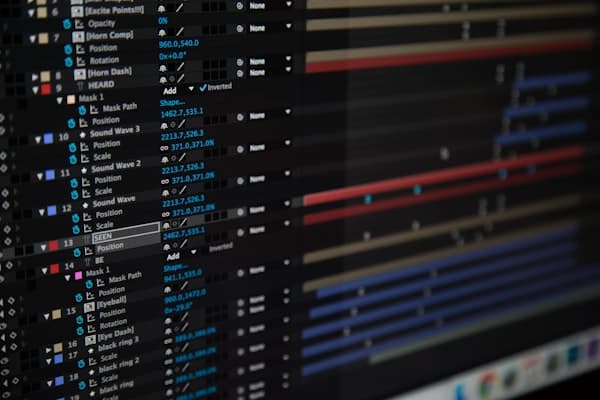
AI-powered motion graphics generators turn prompts and control assets into animated text, shapes, overlays, transitions, and short clips that drop into an edit. Instead of drawing every easing curve by hand, you describe the result, review variants, and refine the best one.
Two tool types matter most. First are foundation video models. Runway introduced Gen-3 Alpha in June 2024 with higher fidelity, Motion Brush region control, and advanced camera modes. OpenAI released Sora 2 in September 2025 with stronger physics and synchronized audio. Google detailed Veo 2 with up to 4K output, then added image-to-video in Veo 3 with visible and SynthID invisible watermarks.
Second are template-based motion systems that map brand tokens to reusable animation structures, best for lower thirds, logo stingers, and data callouts. Useful controls include Motion Brush for directing movement inside a selected region, masked edits for local fixes, camera controls for dolly or zoom moves, and reference-image locks that hold a consistent style.
In practice, use these tools for pre-visualization, story beats, and repeatable motion packages. Keep hero shots, complex interactions, and detailed character animation in experienced human hands. The split is not about ability. It is about where the repetition lives.
3 Big Benefits With Practical Boundaries
Throughput Without Headcount
Lower thirds, labels, and end cards can go from hours to minutes, which lets editors spend more time on story structure and timing. Complex interaction shots and physics-heavy sequences still need cleanup and real design judgment.
Brand Consistency at Speed
Style tokens for fonts, color, spacing, and easing make it easier to keep hundreds of assets aligned. Review still matters. A fast system that ships one off-brand frame can create more rework than it saves.
Cheaper Creative Exploration
Early motion studies are easier to test when each version takes minutes. Teams can compare camera paths, type treatments, and transitions before anyone builds a full comp. Archive winning prompts so approved looks are easy to reproduce.
The boundary between these benefits and their failure modes is review. The teams that win with AI motion are not the ones generating the most. They are the ones whose review step is fast enough to keep up with the generation.
What to Generate So You Actually Ship Faster
AI helps most when the work repeats across versions, channels, or languages. Not every task benefits equally, so focus on motion elements with clear rules, limited shot lengths, and lots of variation requests.
Kinetic Typography and Lower-Thirds
Start with lower thirds, supers, title cards, and simple callouts. Map brand fonts, safe-title zones, and motion curves to prompt templates. Masked edits make last-minute name changes much easier.
For teams juggling language versions, last-minute speaker swaps, and branded callouts across multiple aspect ratios, the real advantage is a reusable setup that keeps type, spacing, and motion behavior consistent without rebuilding the same composition every time.
When a team needs repeatable, on-brand identifiers and animated callouts from a style guide, many turn to AI motion graphics workflows that turn brand tokens and prompts into editable animations in minutes, instead of forcing a designer to rebuild the same structure again and again.
Logo Stingers and Transitions
Use generators to sketch two to four timing options fast, then have a designer tune the winner. The machine is faster at variations. The designer is faster at deciding.
Data Callouts and Animated Charts
Animated statistics repeat constantly in explainers and product videos. Feed the numbers and the brand style once, and every new data point becomes a render instead of a rebuild.
Abstract B-Roll and Texture Plates
On-brand loops of particles, gradients, or simple geometry can cover jump cuts and support voiceover. Score each asset for flicker, seam visibility, and grain match before it reaches the final timeline.
Social End Cards and CTAs
Build prompt libraries for common versions such as sale dates, QR code placement, and legal text. Pre-author 1:1, 9:16, and 16:9 variants so the social team is not waiting on manual resizes.
For a store commissioning video, this list doubles as a briefing checklist. The assets that appear on every product page and every ad are exactly the assets that should come from a reusable system, because the alternative is paying for the same work every campaign.
Where to Publish and Integrate So AI Assets Do Not Stall
The value shows up only when generated assets move cleanly into the rest of the stack.
Non-linear editing suites: test round-trips into Premiere Pro, After Effects, Resolve, or Final Cut. Look for layered exports, alpha channels that preserve transparency, and timing data that lets editors make changes without starting over.
Web and app UI: for lightweight product motion, export vector animations as Lottie, a JSON format for fast animation on web and mobile. Test CPU load and fallback behavior on weaker devices, because a storefront animation that stutters on a budget phone is working against the sale.
Ad platforms and social: build presets for Shorts, Reels, and TikTok, and save safe areas, bitrate targets, and disclosure rules with each template so handoff stays fast and consistent.
Enterprise systems: connect generators to the digital asset management system and the brand library. Adobe previewed its Firefly Video Model in September 2024 with Generative Extend inside Premiere Pro, and Adobe says its models are trained on licensed content designed to be commercially safe.
How to Evaluate AI Motion Tools
Before you commit a budget, score every option against the same five areas.
Control, 30 percent: check masking, region edits, camera path control, reference-image adherence, keyframe handles, and shot-length options.
Output quality, 20 percent: look for temporal consistency, low motion jitter, readable type, clean edges, and grain that matches live-action plates.
Interoperability, 20 percent: test layered exports, alpha support, lookup table handling, and round-trips to After Effects, Premiere, Resolve, and Lottie when product UI matters.
Rights and compliance, 15 percent: read the license terms, training-data disclosures, provenance support, and platform labeling options. Runway Gen-3, for example, supports C2PA-based provenance.
Speed and cost, 15 percent: measure time to first usable pass, batch throughput, queue behavior, and pricing that stays predictable when volume rises.
Use a one-to-five scale for each area. Require demo assets rendered in your brand style, then run a shootout with the same brief and the same starting prompts across finalists. A vendor's demo reel tells you what the tool can do for the vendor. A brief in your own brand tells you what it can do for you.
Guardrails: Disclosure, Provenance, and Policy
Fast output is useful only when it is also trustworthy and compliant.
Platform rules today: YouTube requires creators to disclose when realistic content is altered or synthetic, with labels in descriptions and, for some topics, on the player itself.
Law on the horizon: Article 50 of the EU AI Act requires disclosure for AI-generated or manipulated video that counts as a deepfake. Those transparency duties apply from August 2, 2026, which gives teams time to build a process.
Provenance in practice: apply C2PA Content Credentials during generation, editing, and export when the tool supports it. Adobe reports that more than ninety percent of digital camera makers have committed to the standard, which signals broad industry alignment.
Internal policy: a short guide should state what gets labeled, who signs off, how credentials are attached, and where prompts and versions are archived. The guide costs an afternoon. The incident it prevents would cost the brand a news cycle.
Ops Playbook: From Brief to Publish
A repeatable workflow keeps quality high and surprises low. Most teams do not need a complex system. They need a clear order of operations that everyone follows.
- Intake: collect the script, brand tokens, motion preferences, aspect ratios, and a disclosure-risk flag.
- Prompting: write structure-first prompts with style, motion verb, camera move, duration, and typography, plus negative prompts for what to avoid.
- Iteration: generate three to five low-cost versions, pick one, and refine with masks or references, logging changes with timecodes.
- Finishing: conform to the edit, color match, add audio, apply credentials and labels, then export a master and platform versions.
- QA: check type safety, brand colors, motion smoothness, artifacts, and disclosure labels before anything ships.
Measurement
Tracking a few operating metrics makes the business case easier to defend.
Throughput: track hours per deliverable, hours per variant, batch size, and first-pass hit rate before and after AI.
Brand and quality: watch acceptance rate, revision count, and brand-deviation incidents per hundred assets.
Compliance: record how many assets shipped with required disclosure and how many included Content Credentials.
Business impact: compare asset volume, testing volume, and cost per asset, then tie gains to campaign metrics when possible. The measurement habit is what turns an experiment into a budget line, and budget lines are how good tools survive the next round of cuts.
Make AI Work for You, Not Vice Versa
The smartest teams use AI motion to remove repetition, not to remove judgment.
Start where repetition is high and the visual rules are clear. Score tools with your own brand assets, not vendor demos, and set disclosure rules before regulation forces a last-minute fix.
The teams moving fastest treat AI motion as a disciplined assistant. It handles templated work and early exploration, while human review protects brand quality, legal safety, and editorial judgment. Stores feel this shift through their video partners first: the agency that quotes a motion package in days instead of weeks is using these tools well, and the speed is only the visible part.
FAQ
1. What motion tasks are good candidates for AI right now?
Lower thirds, kinetic type, logo stingers, data callouts, texture loops, and social end cards, because they repeat and follow clear motion rules.
2. How do I keep AI outputs on-brand?
Use locked color and font libraries, style tokens for spacing and easing, reference images, and reusable prompt templates, then require a human review pass before export.
3. Can I export AI motion to After Effects, Premiere, or Resolve and keep it editable?
Sometimes. Prioritize tools that offer layered files, alpha channels, and usable timing data, and test a round-trip in your real pipeline before you buy anything.
4. When do I need to disclose AI use?
Disclose when content is realistic, altered, or synthetic in ways platforms or laws cover. YouTube already requires labels in certain cases, and the EU AI Act deepfake rules start on August 2, 2026.
5. What is the difference between foundation models and template-based generators?
Foundation models create new video from text or image prompts. Template systems map brand tokens to pre-built animation structures, which makes them better for high-volume, brand-controlled deliverables.
The rollout checklist these answers add up to:
- Start with the repetitive assets: lower thirds, stingers, end cards.
- Score tools against your own brand brief, never the vendor reel.
- Test the export round-trip before committing budget.
- Write the disclosure policy before the August 2026 rules arrive.
- Attach Content Credentials wherever the tool supports them.
- Measure throughput and brand deviations so the business case survives review.

Author
Vlad Orlov
Managing brand partnerships at Respona, Vlad Orlov is a passionate writer and link builder. Having started writing articles at the age of 13, their once past-time hobby developed into a central piece of their professional life.