Qualitative Data Analysis Tools: Five That Turn Feedback Into Answers

Every business sits on a pile of qualitative data it has never properly read: support tickets, reviews, interview notes, and open-ended survey answers. The tools below turn that pile into patterns.
Whether you are working through customer feedback, running focus groups, or analyzing social conversations, the right tool takes you from drowning in text to acting on it. Here are five worth knowing.
For a store, the stakes are direct. The reasons customers leave are written down, in their own words, usually in a tab nobody opens. The stores that read them win the arguments the data has been trying to settle.
Tool 1: HubSpot
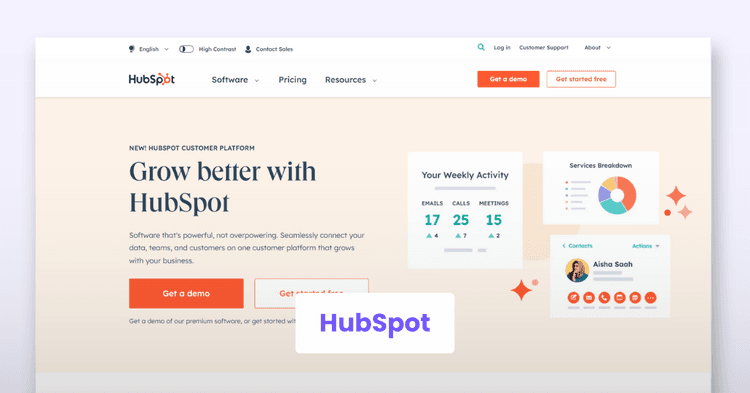
HubSpot is a comprehensive marketing platform with real capabilities for qualitative analysis. It provides robust data collection capabilities, gathering qualitative data from surveys, customer interviews, and social media, and its management features organize and categorize that data efficiently.
The analysis layer includes advanced text features like sentiment analysis and keyword extraction, which surface what customers feel as well as what they say.
The core benefit is that HubSpot simplifies the process of collecting and managing qualitative data, saving time while its reporting tools help communicate findings clearly. The integration with the rest of the HubSpot marketing and sales stack is the deciding factor: if your data already lives there, the analysis belongs there too.
Tool 2: Qualtrics
Qualtrics is a leading research platform covering both qualitative research and analysis, with a friendly interface for designing surveys, conducting interviews, and collecting data. Its text analysis features include sentiment analysis, categorization, and word cloud visualizations, and the coding and tagging tools handle serious research volumes.
The benefit is that Qualtrics streamlines the process of collecting and analyzing qualitative customer data, saving time while multiple team members collaborate on the same project. Best for: research teams that need rigor, collaboration, and scale in one platform.
Tool 3: Dedoose
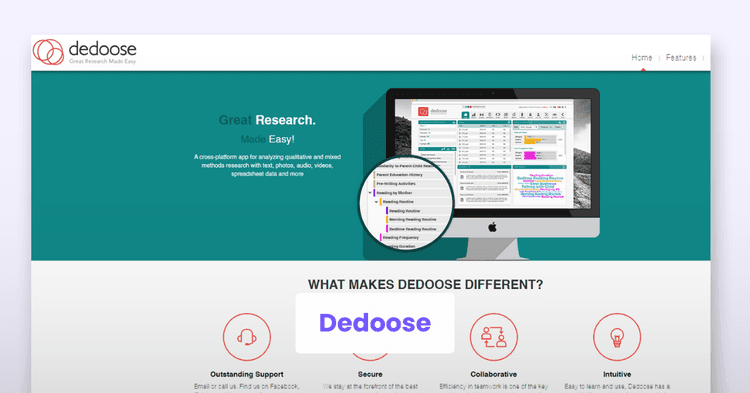
Dedoose is web-based qualitative analysis software built for mixed media: text, images, audio, and video files all in the same project. Its coding and categorizing tools organize diverse data sources effectively.
The collaborative design stands out, with team coding, memo sharing, and affordable subscription pricing that academic and small research teams appreciate. Best for: projects where the data is not only words, and the team is not in the same room.
Tool 4: Square Feedback
Square Feedback is a feedback management tool that collects and analyzes qualitative survey data directly from customers, through customizable forms embedded on websites or sent by email.
Tagging, labeling, reporting, and analytics features organize the responses, and the setup is light enough for a small business to run without a research department. Best for: storefronts and local businesses that want steady feedback without enterprise complexity.
Tool 5: Quirkos
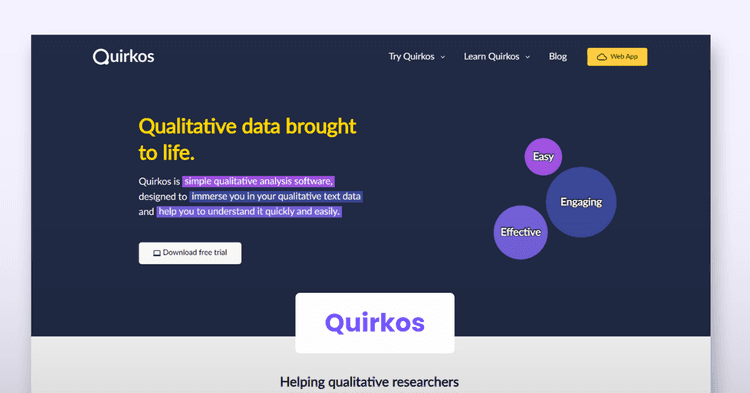
Quirkos is qualitative analysis software with a deliberately visual interface: bubbles for themes, drag-and-drop coding, and a learning curve measured in hours rather than weeks. It handles text documents, PDFs, and rich text formats.
The simplicity is the strategy. Researchers who find full research suites overwhelming get a focused tool for coding and retrieving text. Best for: solo researchers, students, and teams that want the coding without the cockpit.
Comparison and Evaluation of the Tools
The honest comparison runs on four questions: what data does it collect, how deep is the text analysis, how well does it support teams, and what does it cost at your volume. Text analysis software has become the dividing line, because the tools that read text at scale change what a small team can learn.
- HubSpot: best when your marketing data already lives there; collection plus sentiment in one stack.
- Qualtrics: best for rigorous, collaborative research programs at scale.
- Dedoose: best for mixed-media projects and distributed teams.
- Square Feedback: best for lightweight, continuous customer feedback.
- Quirkos: best for visual, approachable coding without enterprise overhead.
The pattern worth noticing: the best tool is the one that matches where your data already lives and how much structure your team will actually maintain. Overbuying analysis software is the most common mistake in this category, and underusing it is the most expensive.
Effective qualitative tools streamline collection, organization, and analysis, and the payoff is insight that surveys alone never produce: the why behind the numbers. Before you choose one, run this checklist:
- Inventory the data you already have before shopping for more.
- Match the tool to your data types: text only, or mixed media.
- Check team collaboration features if more than one person codes.
- Test text analysis on your own samples, not the vendor's demo.
- Price it at your real volume for the year ahead.
- Decide who reads the insights before you buy, or nobody will.
The businesses that listen in their customers' own words make better product, support, and marketing calls than the ones that only watch the dashboards. The tools make listening possible. The habit is what pays.

Author
Diane Eunice Narciso
Diane Eunice Narciso is a content marketer, strategist, and writer who's skilled and passionate about marketing, social media, eCommerce, etc. And is also an expert in sales and business development nurturing strategic partnerships and collaborations.