Breaking Barriers: The Significance of Accessibility in Website Themes
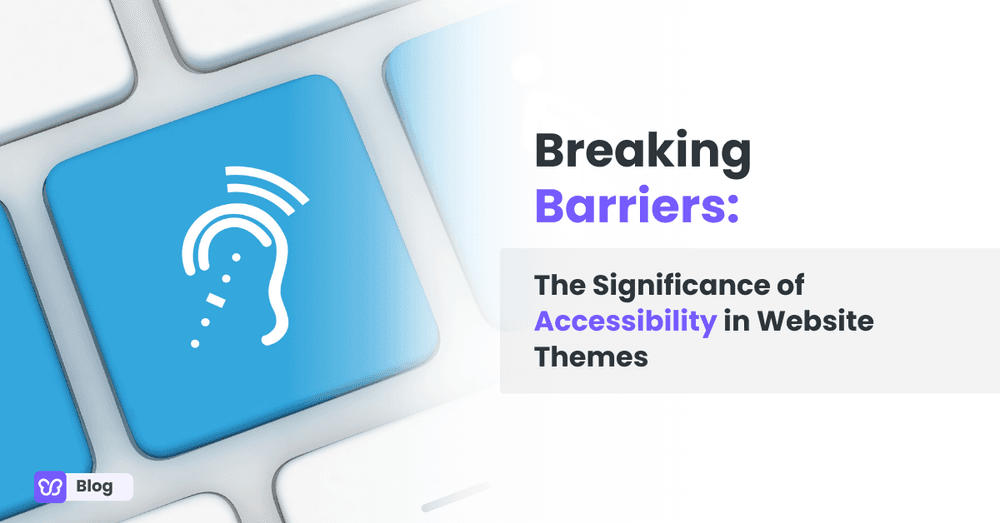
Get ready to unlock the secrets of creating websites that not only look amazing but also empower individuals with disabilities to conquer the digital realm. In this adventure, we dive into the fascinating world of accessibility and discover how it can transform the way we design and experience websites.
Brace yourself for a journey through inclusive design practices and the tools that make them real, because an accessible theme is not a constraint on creativity. It is what makes creativity reach everyone.
Understanding accessibility ready WordPress themes
In the vast realm of website design, accessibility is the magical key that opens doors for individuals with disabilities, granting them equal access to the digital world. It encompasses the art and science of creating websites that can be easily navigated, understood, and enjoyed by everyone, regardless of their abilities.
An accessibility-ready theme means removing barriers and providing alternatives: text that screen readers can announce, controls that keyboards can reach, contrast that low-vision visitors can actually see, and layouts that survive zoom and small screens alike.
Key principles of accessible design
When it comes to crafting an accessible WordPress theme, a few key principles serve as guiding beacons. These principles light the way toward creating designs and building an accessible WordPress theme, building accessible websites, popular plugins, and WordPress themes that are not only visually stunning but also inclusive and user-friendly.
Let's take a peek at some of these principles:
1. Perceivability: Making sure that all users can perceive and understand the content presented on a website. This includes providing alternatives for non-text content like images and videos, using clear and legible fonts, and ensuring sufficient color contrast.
2. Operability: Designing websites that are easy to navigate and interact with, regardless of the user's input method. This involves implementing keyboard accessibility, allowing users to navigate through the site without a mouse, and ensuring that interactive elements are easily distinguishable.
3. Understandability: Ensuring that the content and functionality of a website are clear and easy to comprehend. This includes using plain language, organizing information in a logical manner, and providing clear instructions and feedback to users.
4. Robustness: Building websites that can withstand the ever-evolving digital landscape. This means creating designs that are compatible with different browsers, mobile devices, and assistive technologies, ensuring that the business website always remains accessible as technology advances.
Examples of common accessibility features in WordPress themes
Accessible WordPress themes are like superheroes with a toolkit of features customization tools custom widgets that make the online world more inclusive.
Here are a few examples of common accessibility features accessible themes you'll often find in these WordPress themes:
1. Alternative text for images: Providing descriptive text for images allows individuals using screen readers to understand the visual content.
2. Captions and transcripts for multimedia: Including captions for videos and transcripts for audio content ensures that individuals with hearing impairments can access the information presented.
3. Keyboard navigation: Designing websites that can be easily navigated using only a keyboard allows individuals with motor disabilities or those who rely on assistive technologies to access all areas of the site.
4. Color contrast: Ensuring sufficient contrast between text and background colors makes content more readable for individuals with visual impairments.
5. Font readability: Choosing fonts that are easy to read, especially for users with dyslexia or visual impairments, enhances the overall accessibility of the website.
These amazing features are just a few examples of the many accessibility features that can be incorporated into WordPress themes to make them more accessible theme inclusive and user-friendly. By embracing these features, we can create digital spaces where everyone feels welcome and empowered to explore the wonders of the web.
The benefits of accessible WordPress themes
Accessible themes are not charity; they are good business. Roughly one in six people worldwide lives with a significant disability, and that audience controls real purchasing power, most of which quietly goes to competitors whose sites are usable.
The benefits stack up fast:
- Wider reach: your content works for screen reader, keyboard, and voice control users
- Better SEO: semantic headings, alt text, and transcripts are exactly what search engines reward
- Legal protection: accessible sites reduce exposure to discrimination complaints
- Better UX for everyone: captions help in noisy rooms, contrast helps in sunlight
- Stronger brand: inclusion is visible, and customers notice
Improved user experience for individuals with disabilities
One of the most significant benefits of accessibility ready WordPress theme is the improved user experience they offer to individuals with disabilities. By incorporating accessibility ready themes and features, websites become more inclusive and cater to a wider audience.
Users with visual impairments can rely on a screen reader or readers to access content, individuals with motor disabilities can navigate through the site using a keyboard, and those with cognitive impairments can better understand and interact with the information presented.
An accessibility ready WordPress theme empowers individuals with disabilities to fully participate in the digital world, providing them with equal access to information and services.
Enhanced usability and navigation
Accessible website themes go hand in hand with enhanced usability grid layout and navigation.
When WordPress site is designed with accessibility in mind, they become more intuitive and easier to navigate for all users. Clear and organized content structure, logical navigation menus, and consistent design elements contribute to a seamless user experience.
By prioritizing accessibility, website designers ensure that users can find what they're looking for quickly and efficiently, regardless of their abilities or limitations.
Increased engagement and conversion rates
Inclusivity breeds engagement, and engagement leads to higher conversion rates.
When websites are accessible to a broader range of users, they attract more visitors and encourage them to stay longer, explore deeper, and take desired actions on a complete website. By removing barriers and providing a user-friendly experience, accessible website themes foster a sense of inclusivity that resonates with users.
This increased engagement can result in higher conversion rates, whether it's making a purchase, subscribing to a newsletter, or filling out a form. Accessible websites create a positive and welcoming environment that encourages users to interact and connect with the content and offerings.
Positive impact on search engine optimization (SEO)
Accessible blog website themes can also have a positive impact on search engine optimization (SEO).
Search engines, like Google, value user experience and accessibility. Websites that are attractive layout well-structured, have descriptive alternative text for images and provide a seamless navigation experience tend to rank higher in search engine results.
By prioritizing accessibility in website design, you not only improve the user experience but also increase the likelihood of your website being discovered by a wider audience through organic search.
Breaking down barriers with accessible WordPress theme
Barriers in web design are usually invisible to the people who did not hit them. A dropdown that cannot be opened without a mouse, an image with no description, gray text on white that fades in sunlight: each one quietly closes a door.
Accessible themes break those barriers by default. Keyboard-navigable menus, visible focus states, sensible heading order, descriptive alt attributes, and color contrast that passes WCAG thresholds mean the doors stay open for every visitor, on every device, using whatever assistive technology they rely on.
Ensuring equal access to information and services
Accessible website themes play a crucial role in breaking down barriers by ensuring equal access to information and services for individuals with disabilities.
The internet has become a vital source of information, communication, and commerce, but it can unintentionally exclude those who face accessibility challenges. By designing websites online shopping, with accessibility in mind, we can bridge the gap and provide an inclusive online shopping experience for everyone.
Accessible website themes enable individuals with disabilities to access information, engage with online services, and participate fully in the digital realm, ensuring that no one is left behind.
Empowering individuals with disabilities to participate fully online
Accessible website themes empower individuals with disabilities to participate fully in the online world.
They provide the tools and features necessary for individuals with visual, auditory, motor, or cognitive impairments to navigate, understand, and interact with websites. With accessible website themes and responsive layout, individuals who use screen readers, keyboard navigation, or assistive technologies can access content, complete transactions, and engage with online communities.
By removing barriers and providing alternative ways to access and interact with digital content, accessible website themes empower individuals with disabilities to be active participants in the online space, fostering independence and inclusion.
Fostering inclusivity and diversity in the digital space
Inclusivity and diversity are essential values in the digital space, and accessible website themes play a significant role in fostering them.
By designing websites and web pages that are accessible to individuals with disabilities, we create an inclusive environment that welcomes and embraces diversity. Accessible website themes ensure that individuals with different abilities can fully engage with digital content, share their perspectives, and contribute to online discussions.
This fosters a sense of belonging and promotes a more diverse and inclusive online community. By prioritizing accessibility, we break down barriers and create a digital landscape that celebrates the unique experiences and contributions of all individuals.
Designing accessible website themes
Designing an accessible site involves considering every element of the experience, including responsive layouts, so that individuals with disabilities can access and interact with content effectively. The key considerations:
- Semantic HTML: real headings, lists, buttons, and landmarks instead of styled divs
- Color contrast of at least 4.5 to 1 for body text, with meaning never carried by color alone
- Keyboard access for every interactive element, with a visible focus indicator
- Alt text for informative images and empty alternatives for decorative ones
- Labels on every form field and clear, friendly error messages
- Responsive layouts and text that reflows cleanly at 200% zoom
Incorporating color contrast and font readability
Color contrast is crucial for individuals with visual impairments or color blindness. Designers should ensure that there is sufficient contrast between text and background image colors to make the content readable.
Using tools and guidelines, such as the Web Content Accessibility Guidelines (WCAG), designers can determine the appropriate color contrast ratios to meet accessibility standards. Additionally, choosing clear and legible fonts, with appropriate font sizes and spacing, enhances readability for all users.
Implementing keyboard navigation and alternative text for images
Keyboard navigation is essential for individuals who cannot use a mouse or have difficulty with fine motor control.
Designers should ensure that all interactive elements, such as menus and links, can be accessed via screen reader text and activated using the keyboard alone. Additionally, providing descriptive alternative text for images allows individuals using a screen reader text or readers to understand the content conveyed by the images.
Providing captions and transcripts for multimedia content
Multimedia content, such as videos and audio files, should be made accessible through captions and transcripts.
Captions provide synchronized text that displays the audio content, enabling individuals with hearing impairments to understand the dialogue or narration. Transcripts are textual versions of the audio content, allowing individuals who are deaf or hard of hearing to access the information without relying on audio.
Ensuring compatibility with assistive technologies
Assistive technologies, such as screen readers and voice recognition software, are essential tools for individuals with disabilities.
Designers of ecommerce site should ensure that their website themes are compatible with these technologies. This involves using semantic HTML markup, providing proper headings multiple menus and landmarks to aid navigation, and ensuring that interactive elements ecommerce site are programmatically accessible to assistive technologies.
To design more accessible websites and website themes effectively, designers should follow accessibility guidelines, conduct thorough testing with assistive technologies, and seek feedback from users with disabilities. It's important to remember that accessibility is an ongoing process, and continuous improvement is necessary to ensure that websites remain accessible to all users.
By considering these aspects and incorporating accessibility features, designers can create website themes that are inclusive, usable, and provide equal access to individuals with disabilities, ultimately breaking down barriers and fostering an inclusive digital environment.
Overcoming challenges in implementing accessibility
Implementing accessibility is rarely hard technically; the challenges are organizational. Legacy content was written without structure, plugins and page builders inject inaccessible markup, and teams treat accessibility as a one-time audit rather than a habit.
The way through is process: bake accessibility checks into design reviews and content templates, test with real assistive technology instead of automated scanners alone, and fix the highest-traffic pages first. Automated tools catch perhaps a third of issues; the rest need human eyes and, ideally, disabled testers.
Common obstacles in designing and implementing accessible website themes
Designing and implementing accessible website themes can present several challenges. Some common obstacles include:
1. Lack of awareness: Many designers and developers may not have a deep understanding of accessibility guidelines and best practices, leading to unintentional barriers in their designs.
2. Limited resources: Accessibility implementation may require additional time, expertise, and resources, which can be a challenge for organizations with limited budgets or tight project timelines.
3. Complex designs and interactions: Websites with intricate designs or complex interactive elements may pose challenges in ensuring accessibility, as these elements need to be properly coded and tested to work seamlessly with assistive technologies.
4. Compatibility issues: Ensuring compatibility with various other assistive technology technologies and different web browsers can be challenging, as different technologies may interpret accessibility features differently.
Strategies for addressing accessibility challenges
To overcome these challenges, here are some strategies that can be employed:
1. Education and training: Providing education and training to designers, developers, and stakeholders about accessibility principles, guidelines, and best practices can raise awareness and help ensure accessibility is integrated into the design and development process.
2. Collaboration and involvement: Including individuals with disabilities in the design and testing process can provide valuable insights and feedback, helping to identify and address potential accessibility barriers.
3. Planning and prioritization: Integrating accessibility considerations early in the design and development process allows for proper planning and prioritization. This ensures that accessibility is not an afterthought and that the necessary resources and time are allocated to address accessibility requirements.
4. Accessibility audits and testing: Conducting regular accessibility audits and testing with assistive technologies can help identify and address accessibility issues. Automated testing tools, manual testing, and user testing can be used to uncover barriers and ensure compliance with all accessibility requirements and standards.
Importance of ongoing testing and user feedback
Accessibility is not a one-time implementation; it requires ongoing testing and user feedback to ensure that websites remain accessible and usable.
Regular testing helps identify any new accessibility issues that may arise due to updates, changes, or additions to the website. User feedback, especially from individuals with disabilities, provides valuable insights into the accessibility of the website and helps in making necessary improvements.
By continuously testing and seeking user feedback, designers and developers can address accessibility challenges, refine their website themes, and create a more inclusive digital experience for all users.
The future of inclusive web design lies in the commitment to accessibility. As technology evolves, advancements must remain accessible to everyone, and inclusive design enhances the experience for all users, not only those with disabilities. Breaking barriers in the digital space is a collective effort, and it starts with the theme you choose. The accessibility checklist:
- Pick a theme built to WCAG standards, not retrofitted to them
- Check contrast, keyboard access, and focus states before launch
- Write alt text and captions into the content workflow
- Test with a screen reader at least once per major release
- Treat accessibility as an ongoing practice, never a finished task

Author
Diane Eunice Narciso
Diane Eunice Narciso is a content marketer, strategist, and writer who's skilled and passionate about marketing, social media, eCommerce, etc. And is also an expert in sales and business development nurturing strategic partnerships and collaborations.