Artificial Intellegence in Business17 min read30 Jun 2026

AI Assistant: Complete Guide to Artificial Intelligence Assistants in 2026
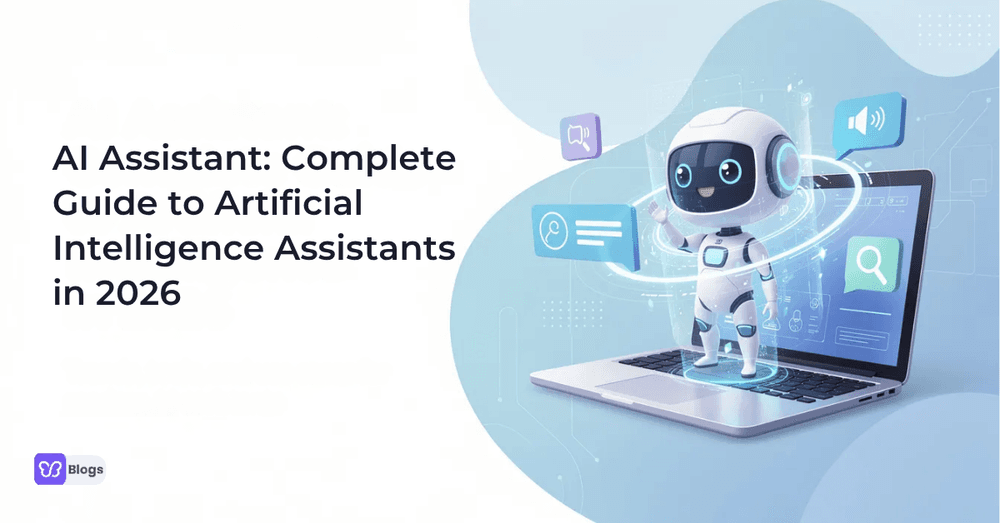
AI Assistant: Complete Guide to Artificial Intelligence Assistants in 2026

The way we work, communicate, and manage information has shifted dramatically. Whether you're a solo freelancer drowning in emails or an enterprise team coordinating across time zones, an AI assistant can now handle the tasks that used to eat your day. This guide breaks down everything you need to know about artificial intelligence assistants in 2026-what they are, how they work, what they can do, and how to pick the right one.

What is an AI assistant?

So, what is an AI assistant? At its core, an AI assistant is software that uses machine learning, natural language processing, and often generative AI to understand your input, interpret what you need, and either respond or take action on your behalf. You might hear them called "digital assistants," "virtual assistants," or even casually shortened to "i assistant"-but the concept is the same.

Modern artificial intelligence assistants go far beyond answering questions. They can read and write text, analyze spreadsheets and PDFs, call tools like email, calendar, and CRM systems, and generate content like reports and code. Conversational AI allows AI assistants to engage in human-like interactions that feel natural rather than robotic.

In 2026, the most recognized examples include:

  • ChatGPT by OpenAI - supporting multimodal input (text, image, voice), persistent memory, and deep tool integration
  • Google Gemini - with extended context windows, strong reasoning, and multimodal capabilities
  • Microsoft Copilot - embedded across Microsoft 365 and Azure, with newer autonomous "Scout" features for background assistance

Both personal and business users adopt AI assistants to save time, reduce errors, and automate parts of their workflow. Whether you're setting reminders at home or triaging support tickets at scale, the technology has matured enough to deliver real, measurable value.

How do AI assistants work?

Here's a plain-English explanation of how do AI assistants work: you speak or type a request, the system figures out what you mean, decides what to do, and then either responds or takes action. That's the simple version. Under the hood, there's a pipeline of technologies making it happen.

How AI assistant works, step by step:

  1. You provide input in natural language-typed or spoken.
  2. The system uses natural language processing NLP to parse your intent, detect entities (names, dates, actions), and understand context.
  3. Machine learning models decide on the best response or action plan, sometimes breaking complex requests into substeps.
  4. The assistant executes-generating a reply, sending an email, updating a calendar, or querying a database.
  5. It logs results and learns from your feedback, refining future interactions based on user preferences.

Generative AI and large language models power the fluent answers, summaries, and code that many AI assistants produce. Many AI assistants work by integrating with tools like Gmail, Outlook, Slack, and CRM platforms through APIs so they can schedule meetings, send emails, or update records directly. AI assistants integrate with existing systems for seamless workflows, turning conversation into action.

Data analysis is often built in. Assistants can read spreadsheets, dashboards, and documents to surface insights or generate reports-no manual number-crunching required.

Most current AI assistants are semi-autonomous: they act on explicit user commands but increasingly suggest or execute next steps when the context is clear.

Core technologies behind AI assistants

Several core technologies make artificial intelligence assistants possible:

  • Natural language processing (NLP) and NLU - These systems interpret user input, extract meaning, resolve ambiguity, and track context across conversations. AI assistants use natural language processing to understand commands accurately.
  • Machine learning - The technique that lets AI assistants improve from user interactions over time, getting better at predictions, routing, and personalization with every exchange.
  • Generative AI and large language models - Foundation models that generate human-like text, emails, code, and plans. These power many modern AI chatbots and assistants, enabling brainstorming, writing, and creative output.
  • Tool-calling and function-calling - The ability to trigger actions in calendars, email, CRM, project management tools, or IoT devices. This is what separates a helpful chatbot from a productive assistant.
  • Speech recognition and text-to-speech - For voice-based artificial intelligence assistants like Siri, Alexa, and Google Assistant. Advances in on-device processing have reduced latency and improved accuracy across multiple languages.

The AI assistant process from input to action

Here's how an AI assistant takes action on a concrete example. Say you tell it: "Reschedule my 3 PM client call to tomorrow and email them an apology."

  • Input: You speak or type the command in natural language.
  • Interpretation: NLP detects key entities (the client, 3 PM meeting, tomorrow), intent (reschedule), and tone (polite apology needed).
  • Reasoning: The assistant checks your calendar via API, finds availability tomorrow, plans the reschedule, and drafts an apology email.
  • Action: It moves the meeting, shows you the draft email for approval, and sends it once confirmed.
  • Learning: If you edit the draft or adjust the time, the assistant logs the correction and refines future behavior-perhaps using a shorter apology next time or choosing your preferred time slots.

Context and memory play a big role. The assistant remembers who "client" refers to, your usual communication style, and whether similar changes have impacted other team members before. Safeguards kick in for impactful actions-most systems ask "Do you want me to send this now?" before executing. Some systems log results and user corrections so the assistant's internal models can be refined over time.

AI assistant process from input to action

Types of AI assistants

Not all AI assistants are the same. They differ by channel (chat vs. voice), autonomy level, and target user. Understanding these types of AI assistants helps answer the question "what can AI assistants do" for different audiences. Many modern tools blur these categories-one platform may offer multiple specialized assistants or AI agents.

Personal and home AI assistants

Virtual personal assistants like Siri, Alexa, and Google Assistant manage individual tasks like setting reminders, making calls, playing music, checking weather, and controlling smart home devices. Voice agents handle voice-based tasks and provide 24/7 availability, making them natural fits for everyday tasks at home.

These personal AI assistants use voice interfaces and natural language to simplify daily routines. In 2024–2026, improvements include better on-device processing, multi-language support, and smarter routines that chain actions (set mood lighting, play a playlist, lock doors). Privacy considerations remain relevant-always-listening microphones and the choice between local vs. cloud processing matter to security-conscious users.

Workplace productivity AI assistants

Enterprise AI assistants automate tasks within business systems like Office 365, Google Workspace, and collaboration platforms. Use cases include drafting emails, summarizing meeting notes, generating slide decks, rewriting documents, creating task lists, and running data analysis on internal dashboards.

These AI assistants focus on automating routine tasks so employees can concentrate on strategic work. Many companies now deploy multiple specialized AI assistants rather than one "do everything" tool-one for data dashboards, another for support ticket triage, and a third for content generation.

Customer-facing AI chatbots and assistants

AI chatbots handle customer inquiries on websites, apps, and support channels. They manage FAQs, basic troubleshooting, and lead qualification using natural language plus API and knowledge-base connections to solve simple issues without human intervention.

Advanced customer service support assistants escalate to humans with full context, hand off conversation history, and log tickets automatically. Businesses track metrics like deflection rate, response time, customer satisfaction, and 24/7 coverage to measure impact.

Role-specific and industry AI assistants

Task-specific AI assistants focus on specialized functions within domains like legal, medical, sales, HR, finance, or engineering. Concrete examples:

  • A sales AI assistant enriching leads with firmographics and analyzing customer data
  • A legal assistant drafting contract clauses and checking compliance
  • A coding assistant suggesting code in your IDE (like GitHub Copilot)
  • A finance assistant categorizing expenses and flagging anomalies

These assistants leverage domain-specific data and rules to perform specialized tasks with higher accuracy and compliance than broad generic alternatives.

Autonomous AI agents vs AI assistants

An AI agent-specifically, autonomous AI agents-can set subgoals, plan multi-step workflows, and act with minimal human input. Agentic AI assistants perform tasks autonomously across multiple steps, unlike traditional AI assistants that respond to explicit user commands and ask for confirmation.

Examples: an agent that monitors a marketing campaign and adjusts bids daily, or Cadence's fully autonomous virtual engineer for chip design, which reduced verification loops from five weeks to less than a day. Autonomy delivers speed and scale, but it also carries higher risk-requiring guardrails, approval workflows, and robust monitoring.

What can AI assistants do? Key capabilities in 2026

What can AI assistants do in 2026? The short answer: far more than answer questions. AI assistants can conduct research and summarize information, draft communications, automate workflows, analyze data, and coordinate actions across multiple tools. AI assistants can boost productivity by 20% to 30% depending on the use case.

Major capability buckets include:

  • Information retrieval and real time data retrieval from web, knowledge bases, and internal documents
  • Writing and editing - emails, reports, blog posts, code
  • Data analysis - reading spreadsheets, flagging anomalies, generating charts
  • Scheduling and planning - calendar management, scheduling meetings, setting reminders
  • Communication - drafting messages, summarizing threads, capturing meeting notes and action items
  • Workflow automation - connecting tools, triaging tickets, automating tasks like data entry and report generation
  • Cross-tool coordination - AI assistants connect systems (CRM, email, project tools) so nothing falls through cracks

Concrete scenario: A marketing manager needs to launch a campaign. The assistant fetches market data (research), outlines strategy (writing), drafts assets (content), schedules stakeholder meetings (planning), sets up a project board (workflow), and tracks daily metrics with anomaly alerts (coordination).

Automating routine tasks and workflows

AI assistants excel at automating routine tasks like file organization, form filling, report generation, and status updates. AI assistants can automate routine tasks like scheduling meetings-and AI-powered calendars can analyze productivity patterns to optimize when those meetings happen.

AI can manage calendars and prioritize tasks to free up time for higher-value work. Calendar and inbox management includes sending reminders, prioritizing messages, and drafting replies. While many AI assistants still need user approval for sensitive actions, more advanced systems auto-run predefined workflows end-to-end. Automation works best for stable, repeatable processes with clear rules.

Data analysis and decision support

AI assistants can read spreadsheets, dashboards, and databases to do descriptive and basic predictive data analysis. Examples include summarizing quarterly metrics, flagging anomalies in financial data, or turning raw numbers into charts with plain-language commentary.

These tools surface insights and potential actions but should not fully replace expert judgment-especially for high-stakes decisions. Role-specific analytics assistants exist for finance, marketing, operations, and HR teams, each tuned to the metrics and language of their domain.

Content creation and generative AI

Generative AI uses large language models for brainstorming and writing-and that capability is now baked into most AI assistants. AI assistants can brainstorm ideas and create content drafts for emails, blog posts, social media, product descriptions, and documentation.

Editing tasks include summarizing, expanding, simplifying, translating across multiple languages, and adapting tone for different audiences. Human review remains essential for legal, medical, or high-risk content to prevent errors or policy violations. Once properly configured, content-focused assistants can maintain brand voice and style across outputs.

Communication, collaboration, and coordination

AI assistants can draft emails and highlight action items, making team communication faster and more structured. They summarize long threads, generate meeting agendas, and capture action items automatically.

Cross-tool coordination means the assistant posts updates to chat, updates a task in a project management tool, and emails stakeholders-all from a single prompt. Language-bridging use cases include real-time translation of messages for global teams. Assistants can also enforce light process rules, like ensuring tasks have owners and due dates, via gentle nudges through a conversational AI interface.

AI assistants vs AI agents vs chatbots vs traditional automation

These terms get mixed up constantly. Understanding the differences matters when you're deciding what to buy and how much autonomy to give it.

AI assistants vs AI chatbots

AI chatbots are conversational interfaces-often scripted or narrowly AI-driven-focused on a single domain like FAQ or customer support. An AI assistant is broader: it can understand open-ended prompts, access multiple tools, and take actions on the user's behalf.

Example: a chatbot on a shipping site can answer "What's your return policy?" but cannot initiate a return. An artificial intelligence assistant might, after consent, start the return process, update the order, and send confirmation-all in one interaction. The real difference is integration depth and ability to complete tasks beyond conversation.

AI assistants vs AI agents

An AI agent is an autonomous system that can break goals into subtasks, plan, and execute them iteratively. AI assistants usually work goal-by-goal, responding when the user asks rather than constantly monitoring.

Autonomous AI agents handle long-running, complex tasks-continuous research, infrastructure monitoring, campaign optimization-with fewer touchpoints. But agents need stricter oversight, logging, and guardrails. AI assistants operate in a more controlled, user-directed mode that's easier to govern.

AI assistants vs traditional automation

Traditional automation (RPA, scripts, macros) is brittle, rule-based, and unable to process human language. AI assistants can interpret ambiguous human requests and flexibly route them to appropriate tools and workflows.

Assistants can augment existing automation by deciding which script or process to invoke based on context. This combination lets companies keep reliable automations while making them accessible through natural language interfaces. AI assistants integrate seamlessly with legacy systems this way.

Benefits of AI assistants for individuals and businesses

Rising digital complexity, information overload, and hybrid work pressures make AI assistants more relevant than ever. Here's where they deliver the most impact.

Saving time and money

Automating routine tasks like scheduling, reporting, and documentation reclaims hours per week. AI assistants can reduce operational costs by automating routine tasks that previously required manual effort. A task that takes 10 minutes done manually, repeated 20 times per week, saves over 3 hours weekly-per person.

Small teams and solo professionals can use AI assistants as leverage to compete with larger organizations. Fewer manual steps mean faster ticket resolution, reduced overtime, and less need for additional headcount on tedious tasks and mundane tasks.

Personalization and better user experience

AI assistants learn user preferences over time-writing style, preferred meeting hours, information formats. This personalization improves relevance and reduces back-and-forth. Multi-channel access (desktop, mobile, chat, voice AI) lets users interact wherever fits their context.

56% of organizations using AI for personalization report improved customer satisfaction. But personalization must be balanced with strong privacy safeguards and user control over data. Protecting user data while delivering relevant experiences is a design challenge every vendor must solve.

Accuracy, consistency, and 24/7 availability

Well-trained artificial intelligence assistants minimize human error in task management-calculations, formatting, form completion, and data entry all benefit from consistent automation. When guided by central guidelines, customer responses maintain consistent tone and policy adherence.

AI assistants provide 24/7 support without breaks or downtime, answering questions and triaging administrative tasks and specific tasks outside normal business hours. While accuracy has improved significantly, human oversight remains essential in regulated industries.

Challenges, risks, and limitations of AI assistants

No tool is perfect. Here's a balanced view of where AI assistants fall short.

Technical and accuracy limitations

AI assistants struggle with understanding complex user requests, especially ambiguous or multi-layered prompts. Even advanced systems can generate misleading but confident answers-so-called "hallucinations" in generative AI. AI assistants often lack empathy and emotional understanding, which limits them in sensitive customer interactions.

Biased training data can lead to inaccurate AI assistant results, particularly for underrepresented groups or low-resource languages. AI assistants require large volumes of high-quality data to function effectively, and performance degrades when that data is thin. Mitigation strategies include human review, clear instructions, and incremental deployment on non-critical workflows first.

Privacy, security, and compliance

Sending sensitive customer data or employee information to cloud-based AI assistants raises legitimate concerns. Security vulnerabilities pose risks for AI assistants handling sensitive data-encryption, access controls, data residency, and audit logs help mitigate them. Robust security protocols are non-negotiable.

Sector-specific considerations matter: HIPAA for health, GDPR in Europe, SOC 2 for SaaS. Review vendor policies on training data usage, retention periods, and isolation of customer data before committing.

Impact on jobs and skills

Fears that AI assistants will replace entire roles are mostly overblown. The real impact is task-level, not job-level-less manual repetition, more oversight, creative problem-solving, and relationship management. Many employees are expected to know how to work effectively with AI assistants as part of digital literacy.

Organizations should invest in upskilling and clear communication rather than assuming resistance or replacement. Using an AI assistant effectively is becoming a core workplace skill.

How to choose the best AI assistant for your needs

The best AI assistant depends entirely on your context-personal use, team use, or enterprise deployment. There is no single universally best option; different AI assistants and AI agents excel at specific jobs.

Clarify your use cases and goals

Start from concrete problems: inbox overload, meeting chaos, slow reporting, or high support volume. Map each problem to assistant capabilities like scheduling, drafting, triaging, or data analysis.

Set measurable goals-reduce time spent on email by 30%, cut report generation from 2 hours to 20 minutes. Clarity on use cases prevents buying a broad platform that goes underused.

Evaluate features, integrations, and autonomy

Evaluate features like NLP and task automation before committing. Check support for natural language conversations, file handling, web access, and multi-language support. User-friendliness is crucial for effective adoption-if your team won't use it, it won't deliver value.

Ensure integration with existing systems for efficiency. The importance of integrations with email, calendar, CRM, project tools, and knowledge bases cannot be overstated-AI assistants that can't act are just fancy search bars. For teams that want an assistant connected to their actual work tools, Coworker AI is an AI assistant and agent platform that plugs into apps like Slack, Notion, and Google Drive and routes each task to the most suitable model. Decide between a responsive assistant and more autonomous AI agents based on your risk tolerance and process maturity.

Consider pricing, value, and "are AI assistants worth it?"

Are AI assistants worth investing in? Compare subscription cost to time saved and improved outcomes. Assess total cost of ownership beyond initial pricing-implementation, training, change management, and potential error correction all factor in. Consider scalability to accommodate future growth as your team and workflows evolve.

Run pilot projects with a small group to measure actual impact before committing to long-term contracts. Value increases when assistants are deeply integrated into real workflows rather than used sporadically. The choice of AI assistant depends on matching real needs to proven capabilities.

Future of AI assistants and autonomous AI agents

The line between AI assistants, AI chatbots, and autonomous AI agents continues to blur. Models are getting better at planning, tool use, and maintaining context over time. Expect richer multimodal understanding (text, image, voice), more robust safety systems, and deeper integration into everyday tasks and time consuming tasks.

From assistants to true collaborative AI partners

The shift is moving from one-off command-and-response toward ongoing collaboration where the assistant maintains projects over time. Future AI assistants will better remember team norms, long-running objectives, and user preferences across tools and sessions.

More capable AI agents will negotiate constraints, coordinate with other agents, and self-correct errors. But human oversight, ethics, and governance will remain central as autonomy increases. Many AI assistants in the near future will feel less like tools and more like capable teammates-but the responsibility for decisions stays with humans.

Practical steps to get started with an AI assistant today

Ready to move from reading to doing? Here's how to start:

  1. Pick one tool - Choose a general-purpose AI assistant (ChatGPT, Gemini, Copilot) and sign up.
  2. Start with one workflow - Email drafting, meeting prep, or weekly reporting. Don't try to automate everything at once.
  3. Track time saved - Log how many minutes each task takes with and without the assistant for two weeks.
  4. Iterate your prompts - The quality of user commands directly affects output. Refine what you ask and how you ask it.
  5. Layer on specialized tools - Once comfortable, add role-specific assistants for support, analytics, or content.
  6. Document best practices - Share what works with your team so everyone benefits instead of reinventing the wheel.
  7. Expand gradually - Move to more complex tasks and advanced capabilities as confidence grows.

Understanding what is an AI assistant, how do AI assistants work, and which workflows to target is the fastest path to real-world value. The technology is mature enough to deliver measurable results today-the only question is whether you start now or wait until everyone else has.

Debutify

Author

Debutify

Debutify is the easiest way to launch and scale your eCommerce brand.
Share post

Similar posts

Artificial Intelligence Developers
Artificial Intellegence in Business14 min read07 Aug 2026

Artificial Intelligence Developers: Skills, Careers, and How to Get Started

Debutify
Debutify
Read article
Scaling Artificial Intelligence: How to Achieve AI at Scale in the Enterprise
Artificial Intellegence in Business12 min read09 Jul 2026

Scaling Artificial Intelligence: How to Achieve AI at Scale in the Enterprise

Debutify
Debutify
Read article
Artificial Intelligence Logo Generator: Complete Guide to AI-Powered Logo Design
Artificial Intellegence in Business9 min read15 Jun 2026

Artificial Intelligence Logo Generator: Complete Guide to AI-Powered Logo Design

Debutify
Debutify
Read article