What Small Service Teams Know About Outgrowing the Group Text, and Stores Do Too
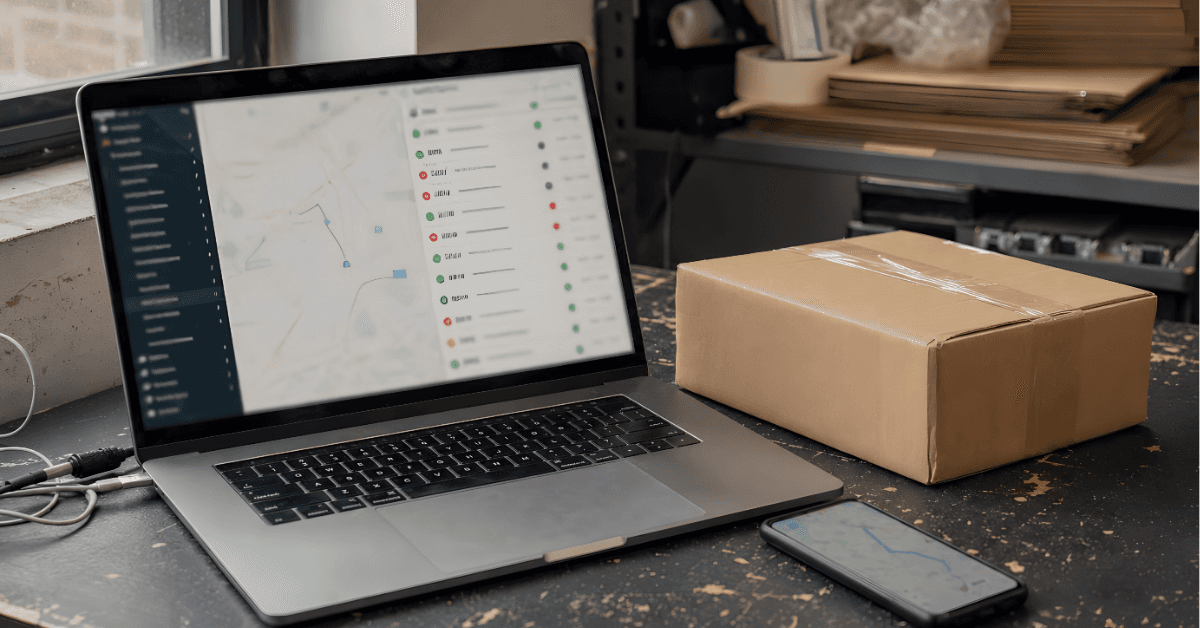
The group text worked when it was you and one other truck. Then you added a third, and job details started disappearing under photos and replies. Someone gets sent to an address that was already covered. A customer calls asking where the tech is, and nobody can say for sure.
Every growing operation hits this wall, stores included. The coordination method that felt simple at small scale becomes the bottleneck at medium scale, and the fix is the same move either way: replace chatter with a system that has one source of truth. Here is what small service teams learn when they make the switch, and how the lessons carry over.
Key Takeaways
The short version: dispatch software is a routing and coordination layer, not a luxury. You have outgrown informal coordination when jobs slip, duplicate, or arrive with the wrong details. And the rollout fails or succeeds on two things: how clean the data is going in, and whether the team actually uses it.
Each of those points has a store equivalent, and the rest of this piece walks through them. The takeaway to carry with you is that coordination tools earn their keep by removing ambiguity, not by adding features.
What Dispatch Software Actually Does
At its core the software answers three questions: who is going where, what do they need to know, and what happened afterward. It assigns jobs, shares details, and closes the loop, the same tracking and delivery workflows that keep a fulfillment operation honest.
Notice what it replaces: memory, assumptions, and messages that scroll away. A store running orders across a spreadsheet, an inbox, and a chat thread is in the same position as the crew on a group text. The details are somewhere, but nowhere anyone can rely on.
Signs You Have Outgrown the Group Text
The signs are consistent. Work gets duplicated or missed. Questions that should take seconds take hours. New hires take weeks to understand how anything flows. And the owner becomes the human router, personally untangling every knot.
Stores show the same symptoms. Orders that need manual nudging between systems. Support questions that bounce between inboxes. A founder who is the only person who knows how the pieces connect. When the owner is the router, growth has a ceiling, and it is the owner's sleep.
Three Ways Small Shops Buy Dispatch
Small teams usually buy in one of three shapes. The cheap subscription that grows with them. The specialized tool bolted onto software they already run. Or the clever shortcut, something like CopyThat, which automates the copy-heavy parts of the job so the dispatch part shrinks.
The store version of the decision tree is identical: native apps from your platform, third-party subscriptions, or workflow shortcuts that remove the need entirely. The wisdom is the same too. The best purchase is often the one that deletes a task rather than managing it better.
The Two Problems That Sink Rollouts
Rollouts sink for two reasons, and both are human. The data going in is dirty, so the system starts life distrusted. Or the team keeps one foot in the old habit, running the group text in parallel until the new tool never becomes the truth.
Both failures are policy failures, not technology failures, and stores repeat them constantly. A new app fed messy data produces expensive confusion. And a tool the team half-uses is worse than no tool, because now there are two sources of truth and nobody knows which one to believe.
The Texting Rule That Catches Owners Out
There is a rule that catches almost everyone: once you agree the system is the source of truth, anything sent outside it does not count. No exceptions, even for the quick one. The moment exceptions are allowed, the system dies, because everyone learns the real channel is still the text thread.
The store version is the same discipline. If the order system is the truth, then fulfillment requests do not travel by chat. If the helpdesk is the truth, then customer issues do not live in DMs. The rule is only as strong as the last exception you allowed.
How to Run a Trial That Tells You Something
A useful trial runs the tool on your real work, with your real mess, for long enough to hit the edge cases. Two days on demo data proves nothing. Two weeks on live jobs, with the team using only the new channel, tells you everything.
Stores should trial apps the same way. Not on a sandbox store, but in the live flow, where the volume and the weird cases are. The tools that survive your actual worst Tuesday are the ones worth keeping, and the trial that skips Tuesday is not a trial.
Questions Worth Asking Before You Buy
The good questions are unglamorous. What happens when the internet drops, can work continue offline? How does it handle the job that does not fit the template? What does it cost at double today's volume? And can you get your data out if you leave?
That last question deserves more attention than it gets, from stores as much as anyone. Every app you add holds a piece of your business hostage to its export function. Ask about the exit before you sign up, because the exit is when the answers stop being polite.
Wrapping Up
The arc is simple. Informal coordination works until it suddenly does not, and the transition is a discipline change more than a technology change. The teams that make it clean are the ones that decide, firmly, that the system is the truth and everything else is noise.
The same arc plays out in every growing store. The day your coordination method stops working is not a bad day. It is the day you have earned the right to build something better, and the builders who act on it keep their momentum.
FAQs
The common questions circle cost, timing, and risk. Is it worth it for a small team? Yes, from the moment the informal channel starts dropping jobs. Which one to pick? The one your team will actually use, which is a trial question, not a feature question. Before you decide, run this checklist:
- Name the failure mode of your current coordination before shopping.
- Trial on real work, not demo data.
- Declare one source of truth and enforce it without exceptions.
- Clean the data going in, or you are buying distrust.
- Ask about cost at double volume and about the export path.
- Pick the tool that deletes a task, not just one that tracks it.

Author
Vlad Orlov
Managing brand partnerships at Respona, Vlad Orlov is a passionate writer and link builder. Having started writing articles at the age of 13, their once past-time hobby developed into a central piece of their professional life.