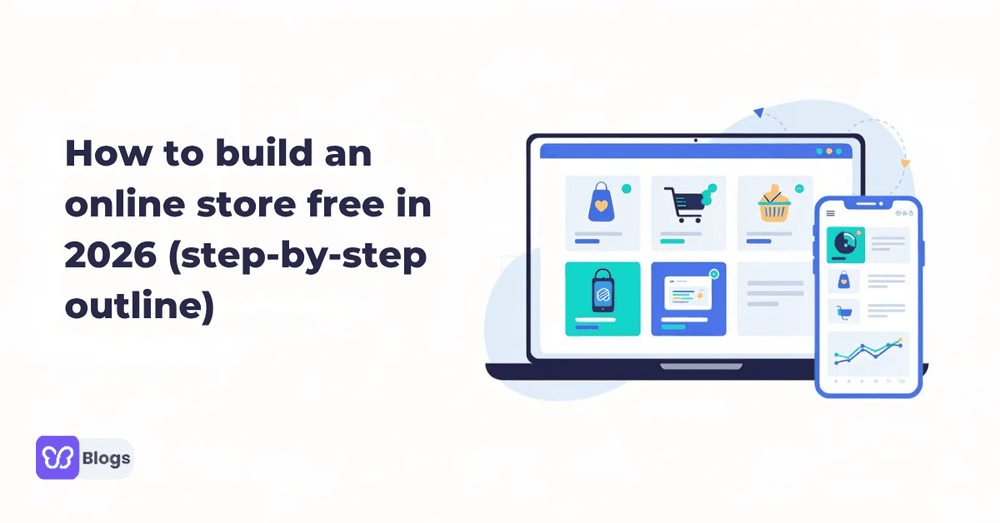
How to build an online store free in 2026 (step‑by‑step outline)
You can build an online store free in 2026, but “free” usually means no upfront platform subscription-not zero cost forever. Many tools include hosting, templates, SSL, and basic checkout, while charging payment processing fees when you make sales.
A real online store is more than a simple website. It needs product pages, cart, checkout, payments, order management, and a backend where store owners can manage inventory, shipping, customer data, and new products.
The goal is to help you create your online shop free in under a day, even if you have no coding skills and no web designer.
You will learn how to:
- Launch a basic store
- Connect payments through payment gateways
- Add physical products, services, and digital products
- Make your store business ready for first orders

Start here: can you really build an online store free in 2026?
Yes, you can create an online store for free without any upfront costs or fees, allowing you to start selling immediately after setting up your store. Many online store builders offer a free plan that allows users to create and customize their store without requiring a credit card or monthly fees.
The catch is that free plans have limits. Free e-commerce platforms can provide complimentary subdomains and zero monthly subscription fees for online stores, but a custom domain, advanced marketing, more features, and premium support often require paid business plans.
Do not confuse a free website plan with a trial. A trial expires; a free plan can stay live long term. Your store may use a platform subdomain, show branding, or limit online store features, but it can still be fully functioning.
Plan your free online business before touching the website builder
Before you create an online store, write a one-page plan. It will make store setup faster and prevent redesign later.
- Pick a niche: handmade jewelry, print-on-demand shirts, downloadable planners, templates, or online courses.
- Check demand with Google Trends and marketplaces before you start building.
- Calculate cost: packaging, shipping, taxes, and standard third-party payment processing transaction fees typically range around 2.9% plus $0.30 per transaction.
- Decide if this is a hobby or serious online business. Hobby stores can stay free longer; serious stores often upgrade for a domain name, analytics, and automation.
- List your brand name, product list, shipping zones, refund policy, and target customers.
A successful online store starts with clear margins. Even if the builder is free, every sale has a cost.
Pick the right free platform to build an online store free
The right website builder depends on what you sell online and how much control you need.
- Free-tier builders: Square Online, Ecwid, and Big Cartel are beginner-friendly and work out of the box.
- Open-source ecommerce: WooCommerce or PrestaShop give more control, but require web hosting, updates, and security work. Basic reliable hosting may cost $5–$15/month.
- Marketplaces: Etsy and eBay help you reach new customers, but they are not your own online store.
Some platforms allow unlimited product listings on their free plans, while others restrict listings to just a few products. Choose a platform that includes built-in inventory tracking and automated low-stock alerts.
If you build online store website free, look for SSL, mobile devices support, product limits, physical and digital products, payment gateways, shipping tools, seo tools, and the ability to connect a custom domain or existing domain later.
Step‑by‑step: set up your free account and basic store framework
Setting up an online store can be done quickly, often in a matter of minutes, using templates and intuitive website creation tools provided by various platforms.
To create a online store website free:
- Choose the right website builder and sign up with email.
- Verify your account; many tools say no credit card required.
- Select “store” or ecommerce website as the project type.
- Pick a template for fashion, electronics, art, downloads, or services.
- Add store name, currency, contact email, language, and time zone.
- Set tax region and add placeholders for Terms, Privacy, and Returns pages.
- Save the settings and preview the site.
This is the core framework for building an online store for free before you add products.
Design your free ecommerce website to look professional
Many ecommerce solutions offer customizable templates that allow users to create a professional-looking online store without needing coding skills. Online store builders often provide customizable templates that allow users to design their store without needing coding skills.
Use simple store design rules:
- Pick two brand colors, one font for headings, and one for body text.
- Customize the homepage with a hero image, short brand message, featured products, and a clear shop button.
- Many eCommerce platforms offer drag-and-drop editors, enabling users to easily customize their website layout and design elements.
- Store customization can include personalizing the design with brand colors, fonts, and images to create a unique shopping experience.
- Free templates for online stores should feature a fast, responsive, mobile-friendly layout to accommodate mobile shoppers.
A personalized site does not need to be expensive. It just needs to look professional, load fast, and help customers buy.

Add products: from physical items to digital products and services
To create a free online store website that sells, your catalog must be clear.
For each product, add:
- Product title
- Price
- SKU
- Product images
- Product descriptions
- Variants such as size, color, or format
- Stock quantity
Ecommerce platforms typically include features for managing product catalogs, allowing users to add products in bulk and generate product descriptions automatically using AI. These ai features can speed up listing creation, but always edit descriptions so they sound like your brand.
For digital products, upload files, set download limits, and automate delivery. For services, remove shipping and explain delivery timelines. Group items into New Arrivals, Bestsellers, and On Sale collections so customers can discover more.
Effective inventory management involves tracking inventory levels across multiple sales channels to prevent overselling. Utilizing a centralized inventory management system can help streamline logistics and improve order fulfillment efficiency. Integrating real-time inventory tracking can enhance customer satisfaction by ensuring product availability and timely order processing.
Connect payments and launch your store without upfront costs
Payment processing options for online stores typically include credit and debit card transactions, digital wallets, and third-party payment gateways.
Start with one no-setup-fee provider such as PayPal, Stripe, or a built-in processor. Integrating multiple payment gateways can enhance customer experience by providing various options for completing transactions, which can lead to higher conversion rates. For businesses that also plan to support cryptocurrency payments, it is important to evaluate the available infrastructure carefully. Providers such as Mercuryo can help businesses facilitate fiat-to-crypto transactions, while factors such as supported currencies, conversion options, transaction fees, compliance requirements, and integration capabilities should be considered when deciding how to choose a B2B fiat-to-crypto gateway.
Many eCommerce platforms offer built-in payment processing solutions that are PCI compliant, ensuring secure transactions for both merchants and customers. Ecommerce platforms often provide built-in tools for managing shipping logistics, including real time shipping rates and the ability to print shipping labels directly from the dashboard.
Before launch:
Test checkout with a low-cost item or sandbox mode.
Confirm email receipts.
Check mobile checkout.
Make the store public.
Share the link with a small group first.
After that, you can start selling.
Make your free online store discoverable with basic SEO and marketing
Built-in SEO tools can help improve the visibility of online stores by optimizing site structure and content for search engines. Use page titles, headings, meta descriptions, alt text, and readable URLs on every product and category page.
If your builder labels this area as built in seo tools, use all the tools available. Connect google analytics to track traffic, sales, and best-performing pages. Search engines need clear content, so describe products with phrases customers actually search for, such as “handmade candles store online.”
Integrating social media platforms into eCommerce sites can significantly increase reach and customer engagement, driving more traffic to online stores. Add facebook, Instagram, Pinterest, or TikTok links where relevant.
Email marketing campaigns can be automated to engage customers and drive traffic back to online stores, enhancing marketing efforts. Start with a welcome email, order follow-up, and abandoned-cart reminder when your plan allows it.

Upgrade from “free” to scalable: domains, email, and advanced features
Once you build free online shop and validate demand, upgrade only where it improves trust or profit.
A platform subdomain looks like yourstore.platform.com. A custom domain looks like yourstore.com. A professional domain name improves credibility, brand recall, and long-term SEO.
When upgrading:
- Buy or connect a domain.
- Keep product URLs clean.
- Use redirects if you move pages.
- Add branded email.
- Turn on automation, abandoned-cart recovery, better reports, and more features.
The foundation you created while building an online store for free still matters. You are not starting over; you are scaling.
Frequently asked questions about how to create a free website online store
1. Can I really build an online store free?
Yes. You can create a free website online store with no upfront subscription, but you will still pay transaction fees when sales happen.
2. Can I run an entire online business without ever paying?
Only at a small scale. Monthly fees can stay at zero, but serious stores usually pay for a custom domain, email, marketing tools, or advanced features.
3. How long does it take to create your online shop free?
A basic store can be ready in one afternoon. A polished professional website with product images, SEO, and branding usually takes a weekend.
4. Is a free ecommerce store secure?
Most hosted builders include SSL and secure checkout. For open-source stores, security depends more on reliable hosting, updates, backups, and safe payment providers.
5. What is best for selling digital products?
Use a builder that supports file delivery, download limits, and automatic emails. This works well for eBooks, presets, templates, and online courses.
6. When should I move from free to paid?
Upgrade when product limits block growth, branding hurts trust, transaction fees become expensive, or you need better reporting and marketing automation.
Checklist: from idea to first sale when you build an online store free
Use this quick checklist to build free online shop from scratch:
- Choose niche and products
- Confirm pricing and margins
- Pick a platform
- Sign up and start building
- Select a mobile-friendly theme
- Create homepage, Shop, About, Contact, FAQ, and legal pages
- Add product pages, product images, descriptions, variants, and stock
- Connect payments and shipping
- Test checkout
- Enable SEO settings and meta descriptions
- Connect analytics
- Create social profiles
- Send first promotional posts
- Launch to a small audience
- Improve based on feedback
Anyone can create a online store website free and grow it into a serious business with consistent improvement.

Author
Debutify
Debutify is the easiest way to launch and scale your eCommerce brand.