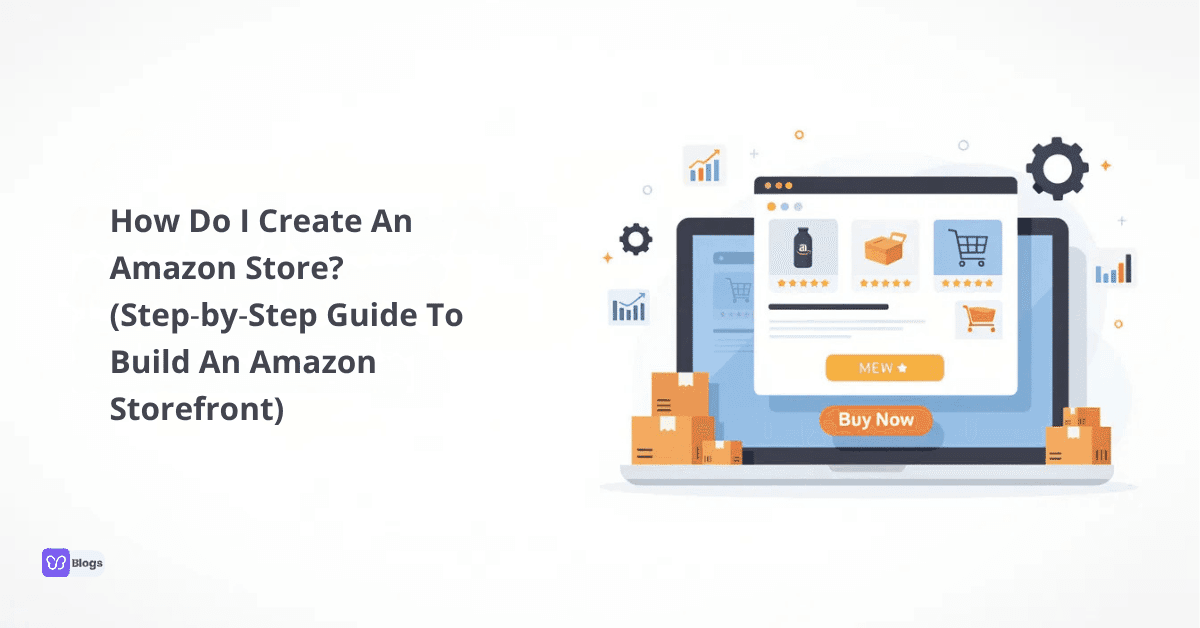
How Do I Create An Amazon Store? (Step‑by‑Step Guide To Build An Amazon Storefront)
Setting up a branded storefront on Amazon is one of the highest‑leverage moves an ecommerce brand can make in 2026. This guide walks you through every step, from account creation to driving traffic, so you can launch with confidence.
1. Quick Answer: How Do I Create An Amazon Store?
How do I create an Amazon store? In short: open a Professional seller account, enroll your brand in Amazon Brand Registry, design your storefront using Amazon's store builder, add your products, and promote it with Amazon ads and external marketing.
Here are the core steps at a glance:
Open an Amazon seller account (Professional plan).
Enroll in Amazon Brand Registry.
Research and list your products.
Choose fulfillment (FBA or FBM).
Build an Amazon store using the drag‑and‑drop store builder.
Submit for review and launch.
Drive traffic with ads and external channels.
So what exactly is an Amazon brand store? It's a free, multi‑page mini‑website within Amazon's marketplace dedicated entirely to your brand. Unlike a basic product listing, an Amazon storefront includes custom navigation, hero banners, video, curated collections, and its own URL. This is what Amazon store creation and Amazon store set up refer to throughout this guide.
The payoff is real. Shoppers visiting a Brand Store purchase 53.9% more frequently and have a 71.3% higher average order value compared to those who don't visit one. Amazon Brand Stores can increase sales by 53.9%.
2. What Is An Amazon Store (And Why It Matters For Your Brand)?
An Amazon store is a free, multi‑page shopping experience on Amazon built exclusively for one brand. Amazon Brand Stores are multi‑page shopping experiences for brand owners, allowing for a fully customized shopping experience with navigation menus, lifestyle imagery, video content, and product collections.
This is fundamentally different from a single product listing or a standard online store on Amazon. A brand store gives you dedicated space to tell your brand story, cross‑sell your full catalog, and guide Amazon shoppers through a seamless shopping experience.
Why does this matter? Amazon has over 2.4 billion monthly visitors. Over 2.4 billion monthly visitors increase product visibility for anyone with a well‑built storefront. Amazon stores can improve your product visibility significantly. Brand Stores also improve customer engagement and loyalty, turning one‑time buyers into repeat customers.
Eligibility requires being a registered Amazon brand with Amazon's Brand Registry and holding an active Amazon seller account. This applies whether you run an Amazon FBA storefront or fulfill orders yourself.
3. Eligibility: Do I Qualify To Build An Amazon Storefront?
Not every Amazon seller can open a store right away. If you're wondering how do I get an Amazon store, it starts with brand ownership.
Requirements:
A professional seller account on Amazon (Individual plans don't qualify). Creating an Amazon store requires a Professional seller account.
An active or pending trademark. You need a registered trademark to create an Amazon store.
Enrollment in Amazon Brand Registry.
Who qualifies: Private‑label brand owners, manufacturers, and authorized brand representatives in the US, UK, EU, and other supported marketplaces.
Who typically doesn't: Retail arbitrage sellers, wholesale resellers without brand rights, and most dropshippers without their own trademark.
A solid brand foundation also helps when you later integrate with your own DTC store built with tools from Debutify.
4. Step 1: Open And Configure Your Amazon Seller Account
Starting an Amazon store begins with creating an Amazon seller account on Seller Central. You must have a Professional selling plan to create a Brand Store-in the US, that's $39.99/month plus referral fees on each sale.
During signup, Amazon will require:
Legal business name and address
Bank account and credit card
Tax ID (EIN or SSN in the US)
Phone verification and identity documents
Select the marketplace where you want to sell (Amazon.com, Amazon.co.uk, etc.) based on your target audience and shipping capabilities. Once your account is active, you'll access Stores → Manage Stores to Amazon store create later. You want to treat this as the foundation of a serious Amazon stores business.
5. Step 2: Get Your Brand Ready For Amazon Brand Registry
Amazon Brand Registry is mandatory for creating an Amazon brand store and unlocking the store builder, A+ Content, and advanced marketing tools like Sponsored Brands. Amazon Brand Registry unlocks access to advanced marketing tools and the Store Builder.
Key requirements:
A registered or pending trademark in the relevant country (e.g., USPTO in the US). You need an active trademark to register your brand.
Your trademark must appear on your products or packaging. Brand name on products must match the registered trademark.
Registering your brand requires verification as the rights owner.
To apply, submit your trademark registration number, brand logo, product images showing the brand name, and contact details through the Brand Registry portal.
Beyond store access, brand registry provides protection against counterfeiters, control over product listings, and eligibility for Amazon ads like sponsored brand ads that link directly to your Amazon storefront.
6. Step 3: Research Products And Position Your Amazon Brand
Good products and clear positioning make building Amazon store assets worthwhile. Product research is essential to success on Amazon.
Use Amazon Best Sellers charts, Amazon Brand Analytics, and third‑party tools to find demand gaps and underserved niches. Many categories on Amazon require sellers to obtain category approval before listing, and selling products without proper approvals in restricted categories can lead to penalties.
Aim for products that are lightweight, legal, and can support roughly 40–50% gross margin after costs. Amazon charges referral fees typically between 8% and 15%, so proper financial calculations are necessary before launching products on Amazon.
Define your niche, target audience, and brand story so your future Amazon storefront and external site (e.g., built with Debutify ecommerce themes) feel consistent. This research matters equally whether you run an Amazon stores business exclusively or combine it with DTC channels.
7. Step 4: Set Up Fulfillment (FBA vs. FBM) Before Store Creation
Before you fully build an Amazon store and start driving traffic, decide how you'll fulfill orders.
FBA | FBM | |
|---|---|---|
Storage & Shipping | Amazon handles it | You handle it |
Prime Badge | Yes | Usually no |
Returns | Amazon manages | You manage |
Best For | Most sellers; higher conversion | Oversized/custom items |
Fulfillment by Amazon (FBA) allows Amazon to store, pack, and ship products. Fulfilled by Merchant (FBM) means sellers handle storage, packing, and shipping themselves. An Amazon FBA storefront benefits from Prime badges and faster delivery, which lifts conversions significantly when store visitors land on your product detail page.
To start with FBA, create a shipping plan in Seller Central, label your inventory, and send it to Amazon's fulfillment centers. Advanced sellers can sync FBA inventory with their standalone ecommerce store-Debutify supports multi‑channel brand growth for this reason.
8. Step 5: Create Optimized Product Listings For Your Store
Before you build an Amazon store, your product listings need to be strong. A strong product listing includes a keyword‑focused title and high quality images. Each product must have a unique UPC code for Amazon listings.
Listing essentials:
Titles: Include relevant keywords and brand name
Bullets: Focus on benefits, not just features
Images: High quality product images on white backgrounds plus lifestyle shots
A+ Content: Using A+ Content can enhance product education for customers and educate consumers about your brand
Pricing: Competitive pricing factoring in all fees and ad costs
Add all key SKUs and variations so your online store on Amazon can display full collections. Optimized listings also improve ad performance when driving traffic from Amazon ads and external marketing channels.
9. Step 6: How To Open A Store On Amazon (Store Builder Walkthrough)
This is where you actually how to build an Amazon storefront using the drag‑and‑drop interface. You can create a store using Amazon's site creator tools. Amazon's store builder offers a drag‑and‑drop interface that requires no technical skills.
Steps:
In Seller Central, go to Advertising → Stores → click create store.
Select your Brand Registry–approved brand.
Choose a template (Product Grid, Marquee, or Blank).
Upload your hero image, logo, and set brand colors.
Add multiple pages-Amazon allows up to 10 pages in a Brand Store (e.g., "Home," "New Arrivals," "Best Sellers," "Collections").
Add product tiles linked to your ASINs.
How to build an Amazon store is genuinely user friendly once you're inside the builder. Preview on both desktop and mobile browsers before submitting.
10. Step 7: Structure, Design, And Optimize Your Amazon Storefront
Turn a basic store into a high‑converting Amazon storefront with these design best practices:
Navigation: Clear top menu linking to product categories and collections
Hero banner: Communicate your value proposition immediately
Storytelling: Include an "About" section with your brand mission and trust signals like certifications or positive reviews
Product tiles: Feature best selling products prominently
Mobile optimization: Amazon stores improve user experience across all devices-preview on mobile devices, avoid text‑heavy images, and keep CTAs visible above the fold
Mirror your Amazon design on your DTC site using Debutify store templates to maintain a consistent brand identity across channels.
11. Step 8: Submit Your Store For Review And Launch
Once your design and content are finalized, click "Submit for publishing." Amazon reviews for policy compliance, image standards, and prohibited claims. This typically takes 24–72 hours in 2026.
While waiting, double‑check for typos, broken tiles, or missing products so your Amazon store creation launches clean. After approval, your store receives a custom URL (e.g., amazon.com/yourbrand) you can use across all marketing campaigns.
Treat this as your official Amazon store set up milestone before scaling traffic and sales generated from the store.
12. Step 9: Drive Traffic With Amazon Ads And External Marketing
Once you build an Amazon store, the next priority is getting shoppers through the door. New sellers should actively drive visibility through Amazon Sponsored Ads and promotions. Over 60% of Amazon sales come from independent sellers, so competition is real-paid advertising matters.
Amazon ads to use:
Sponsored Brands: Link directly to your Amazon brand store. Linking brand ads to your store can boost RoAS by 22%.
Sponsored Products ads: Drive traffic to individual product detail pages.
Sponsored Display: Retarget shoppers who've viewed your products.
External marketing strategies:
Share your store URL on social media platforms, email newsletters, and influencer content
Track traffic sources via Amazon Attribution
Drive traffic from your own ecommerce site built with Debutify
Building your own DTC site alongside Amazon gives you more control and resilience than relying on a single Amazon business channel.
13. Step 10: Monitor Store Analytics And Keep Improving
Amazon store insights reveal traffic sources, page views, sales per page, and your store's performance over time. Use this data to identify top‑performing pages, refine underperforming collections, and test new layouts.
Keep these habits:
Read customer feedback through Amazon reviews and Q&A to inform product offerings and layout changes. Good customer reviews significantly impact a seller's success on Amazon.
Add seasonal landing pages (Black Friday, holiday gift guides) to reach customers during peak periods
Refresh content regularly-stores updated within 90 days see ~11% more repeat visitors
Running out of stock can harm a seller's product rankings, so monitor inventory closely
Conduct market research continuously to stay ahead of the competitive landscape
Tie your Amazon optimization into broader ecommerce growth. Tools and themes from Debutify can help unify your brand across all channels, from your Amazon marketplace presence to your own ecommerce store, giving potential buyers a consistent customer experience wherever they find you.
Now you have the complete blueprint. Open your seller account, register your brand, start selling, and build the Amazon storefront your business scale demands. The sooner you claim your brand's dedicated space on Amazon, the sooner you turn 2.4 billion monthly visitors into loyal customers.

Author
Debutify
Debutify is the easiest way to launch and scale your eCommerce brand.