AI Agent: Complete Guide to Agentic AI, Autonomous Agents, and Modern Automation
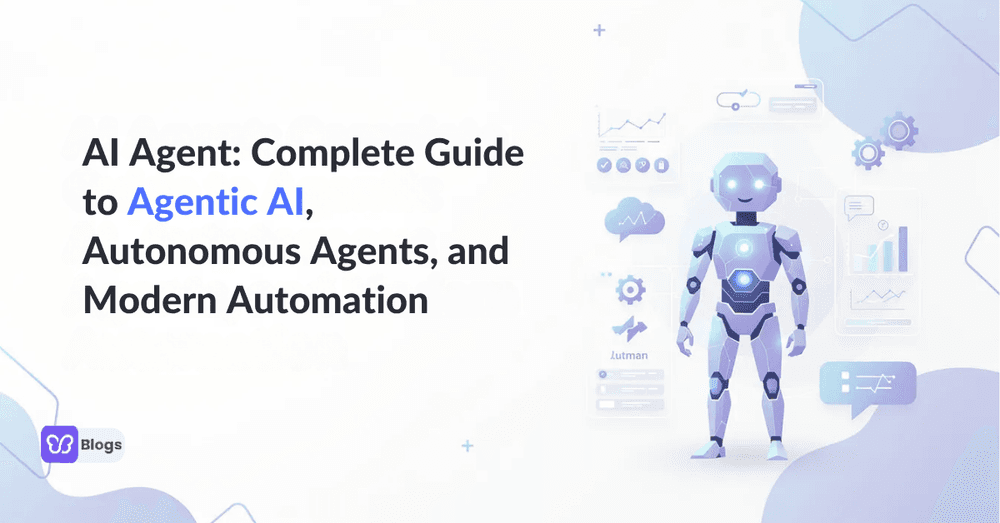
AI is moving from tools you prompt to digital coworkers that plan, act, and improve over time. This guide is for business leaders, technical teams, and curious readers who want to understand how AI agents are transforming the way work gets done. Whether you own a digital transformation, build technical solutions, or simply track the future of AI automation, understanding agents is now essential: they are changing business processes, enabling new efficiencies, and introducing new governance and security considerations.
By learning how AI agents work, where they fit, and how to deploy them safely, you can make informed decisions instead of expensive experiments. That is the purpose of everything below.
Quick Answer: What Is an AI Agent?
An AI agent is a software system that uses AI to pursue goals and complete tasks on behalf of users, demonstrating reasoning, planning, and memory. Sometimes typed as an a-i agent, it observes data, reasons about what to do, and takes action toward a goal with partial or full autonomy. In plain language: software that works toward an objective instead of only answering questions. Agents shift artificial intelligence from passive conversational tools to proactive digital coworkers.
Modern agents combine a language model with tools: they call APIs, read documents, update records, and send messages. Where a chatbot waits for the next prompt, an agent decides its own next step, and it uses feedback from each cycle to do better on the next one.
AI Agents 101: Core Concepts and Terminology
The space has its own vocabulary, and getting the basics right helps you compare products without drowning in hype. Agentic AI is the approach where systems plan, decide, and act in sequences instead of answering one prompt at a time. Autonomous agents go further, running over time, monitoring events, and acting without constant human prompts.
Agents are commonly categorized by capability and role: task agents that complete defined jobs, research agents that gather and summarize information, workflow agents that move work between systems, creative agents that draft content, and data agents that clean and reconcile records.
The terms that matter most in procurement are autonomy, which is how much the agent decides alone; guardrails, which are the limits it cannot cross; and observability, which is how completely you can see what it did and why.
How Do AI Agents Work in Practice?
Imagine a marketing research agent that runs every morning. It checks market news, pulls competitor pricing through data feeds such as a jobs data API, reviews analytics dashboards, identifies patterns, writes a summary, and posts recommendations into Slack. Nobody prompted it that morning; it ran because the goal and the schedule exist.
A typical agent workflow includes goal setting, environment observation, planning, tool selection, execution, evaluation, and iteration. At the core are three looping steps: perceiving, thinking, and acting. Agents collect data from sensors, APIs, or prompts, and may process text, voice, video, and audio together.
For a grounded definition of the category, TechTarget’s overview of AI agents is a useful reference: goal-directed software with reasoning, planning, and memory, acting on behalf of users.
The loop ends where the next loop begins: every execution produces telemetry, and the telemetry improves the next plan. That compounding is the practical difference between an agent and a script.
Agent Types and Real-World Use Cases
Understanding agent types helps teams match the agent to the job instead of collecting products. Some agents engage users in direct conversation; others operate silently in the background.
- Customer agents: 24/7 context-aware support that retrieves internal policy and resolves complex issues without human intervention.
- Employee agents: onboarding, IT resets, leave requests, and internal knowledge answers.
- Operations agents: invoice reconciliation, inventory alerts, exception handling across systems.
- Research agents: source gathering, summarization, and competitive monitoring on a schedule.
- Sales agents: account research, CRM hygiene, meeting briefs, and follow-up drafting.
The pattern across successful deployments is the same: high volume, clear rules, messy inputs, measurable outcomes. Where the outcome cannot be checked, the agent should not run alone yet.
AI Agent vs Assistant vs Bot vs Traditional Automation
The confusion between agents, assistants, bots, and traditional automation tools usually dissolves with three questions: does it reason, does it act autonomously, and how flexibly does it handle the unexpected?
A classic bot is rule-based and fails outside its expected path. Traditional automation, such as if-this-then-that flows or RPA scripts, handles repetitive tasks but needs explicit rules. An AI assistant is reactive: it answers, drafts, and helps when asked.
An AI agent can be proactive: it plans ahead, uses external systems, monitors changes, and acts. A voice-first ai call assistant illustrates the middle of the spectrum: conversational, task-capable, but usually bounded to the call, while a full agent owns the workflow that follows the call.
AI Agent Platforms, Builders, and Management
An AI agent platform is software used to design, host, deploy, orchestrate, and monitor multiple agents. Many platforms are no-code or low-code, offering visual canvases, drag-and-drop blocks, prebuilt integrations, and templates so non-technical teams can build agents without custom code.
Platforms typically integrate with CRMs, help desks, data warehouses, and messaging tools, and they add the management layer that single agents lack: versioning, permissions, cost tracking, and evaluation suites. The builder is where teams start; the management layer is where teams stay.
Choosing a platform is less about the demo and more about the boring features: audit logs, rollback, per-agent permissions, and how cleanly the platform hands exceptions to humans.
Designing and Building Your Own AI Agent
In 2025 and 2026, non-technical teams can design agents almost like designing a new teammate. Start with a job, not a technology, then work through a simple process.
- Define the goal: what should the agent accomplish, in measurable terms?
- Write the role: what is the agent responsible for, and what is outside its scope?
- Choose tools: which APIs, databases, browsers, and apps can it use?
- Set permissions: what can it read, write, send, delete, or approve?
- Choose models: stronger models for reasoning-heavy work, smaller models for routine tasks.
- Design the workflow: triggers, memory, fallback steps, and escalation paths.
Treat the agent's identity the way you would treat a hire's: the Branding of its messages, its tone with customers, and its escalation behavior are product decisions, not defaults.
Teams that want a managed route can also explore white-label AI agents, which let agencies and operators ship agent capabilities under their own brand while the vendor runs the infrastructure.
Popular AI Agent App Patterns and Deployment Options
Organizations deliver agents in several patterns depending on audience and workflow. A hosted agent website acts as a central hub where users log in to access multiple agents in one interface, which suits support teams, agencies, and operations departments managing a growing fleet.
A mobile-first agents app works like a pocket assistant for field workers, sales reps, founders, and executives: voice notes in, summarized meetings and follow-up tasks out, with customer context attached.
Other common patterns include SaaS widgets embedded in existing products, internal Slack or Teams agents that live where work happens, and scheduled background agents that nobody chats with at all. The interface matters less than the integration depth.
AI Agent Management, Governance, and Security
Agent management becomes critical beyond one experimental agent. A single agent creates value; a fleet creates risk if access, cost, and behavior are not controlled.
- Permission scopes for every tool the agent touches.
- Rate limits and spend caps per agent and per workflow.
- Audit logs for every plan, tool call, and decision.
- Human approval for high-risk actions like sending, paying, or deleting.
- SSO and role-based access for the management layer.
- Data retention policies and testing suites, plus a clear owner for every production agent.
A central agent manager, human or platform, should monitor usage, cost, quality, drift, and failures across the fleet. The concrete test: when an agent misbehaves at 2am, can you see what it did, stop it, roll back, and explain it to the customer by 9am?
Choosing the Right AI Tools and Models for Your Agents
The choice of models and tools drives cost, speed, reliability, and safety. Do not pick a stack from benchmarks or marketing claims; test it against your real workflows.
Use frontier models when the task needs deep reasoning, long-context understanding, complex planning, or high-quality writing. Use smaller models for routine tasks: extraction, classification, and low-cost background work. The mix, not the single model, is the architecture.
Integrations often matter more than model differences. An agent connected to your CRM, analytics, storage, email, and project tools outperforms a smarter model stuck behind a copy-paste wall. Evaluate connectors, API quality, and failure handling before you evaluate eloquence.
Future of Agentic AI: Trends Beyond 2026
Agentic AI is evolving from single-purpose helpers to networked, collaborative systems. The next step is multi-agent systems where specialists coordinate: one research agent gathers sources, a writer drafts, a QA agent verifies claims, and others format, publish, and distribute.
Multiple agents working simultaneously raise output without interference, and agents that debate ideas and learn from each other improve decision quality. Standard protocols for tool access and data exchange will make mixed-vendor fleets practical.
Expect more scrutiny too: compliance, auditability, and cost governance will shape which deployments survive. The teams that instrument everything now will expand autonomy confidently while everyone else argues about whether agents work at all.
FAQ: Common Questions About AI Agents
1. What is an AI agent tool versus a generic AI tool?
A generic AI tool performs one function, such as summarizing text. An agent tool is used inside an agent workflow so the agent can decide when to call it, what input to send, and what to do with the result. The tool is a verb in the agent's sentence.
2. Do you need coding skills to use an AI agent builder?
Not always. Many builders offer no-code and low-code interfaces so business users can create agents and automate workflows without technical backgrounds. Developers still help when custom integrations, strict governance, or unusual tools enter the picture.
3. How is an agent different from automation like RPA?
RPA follows scripted steps and breaks when inputs change shape. An agent receives a goal and works out the steps, handling variation by interpreting context. The two coexist well: scripts for stable paths, agents for the messy edges.
4. What does it cost to run agents in production?
Model fees are the small part. Integration, monitoring, evaluation, and human review add the real cost. Well-chosen deployments still recover investment within months; poorly chosen ones never do, which is why use case selection beats model selection.
5. How do we deploy agents safely?
Start with one verifiable workflow, set permissions and audit logs before autonomy, require human approval for consequential actions, and expand one autonomy level at a time as the evidence accumulates.
An AI agent is not just another chatbot. It is a goal-driven software system that can observe, reason, act, remember, and adapt across tools and workflows. The opportunity is big, but the safest path is practical: start with one clear use case, choose the right platform, add governance early, and improve the agent over time.
If you are beginning the journey, design the first agent for a focused workflow, then scale into production-grade automation once the evidence supports it. Before you build, run the checklist:
- Pick one verifiable workflow with a measurable outcome.
- Write the role and the limits before choosing any tool.
- Set permissions, caps, and audit logs on day one.
- Require human approval for sending, paying, and deleting.
- Assign an owner and a monthly review cadence.
- Scale autonomy with evidence, never with enthusiasm.

Author
Debutify
Debutify is the easiest way to launch and scale your eCommerce brand.