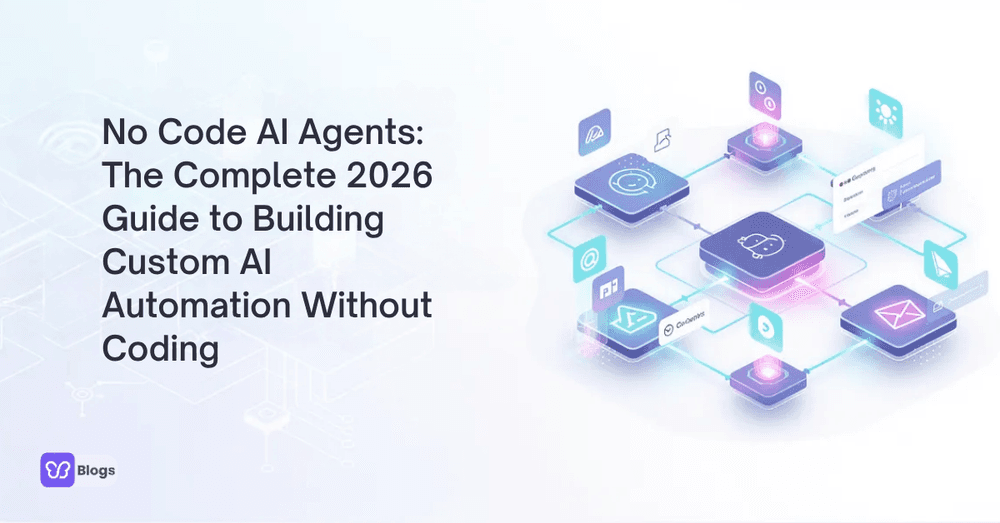
No Code AI Agents: The Complete 2026 Guide to Building Custom AI Automation Without Coding
In 2026, AI automation is moving from nice experiment to daily operating system for many teams. The biggest shift is that you no longer need a development department to turn AI into working business processes.
With no code AI agents, business users create agents that research, write, route, and follow up using visual builders and natural language instructions. This guide covers what these platforms can really do, how to evaluate them, and how to scale from a first prototype to a governed production portfolio.
Introduction to No Code AI Agents (Fast Answer)
No code AI agents are software programs that perform tasks autonomously using artificial intelligence, without requiring programming knowledge from the person building them. A no code agent platform lets users create, deploy, and manage intelligent agents through visual workflows, templates, and natural language setup.
The scope is wider than people expect. The same builders power an AI chatbot that answers shoppers on a storefront, a research agent that compiles competitor briefs, and an operations agent that reconciles orders. Under the hood they connect to the systems through APIs and act with the growing catalog of AI tools available to every team, technical or not.
The practical definition that matters for buyers: if your team can describe the workflow in words, a modern no code platform can probably build the first version this quarter.
What Are AI Agents and How Do No-Code Platforms Change the Game?
AI agents combine large language models, tools, data, memory, and instructions to complete multi-step tasks with minimal human input. A modern agent plans steps, calls a CRM or email app, checks the result, adjusts the next action, and loops until the goal is met or a human is needed.
No-code platforms change who gets to build that loop. Instead of writing the plan, execute, observe cycle in code, teams assemble it visually. Developer-grade capabilities increasingly arrive packaged, such as an Agent SDK exposed as ready-made blocks a business user can drop into a workflow.
The feedback loop improves too: because the people closest to the work build the agents, user feedback turns into fixes in days rather than backlog quarters. That proximity is the real game changer, not the absence of code.
No-Code vs Low-Code vs Pro-Code Agent Builders
Not every agent builder serves the same user. The market runs from simple no code tools to flexible low-code systems and fully programmable development platforms, and choosing the wrong tier wastes either time or capability.
No-code tools use visual workflows, natural language setup, and templates, ideal when the ai agent must be built and maintained by the team that uses it. Low-code systems such as a low code ai platform add scripting and custom connectors for teams with some technical help. Pro-code frameworks offer total control at the cost of needing engineers.
Vertical products are emerging fast: an AI Agent for HR that lives inside employee workflows is a preview of agents tuned to specific departments rather than generic tasks. The selection rule: match the builder to who will maintain the agent, not who signs for it.
Key Features to Look For in a No Code AI Agent Platform
Not every agent platform is equal. The best ones make it easy to build custom agents and hard to ship unsafe ones, which means governance features matter as much as the ai agent builder itself.
Look for a visual workflow builder with branching, loops, and human approval gates. Integration coverage should reach the systems the agent will touch, including customer data stores. Add versioning, testing environments, usage analytics, role-based permissions, and clear audit logs to that list before committing.
Finally, test the escape hatches: can you export workflows, move between models, and own your data? Platforms that answer yes to all three keep your optionality alive as the market consolidates.
Top No Code AI Agent Builder Platforms in 2026 (Landscape Overview)
The landscape sorts into three clusters. For non-technical teams, Lindy, Zapier Agents, Make, Gumloop, and Google Workspace Studio offer intuitive builders with templates, integrations, and minimal setup. Workspace Studio matters especially for teams that already live in Google's productivity suite.
For deeper workflows, platforms aimed at operations and research teams bring stronger memory, evaluation, and document handling. Commerce-focused automation builders connect agents straight to storefronts and marketing stacks, and customer support specialists ship agents tuned for tickets, returns, and order questions out of the box.
Treat any ranking as a snapshot: this market reorders quarterly. Shortlist by use case, trial with your real data, and let your own metrics settle the argument.
Use Cases: What You Can Automate with No Code AI Agents Today
Custom agents already replace dozens of manual workflows across marketing, sales, support, operations, finance, HR, and product teams. The pattern is consistent: repetitive, language-heavy, multi-system work disappears first.
- Marketing: content briefs, competitor digests, campaign drafts, and performance summaries.
- Sales: lead research, qualification scoring, CRM hygiene, and follow-up sequences.
- Support: ticket triage, policy answers, returns processing, and escalation summaries.
- Operations: order monitoring, inventory alerts, report assembly, and vendor follow-ups.
- Finance and HR: invoice checks, expense review, onboarding flows, and policy questions.
The selection heuristic: pick the queue with the highest volume, the clearest definition of done, and the lowest cost of an error. That is where a first agent proves the model fastest.
Deep Dive: How a No Code Agent Builder Works Step-by-Step
Walk through one concrete build: a lead-qualification agent. The manual version involves checking every form submission, researching the company, scoring fit, updating the CRM, and sending a follow-up. The no code version turns that SOP into a workflow.
- Trigger: a new form submission arrives.
- Research step: the agent reads the company website and recent news.
- Scoring step: a prompt applies your fit criteria and outputs a score with reasons.
- Action step: the CRM record updates and a tailored follow-up is drafted.
- Human gate: borderline scores route to a person before anything sends.
Each step is testable in isolation, which is the quiet superpower of the visual approach: when the agent misbehaves, you can see exactly which block did it. Iterate on the weakest block until the whole chain holds.
Evaluating the Best No Code AI and Agent Builder Platforms
Searches for the best no code AI or the top agent platforms usually carry buying intent, so evaluate against real workflows rather than feature pages. Ease of onboarding matters: many builders promise power but bury it behind setup that stalls non-technical teams.
Run a structured trial: one real workflow, your own data, two weeks, and a named owner. Score setup time, reliability, the quality of handoffs to humans, and what the analytics can actually tell you. Feature matrices flatter; trials discriminate.
Price against total cost, including seats, execution volume, and the hours your team will spend maintaining the agents. The cheapest platform that nobody can maintain is the most expensive one.
Security, Governance, and Compliance for No-Code AI Agents
Serious deployments need strong governance because agents touch customer records, financial systems, HR data, and internal knowledge. Data security cannot be an afterthought when the builder holds the keys to so many doors.
Use a short checklist: look for SOC 2 or ISO 27001 posture, comparing options with the best ISO 27001 compliance tools if certification is on your roadmap. Require role-based access, scoped data permissions, audit logs, and human approval gates for irreversible actions.
Clarity about what an agent is helps set expectations internally; TechTarget’s explanation of agents versus chatbots is a useful shared reference when stakeholders conflate the two. And remember the human rule: every agent needs a named owner who reviews what it did this week.
From Prototype to Production: Scaling Your No-Code AI Agents
Most teams start with one internal agent, a reporting assistant or a ticket triage helper. Over time that grows into a portfolio across sales, support, marketing, finance, and operations, and portfolio management becomes the real job.
Scale safely with a few disciplines: start every agent in draft mode with a human reviewing outputs, promote on evidence rather than enthusiasm, and keep a registry of what each agent does, touches, and costs.
Retire agents as deliberately as you launch them. An agent that stops earning its keep should be switched off, its data exported, and its permissions revoked. Clean retirements are what keep a growing portfolio from becoming sprawl.
Future of No Code AI Agents (2026 to 2028)
The next phase is true agent building across business software. Instead of buying one-off automations, teams will create networks of specialized agents that collaborate across apps, data, and departments.
Expect multi-agent collaboration to become standard, with planners, researchers, and reviewers dividing work. Memory will stretch across months, letting agents carry project context. And natural language will become the primary interface for both building and supervising.
The organizations that win this phase are not the ones with the most agents; they are the ones with the clearest owners, metrics, and governance for the agents they have.
FAQ About No Code AI Agents and Agent Builders
1. Can I really build AI agents with no code and zero technical background?
Yes. A good no code platform lets non-technical users create agents with templates, natural language instructions, and a visual builder instead of writing code. The learning curve is real but measured in days, not semesters.
2. What is the difference between a no code agent and a chatbot?
A chatbot mostly responds; an agent plans, uses tools, and completes multi-step work. Many platforms build both, and the maturity path usually runs from chatbot to agent as trust grows.
3. How much does a no code AI agent platform cost?
Most platforms charge per seat plus execution volume, with free tiers for prototyping and paid plans as usage grows. Model costs ride along, so budget for both the platform and the compute underneath it.
4. Are no code agents safe with customer data?
They can be, when the platform provides scoped permissions, audit logs, and compliance certifications, and your team configures human gates around sensitive actions. Safety is a configuration and governance outcome, not a default.
2026 is the right time to move no code AI agents from side experiments into core workflows. The right platform matches your team's technical comfort, reaches the systems your agents must touch, and treats governance as a feature rather than a footnote.
Choose it like you would choose a hire, with a trial and references, then run the checklist before launch:
- Pick one high-volume, low-risk workflow for the first agent.
- Trial the platform with your real data for two weeks, with a named owner.
- Require human approval gates for anything irreversible.
- Confirm audit logs and scoped permissions before connecting sensitive systems.
- Start in draft mode and promote on evidence.
- Register every agent: purpose, owner, systems touched, and monthly cost.

Author
Debutify
Debutify is the easiest way to launch and scale your eCommerce brand.