How to start selling personalized products on Shopify
Today’s customers want more and more one-of-a-kind items that feel made just for them. The cookie-cutter formula of marketing the same product to everyone is losing ground to products that buyers can shape themselves, however they want and without friction. If possible, they want to design their items on the spot, with the click of a button. And they expect brands to read their minds before they even know exactly what they’re looking for.
The market for personalized and custom items is growing by leaps and bounds, and if you’re here, you likely want a slice of the pie. But how will you pick the right products? What’s a design setup that clicks with your customers?

Deciding what to sell
This is the part that would normally take longer because the first instinct can be to believe that offering the customization feature on as many products as possible would be the surefire way to win over all types of shoppers. In reality, you might end up with a pretty overwhelming catalog that lacks direction.
Businesses generally rely on personalization for custom apparel, home décor, birthday and wedding gifts, pet accessories, and print-on-demand items, but the list can expand to pretty much any product you have the tools to customize. Business cards and flyers, for instance, are some of the most common products clients expect to be able to fully customize without limitations since they’re easy and cheap to print, and the market for these is in full swing.
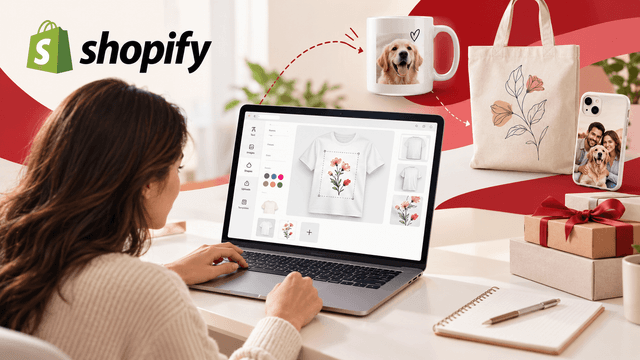
Whatever you choose, how easily you let your customers express their vision will make a difference you can’t ignore. They don’t want to go back and forth over email, trying to explain what they have in mind. That’s where web to print software comes in to empower users to personalize their items, from labels to packaging to apparel, in one place, with features like editing assisted by AI and live 3D mockups. What does the process look like in practice? A customer visits your Shopify store, selects an item (say, a T-shirt or a mug), goes to the design editor, and starts choosing base options and adding visual elements. AI expedites the whole process and improves accuracy since it automates different design operations.
Are Shopify’s features enough?
Shopify does offer a number of personalization features that eliminate the need for third-party integrations if all you’re looking for are some basic tweaks. But they’re limited to basic capabilities, like changing product colors or sizes or displaying customization data within orders, nothing advanced enough to give customers the real customization experience. Your customers can’t really preview products live or use sophisticated item builders. Integrating your store with a dedicated personalization app is the smarter move when you want to let your customers turn their ideas into products you’ll then deliver.
Choose the right design tool
Web-to-print personalization apps are those tools that allow customers to design a product themselves on Shopify or other e-Commerce platforms and send the final version straight to the production phase. But they’re not all developed the same way and the differences come down to more than a long list of features. Perhaps the most important thing is for the app you choose to integrate with your Shopify store smoothly, without impacting loading speeds or forcing you to come up with a new theme. If you only want to offer basic services, like engraving a name on a bracelet, then you can get by with a simple app that adds a text or a photo upload to the product page. But if you’re going to offer real customization that works on more complex products, then you might need a dedicated, more advanced Shopify product designer that can help your customers configure every little detail, and show the final design in a realistic way. You don’t need coding skills, and neither do your customers. The right app will make the whole process intuitive even if the range of features is pretty extensive.
Use live price updates
Different custom items come with different price tags, a difference that stems from the complexity of the design and the amount of material used, as well as the technology used to create it and the extent to which the item supports customization. All these things can influence the final price a lot. Customers want to know how each change affects the final price, ideally the moment they make these tweaks. You can find a customization app for Shopify that recalculates the price on the screen every time the customer adjusts details so they won’t have any surprise at the checkout.
Make production times clear
A personalized product goes through an entire process of checks and printing, which adds to the overall time it takes to be ready to ship. Compared to standard products which follow a simpler routine and are faster to expedite, personalized products can take even a few extra days. You probably know this already, but do your customers? Because in today’s fast-paced world, clients often expect their products to show up as quickly as possible, and with more and more companies shipping faster by the year, these expectations keep going up.
That’s why you should let your customer know what delivery times to expect before they even hit buy. You can display the delivery estimate directly on the product page, somewhere visible, along with a note that the product is made to order, as well as in the email they receive with the order confirmation. Some businesses are turning this detail into a selling point by offering a discount, say 5% off the next order, for purchases that don’t meet the estimated delivery time.

Author
Debutify
Debutify is the easiest way to launch and scale your eCommerce brand.