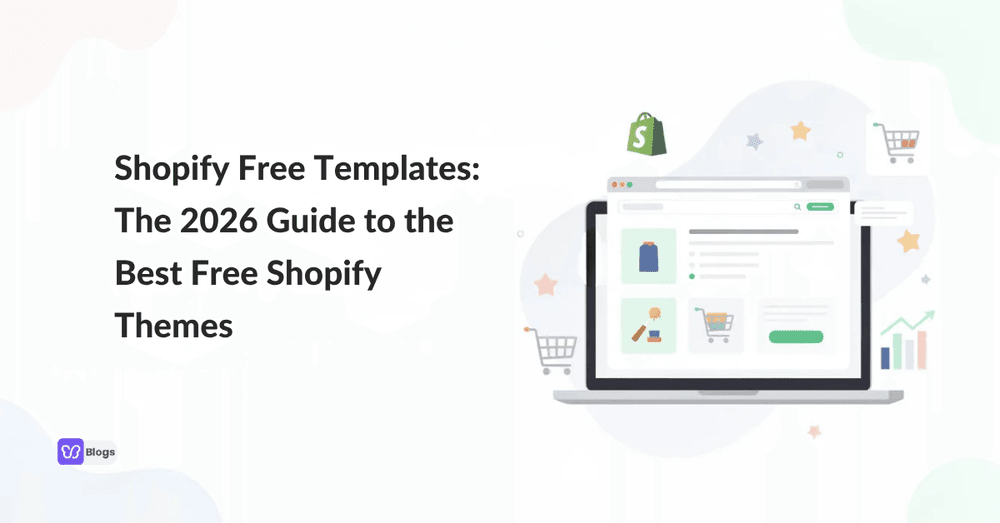
Shopify Free Templates: The 2026 Guide to the Best Free Shopify Themes
Overview: Why Shopify free templates matter for your ecommerce store
Shopify free templates are the official, no-cost themes distributed through the Shopify Theme Store. As of mid-2026, the store lists over 25 of them. Each one controls the look, layout, and functionality of your online store, from homepage to checkout. The terms shopify template free, themes shopify free, shopify store templates, and shopify website themes all point to these same files.
Free Shopify themes provide a professional-looking storefront without purchasing a premium design. They are built on Online Store 2.0 architecture, which means JSON templates, sections on every page, app blocks, and metafields support come standard. Using free Shopify templates is practical for launching an online store without upfront theme investment.
This guide compares free themes against premium themes, outlines essential features for 2026 and beyond, and then reviews the strongest free shopify theme options by niche, including Dawn, Sense, Craft, and more.
Starting with a free shopify theme offers concrete advantages:
- Zero theme cost, freeing budget for inventory, ads, and customer acquisition.
- Built-in mobile responsiveness for the majority of traffic that now comes from phones.
- Lighter page weight and better Core Web Vitals scores compared to many paid alternatives.
- Regular updates from Shopify for security, performance, and platform compatibility.
- Free themes are a good starting point for new online stores testing product ideas or validating markets.
What are Shopify themes and templates?
Shopify themes are the visual and functional framework of every store. They control appearance and functionality: layout, navigation, typography, color scheme, product pages, collection pages, blog templates, and checkout experience. When people search for shopify free templates or shopify template free, they are looking for these themes.
Inside each ecommerce theme, multiple "templates" exist. You might create one product page template for your bestsellers and a second for bundles or gift sets. Each template can include different sections and blocks, assigned per page or per product. Free Shopify themes include basic features for effective store setup, including shopping carts and product pages.
Most merchants can get live with a good free shopify theme in less than a day; select the theme, upload a logo, add product images, adjust theme settings, and publish. No custom code required.
Core elements a theme controls:
- Header and footer: menu layout, sticky header, logo, search bar
- Homepage: hero images, featured collections, promotional banners, brand story sections
- Product pages: variant pickers, media galleries, size charts, related products
- Collection pages: grid or list layout, filtering, sorting
- Blog and content pages: article layout, author info, related posts
- System pages: cart drawer, error pages, checkout notices
Why start with a free Shopify theme?
Free themes are suitable for new businesses with limited budgets. Zero theme cost means more money for product sourcing, advertising, and customer service. For side projects, local businesses, or idea-validation stores, this math is straightforward.
Official free Shopify themes receive automatic security updates and simple setup. Shopify free themes are regularly maintained to ensure performance and stability. When the platform introduced Online Store 2.0, all free themes were updated to support sections on every page, JSON templates, and app blocks. Free Shopify themes are built to work with the platform's latest features.
When is a free theme the right choice?
Scenarios where a free theme is the right choice:
- Validating a product idea before committing to a paid theme
- Running a store with a small catalog (fewer than 50 SKUs)
- Launching a local business or seasonal pop-up shop
- Building a side project where time to market matters more than custom visuals
Built-in features of the best free themes
- Responsive design that adapts to phone, tablet, and desktop screens
- Basic SEO controls: meta titles, descriptions, image alt text, clean URL handles
- Sections on every page for flexible layout editing
- Internationalization and multi-locale support
- Core merchandising features: product filtering, promotional banners, and related product sections
A free theme does not mean a generic-looking store. Combine one with a few well-chosen apps and light CSS adjustments, and the result can look close to a custom build.
How to choose the best free Shopify theme: a 7-step framework
This framework works whether you pick a free or paid theme, but it is especially useful when you want to squeeze maximum value from a $0 option. Here is how to find the best free theme for shopify for your specific situation.
Step 1: Define your brand style
Minimal, editorial, bold, earthy, playful? Your theme needs to match. If your brand relies on large product photography, pick a media-forward theme. Shopify themes should align with your brand identity and target audience.
Step 2: Map your product catalog size
A store with 5 products needs a different layout than one with 500. Larger catalogs demand strong filtering, search, and collection navigation features.
Step 3: List essential features you need
Write down must-haves: variant swatches, video support, size charts, image zoom, trust badges. Identify which free themes include these natively versus which require apps.
Step 4: Check app compatibility
OS 2.0 themes with app blocks integrate cleanly with review apps, upsell tools, and subscription services. Verify before installing.
Step 5: Evaluate speed on mobile
Run the theme's demo URL through PageSpeed Insights. Look at LCP, INP, and CLS scores. Many official free options are lightweight to maximize loading speed.
Step 6: Plan for future custom code
If you expect to add animations, custom product templates, or conditional logic later, pick a theme with clean documentation and editable template scaffolding.
Step 7: Preview on real devices
Walk through the full user flow on your phone: homepage to product to cart to checkout. Test on a slow connection. Spot usability problems before your customers do.
Identify your niche and product catalog size
Your product category and catalog size should drive your theme choice more than aesthetics alone. A fashion brand selling 12 statement pieces has different needs than a hardware store listing 400 SKUs.
Small catalogs (1 to 20 SKUs)
Work best with storytelling-focused themes that put the brand story front and center. Visual storytelling through large hero images and lookbook-style layouts keeps visitors engaged when there are fewer products to browse. Themes like Sense, Craft, or Taste fit here.
Large catalogs (100+ products)
Require strong navigation features, advanced product filtering, predictive search, and well-organized collection pages. Themes like Dawn, Origin, or Trade handle this better.
Niche-to-theme pairings
| Niche/Industry | Recommended Themes | Key Features/Reasons |
|---|---|---|
| Coffee roastery or organic tea | Taste, Crave | Earthy color palettes, hero imagery, sections for brewing tips and ingredient breakdowns |
| Skincare startup | Crave, Craft | Soft tones, ingredient detail sections, lifestyle photography placements |
| Hardware retailer (200+ SKUs) | Origin, Trade | Grid layouts, inline filtering, fast mobile performance |
| Digital products or courses | Spotlight, Studio | Content-first layouts, minimal product complexity, quick checkout flows |
Essential features to look for in a free Shopify theme
You have approximately 50 milliseconds to make a good impression on a visitor. The right theme puts that fraction of a second to work. Here is what separates a great theme from a mediocre one, even among free options.
Mobile responsiveness
Mobile responsiveness is essential for Shopify themes. More than half of ecommerce traffic comes from mobile devices. A responsive shopify theme adapts images, menus, and product grids to any screen width. Every official free theme handles this, but test it yourself on your phone before committing. A true mobile first theme prioritizes touch targets, thumb-friendly navigation, and readable text without zooming.
Fast load times
Shopify themes are optimized for mobile responsiveness and speed. Target LCP under 2.5 seconds, INP under 200ms, and CLS under 0.1. Free themes tend to meet these baselines because they carry less JavaScript than premium alternatives.
Clear navigation
Sticky headers, dropdown menus, mega menu support (in some free themes), and visible search bars reduce friction. For large catalogs, navigation features like infinite scroll and enhanced search make a measurable difference.
Product discovery tools
Product filtering and sorting on collection pages, color swatches, zoomable media, video support, and related product recommendations. These merchandising features help visitors find and compare multiple products quickly.
Trust and conversion elements
Promo banners, promo tiles, FAQ sections, and space for review widgets. Free Shopify themes include essential features for ecommerce such as shopping carts and product pages, but trust signals reduce cart abandonment.
App compatibility
A free theme should support app blocks so you can add reviews, loyalty programs, and upsell tools without breaking the layout. Third party apps integrate cleanly when the theme follows OS 2.0 standards.
Safe extensibility
The ability to add custom code (CSS snippets, Liquid edits) without corrupting the theme editor. Good documentation from Shopify makes this possible on all official themes.
Top 12+ best free Shopify themes (official Theme Store only)
Every theme listed here is available directly in the Shopify Theme Store. No pirated files, no license concerns. Popular free themes include Dawn, Horizon, and Craft, but the full list runs deeper. Here are the strongest options, grouped by what they do best.
Dawn. Dawn is the most popular free Shopify theme and the most used free theme in the Shopify ecosystem. It serves as the reference implementation for Online Store 2.0. Dawn offers clutter-free code and visual storytelling through large media sections, product videos, and high-resolution image support. It handles large catalogs well with collection filtering and sorting. Its combined Core Web Vitals pass rate sits around 84% across stores, with roughly 95.6% passing LCP and 95.8% passing INP. If you want predictive search, responsive design, and a clean starting point for any product category, Dawn is the default best shopify theme to begin with.
Sense. Sense leans editorial. Stronger visual sections than Dawn, with built-in lookbook-style templates and brand story blocks. Sense has a desktop load time of just 0.6 seconds, making it one of the fastest free options available. It suits fashion, lifestyle, and wellness brands that rely on lifestyle photography. This responsive theme provides image galleries and custom pages for storytelling without needing extra apps.
Craft. Craft is optimized for performance with a load time below 1 second. It consistently ranks near the top of free themes in mobile CWV benchmarks. The ideal theme for artisan, handcrafted, and boutique brands with small catalogs. Clean image handling and a minimalist theme layout keep the focus on products.
Taste. Built for food and drink brands. Earthy hero sections, recipe or origin story layouts, and product detail emphasis make it a natural fit for coffee roasters, bakeries, and specialty food brands. Taste scores well on speed benchmarks alongside Dawn and Craft.
Crave. Another strong option for food brands, drink brands, and beauty brands. Crave combines editorial layout sections with soft color palette options and sections for ingredient breakdowns. Works well for small to medium catalogs where product details and brand's personality matter more than filtering complexity.
Origin. Grid-first layout built for stores with larger catalogs. Strong collection navigation, inline filtering, and image galleries for room sets or product category pages. A practical choice for home goods, furniture, and general retail.
Trade. Designed for high-SKU stores and B2B-leaning operations. Trade supports advanced product filtering, mega menu navigation, and fast search. If you manage multiple products across many collections, Trade handles the complexity.
Studio. Studio is a free theme ideal for artists and collectors. It emphasizes visual content with gallery-style layouts and showcase products sections. If your store sells art, photography prints, or curated collections, Studio provides unique features for displaying creative work.
Spotlight. Spotlight is designed for quick launching of online stores. Minimal setup, content-focused layout, and streamlined product templates. Good for digital products, single-product stores, or info-product businesses where speed to market is the priority.
Ride. Bold design language with strong color blocking and dynamic sections. Suits active lifestyle brands, outdoor gear, and streetwear. Ride supports video sections and promotional banners that keep the homepage visually engaging.
Refresh. Clean, modern layout suited for wellness, fitness, and health brands. Refresh balances image-heavy hero sections with structured content blocks for product benefits and testimonials.
Colorblock. Uses contrasting color sections to create visual separation between homepage blocks. Works for brands with a playful or bold brand identity that want to stand apart from the minimalist default look.
Horizon. Part of Shopify's 2025 release of 10 new free themes, Horizon introduces more block-based design patterns. Early adoption data is still building, but Horizon represents where Shopify's theme library is heading: more flexible blocks, fewer rigid templates.
Each of these is among the top shopify themes available at no cost. The best free shopify theme for your store depends on your niche, catalog size, and the key features you need.
Matching free themes to industries: fashion, beauty, food and drink, and more
Picking the right theme is faster when you start from your industry and work backward to the theme, not the other way around.
Fashion and apparel
Sense or Studio. Both emphasize large imagery, lookbook layouts, and editorial storytelling. A luxury brands label selling 15 pieces per season can use Sense's brand story sections and image galleries to build aspiration. For streetwear with bolder energy, Ride works.
Beauty and skincare
Crave or Craft. Soft color palettes, product detail sections for ingredients and usage instructions, and lifestyle photography placements. An organic skincare startup could use Crave's editorial blocks to showcase before-and-after visuals and ingredient transparency.
Food and drink
Taste or Crave. An organic tea brand could use Taste with a hero slider showing tea fields, an ingredient breakdown section, and a brewing tips page. Coffee roasters and specialty snack companies benefit from the earthy, story-driven layouts these themes provide.
Home and furniture
Origin or Trade. Grid layouts for browsing room sets, strong filtering for product type and price range, and large media sections for lifestyle photography. These shopify website themes handle the visual demands of furniture photography well.
Digital or info products
Spotlight or Studio. Text and content sections take priority over product imagery. Blog layouts, article styles, and minimal checkout friction suit course sellers and template shops.
B2B or hobby tools
Trade or Origin. Variant-heavy catalogs, wholesale ordering patterns, and clear product specification displays. Advanced product filtering and navigation features keep buyers moving through large catalogs.
How to customize a free Shopify theme without breaking it
Most official Shopify themes support drag-and-drop editing capabilities through the visual "Customize" editor. Shopify themes can be customized using the theme editor, and customization options include layout, colors, and fonts. Free Shopify themes typically offer basic to moderate customization through this interface, which is enough for most new stores.
Before making changes, duplicate your theme. This gives you a backup to revert to if something breaks. Work on the unpublished copy, preview your changes, then publish when you are satisfied.
Common customization tasks you can handle without code:
- Colors and typography: Adjust in theme settings to match your brand identity. Most themes offer 10+ font pairings and full color control.
- Homepage sections: Add, remove, reorder, and configure hero banners, featured collections, testimonial blocks, and promotional banners using the section editor.
- Product page templates: Customize which blocks appear (variant pickers, size charts, trust badges, related products) and in what order.
- Collection page layout: Choose grid density, enable or disable filters, set sorting defaults.
- Custom pages: Create landing pages or about pages using sections without touching Liquid code.
When should you add custom code? If you need conditional logic (show a banner only for logged-in customers), custom animations, or layout changes that the editor does not support. For everything else, an app is usually safer and easier to maintain than a code edit.
Duplicate your theme before every round of changes. A five-second backup can save hours of troubleshooting.
Using apps and custom code to upgrade free themes
A free theme paired with 3-4 well-chosen apps can deliver all the features of a paid theme at a fraction of the cost. The catch: every app and line of custom code can affect page speed and maintainability.
App categories that pair well with free themes
- Reviews and social proof: Product review apps add star ratings, photos, and Q&A to product pages.
- Upsells and bundles: Cart upsell or bundle apps increase average order value without theme changes.
- Subscription billing: For food and drink stores on Taste or Crave, a subscription app turns one-time buyers into recurring customers.
- Advanced search and filters: For large catalogs on Origin or Trade, a search app adds faceted filtering that goes beyond what the theme includes natively.
- Analytics: Heatmap and session recording apps reveal where visitors drop off.
Concrete scenarios
- A coffee subscription brand on Taste adds a subscription app and a review widget. Two apps, two features that would cost $300+ in a premium theme.
- A hardware store on Origin with 400 SKUs installs an advanced search app to add faceted filtering by brand, voltage, and price range.
What to avoid
- Installing more than 5-6 apps that inject front-end scripts. Each one adds JavaScript that slows page load.
- Adding custom code that duplicates what an app already does. Pick one approach, not both.
- Using third party apps from unverified developers without checking reviews and update history.
SEO and conversion optimization for Shopify free templates
Even the best shopify theme will not convert visitors without sound SEO and conversion rate practices.
On-page SEO basics within Shopify
- Set unique title tags and meta descriptions for every product and collection page. Shopify's editor makes this a two-click task.
- Use descriptive URL handles (e.g., /products/organic-matcha-powder instead of /products/product-123).
- Write alt text for every image. This helps search engines index your product photography and improves accessibility.
- Link between related products and collections using internal links in product descriptions and blog posts.
Using free theme features for conversion
- Hero sections with a clear value proposition and a single call-to-action button.
- Featured collection sections on the homepage that funnel visitors to your best-selling product category.
- Testimonial or review blocks that build trust above the fold.
- Promo banners for sales, free shipping thresholds, or new arrivals.
Speed as an SEO factor
Lightweight free themes provide a built-in advantage. Q1 2026 data shows the median Shopify storefront LCP is about 2.26 seconds and median INP is about 153ms. Free OS 2.0 themes like Dawn achieve roughly 75% combined CWV pass rate, while older vintage themes land around 38%. Avoid heavy apps and bloated scripts that erase this advantage.
Structured data
If your free theme does not include rich snippet markup by default, add it through a lightweight app or a small Liquid snippet. Product schema, FAQ schema, and breadcrumb markup help your pages stand out in search results.
Free themes vs "Shopify templates free download" packs from third parties
Not every file labeled shopify template free on the internet is a real Shopify theme. Many "shopify templates free download" results are generic HTML/CSS ecommerce templates that cannot be uploaded to Shopify. Only Liquid-based, Online Store 2.0 compliant themes work as actual shopify website themes.
Even when a third-party file is technically a Liquid theme, it may be outdated, stripped of licensing, or bundled with malicious code. These files bypass Shopify's theme review process, which checks for performance benchmarks (minimum Lighthouse score of 60), code quality, and security.
Before using any third-party shopify store templates:
- Verify the source is a recognized Shopify Partner or listed in the theme store.
- Check the file's version number against the developer's official changelog.
- Look for licensing documentation inside the theme's /config/ directory.
- If the deal seems too good to be true (a $350 theme for free), it is.
Use unofficial templates as design inspiration if you like, but install only themes from the official Shopify Theme Store or directly from verified developers. Long-term maintainability and security outweigh any short-term savings from a dubious download.
When you should switch from a free theme to a paid one
A free theme handles the MVP stage well. But there are clear signals that a paid theme investment is justified.
Consider upgrading if:
- Your catalog has grown past 200 SKUs and the free theme's filtering and navigation cannot keep up without multiple apps patching the gaps.
- You are spending more on apps than a premium theme costs. If five apps at $15/month each replicate features that a $300 paid theme includes natively, the math favors switching.
- You need advanced features the free theme cannot provide. Animated product showcases, AI-powered recommendations, or complex mega menu structures that no amount of custom code can cleanly add to a free base.
- International expansion requires multi-currency, multi-language layouts that your current free theme handles poorly.
- Revenue has scaled from $5k/month to $50k/month and professional design is now a competitive requirement, not a luxury.
- You are relying on custom code patches that break with every theme update.
Switching themes does not delete products, collections, or customer data. It does require reconfiguring theme settings, section layouts, and menu structures. Budget a few hours for the migration.
The most popular shopify themes in paid tiers include options like Prestige, Impulse, and Empire. Treat these as a later optimization stage, not a day-one requirement.
Common mistakes when using Shopify free themes (and how to avoid them)
Even the best themes perform poorly under bad implementation. Here are the pitfalls shopify users hit most often with free themes.
- Leaving demo content live. Placeholder text like "Write something about your brand" and stock images make a store look unfinished. Replace every demo block before publishing.
- Cluttering the homepage. Adding every available section (hero banner, three featured collections, testimonials, newsletter, Instagram feed, blog posts, video, FAQ) creates a slow, overwhelming page. Pick 4-5 sections that serve your conversion funnel and cut the rest.
- Using low-quality images. A responsive shopify theme will display your images at full width on retina screens. Blurry product photos at 400x400 pixels look terrible at that scale. Shoot at minimum 2048px wide, compress with a tool like TinyPNG, and set alt text for SEO.
- Installing too many apps. Each app that injects front-end JavaScript adds load time. Audit your apps quarterly; remove anything you are not actively using.
- Editing theme files without a backup. One misplaced Liquid tag can break your entire storefront. Always duplicate the theme before editing code.
- Downloading themes from untrusted sources. If you are unsure whether your theme came from the official store, check your Shopify admin under Online Store > Themes. Official themes show the "Shopify" developer label and link to the theme store listing.
- Ignoring mobile preview. Different themes render differently on small screens. Test your checkout flow, product pages, and collection filtering on an actual phone, not just the browser's responsive mode.
The best shopify stores run fewer apps, use higher-quality images, and test on real mobile devices before launch.
Summary: Turning free Shopify themes into high-converting storefronts
Building a professional, fast, and profitable ecommerce store using only Shopify free templates plus a few apps is not a compromise. Over 25 official free themes cover niches from food and drink to fashion to digital products, all built on OS 2.0, all maintained by Shopify, all costing $0. Choosing the right theme comes down to matching your niche, catalog size, and essential features to a specific theme's strengths, not chasing the flashiest design.
Chasing unsafe shopify premium theme free download links risks malware, broken code, and zero support. Official free themes from the theme store are secure, regularly updated, and tested against Shopify's performance benchmarks. They give shopify store owners a reliable foundation to build on.
Launch on a free shopify theme this week. Add products, configure your homepage, test on your phone, and start selling. Collect real traffic data, learn what your customers actually need, then decide whether custom code tweaks or a premium upgrade will earn back their cost. The best store is the one that is live and generating revenue, not the one waiting for the perfect theme.
Frequently asked questions about free Shopify themes
What is the best free Shopify theme in 2026?
For most new stores, Dawn remains the safest all-round pick thanks to its clean code and strong speed. Horizon is the better choice if you want Shopify's newest design system and latest features. If built-in conversion functionality matters more than minimalism, Debutify Theme is the free option built specifically for selling.
Are free Shopify themes good enough to make sales?
Yes. Every theme in the official Shopify Theme Store is reviewed by Shopify, receives regular updates, and supports Online Store 2.0 sections. Many stores launch and grow on free themes. What drives sales is product presentation, page speed, and checkout trust, not the price tag of the theme.
Are sites offering premium Shopify themes as free downloads safe?
No. Nulled or cracked theme packages frequently contain hidden code, backdoors, or license violations, and they receive no updates or developer support. Install themes only from the official Shopify Theme Store or directly from the developer. A pirated theme can put your store and your customer data at risk.
What is the difference between Dawn and Horizon?
Dawn is Shopify's long-standing reference theme, known for speed, simplicity, and a huge ecosystem of tutorials. Horizon is the newer generation of free themes with a modern design system and the latest Shopify storefront features. Stores starting fresh in 2026 should evaluate Horizon first, while Dawn remains a reliable default.
When should you switch from a free theme to a paid one?
Switch when a free theme starts to limit you: catalog size, niche-specific merchandising, or conversion features you cannot replicate with apps or small code changes. If your conversion rate plateaus and theme limits are the cause, a paid theme can pay for itself. Otherwise a well-configured free theme plus focused apps is enough.
Can you customize a free Shopify theme without coding?
Yes. All current free Shopify themes support the Online Store 2.0 drag-and-drop editor, so you can rearrange sections, change colors and fonts, and add content blocks without touching code. Custom CSS or a developer is only needed for advanced behavior the editor does not expose.

Author
Debutify
Debutify is the easiest way to launch and scale your eCommerce brand.