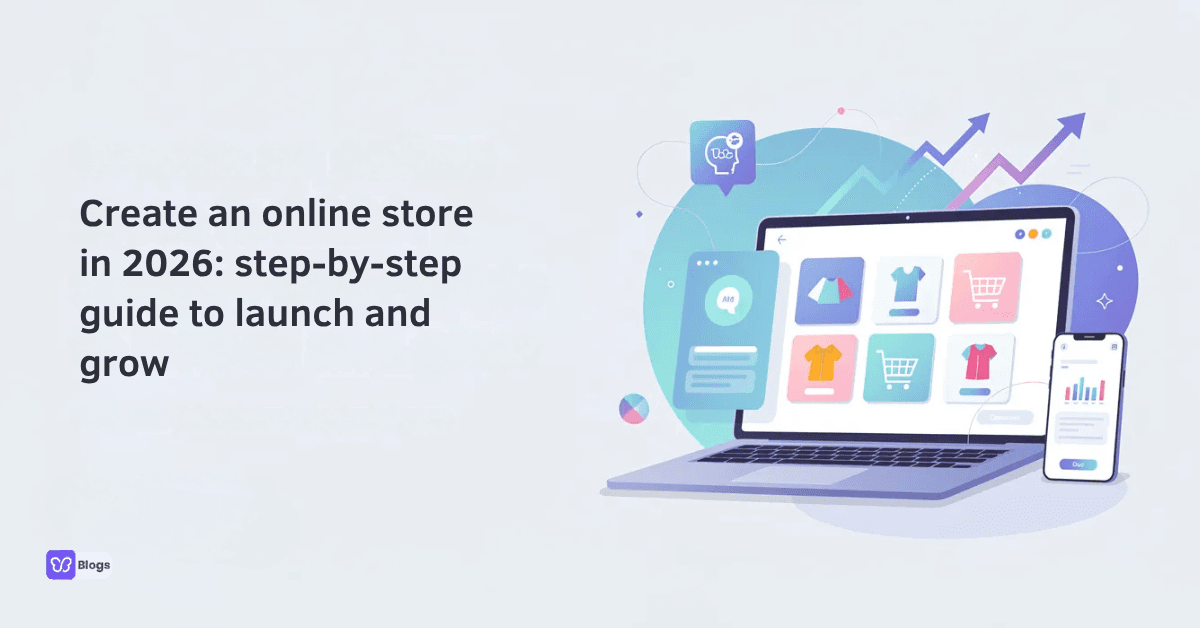
Create an online store in 2026: step‑by‑step guide to launch and grow
Starting an online business used to mean hiring a web designer, buying expensive software, and waiting weeks for results. In 2026, you can create an online store in minutes with templates, a payment gateway, and a product catalog - no coding required. This step by step guide walks you through every phase, from picking what to sell to running marketing campaigns that drive sales. Whether you want to build a full ecommerce website or create a free online store to test an idea over the weekend, every key step is covered below. This guide is for aspiring entrepreneurs, small business owners, and anyone looking to launch an online store in 2026.
1. Understand what an online store is (and why to build one now)
An online store is more than a website with pictures of your products. It is a complete ecommerce store with a storefront, product pages, a shopping cart, a secure checkout, and an admin area where you manage inventory, orders, and customer data. Unlike a simple brochure site, it lets customers browse, pay, and receive confirmation - all without you lifting a finger at 2 a.m.
Ecommerce stores operate 24/7, increasing sales opportunities far beyond what a physical shop with fixed hours can achieve. Online stores have lower overhead costs than physical stores - no lease, no utilities, no floor staff - and they can reach a global market, expanding your customer base to anyone with an internet connection. As your store grows, analytics dashboards show exactly where traffic comes from and where customers drop off, so every decision is backed by data.
The timing matters. Mobile shoppers now account for over 70% of ecommerce traffic, social commerce is surging, and projected global ecommerce revenue is heading toward $3.4 trillion by 2026. Even local businesses - a bakery in London, a boutique in Austin - rely on online sales for resilience.
You can create an online store or even create a free online store using platforms that bundle web hosting, customizable templates, payment processing, and an SSL certificate out of the box. This guide covers both routes: building from scratch and launching a free online store on a free plan so you can start selling quickly and upgrade later.
Why build an online store in 2026:
Sell online to customers in any country, any time zone
Lower fixed costs compared to a brick-and-mortar shop
Mobile shoppers and social commerce keep growing
Rich analytics help you optimize as your store grows
Start free or low-cost, then scale when revenue justifies it
2. Decide what you'll sell and who you're selling to
Choosing a niche is essential for targeting a specific audience - and it shapes every decision that follows, from platform to marketing. Creating an online store involves product research and legal registration before you ever upload a product photo.
Define your offer type first:
Physical products - handmade candles, t shirts, tech accessories. These require inventory, packaging, and shipping.
Digital products - eBooks, printable planners, online courses, music. Lower delivery costs, instant fulfillment.
Services - coaching, consulting, design. May need scheduling or booking tools.
Subscriptions - monthly boxes, membership access. Need recurring billing support.
A narrow niche like eco-friendly pet toys for city dog owners or printable planners for students makes it far easier to rank in search engines and convert visitors than trying to sell everything from day one.
Sketch a simple customer profile: age, location, budget, pain points, how often they buy. Pull real-world data from forums, Reddit threads, Amazon reviews, and competitor stores to validate demand.
Your answers here directly influence your platform choice, shipping setup, and future marketing campaigns. Younger mobile shoppers may respond better to TikTok ads and reels, while an older demographic might convert through email marketing.
Action items before moving on:
List 10 product ideas and research search volume for each
Identify 3–5 competitor stores; study their pricing and presentation
Validate demand with Google Trends or keyword tools
Registering your business requires choosing a structure (sole proprietor, LLC, etc.) and obtaining any necessary permits
3. Choose where to build your store (free vs paid platforms)
Selecting an e-commerce platform is crucial for managing inventory and checkout - and the right choice depends on your technical comfort and inventory size. All-in-one builders like Shopify or Wix simplify the setup process for beginners, while targeted online store platforms include Shopify for ease of use and WooCommerce for flexibility if you prefer self-hosted control.
Understanding the difference between a true free plan and a limited free trial saves headaches later. A free plan lets you run a free online store indefinitely with some restrictions (fewer products, platform branding, subdomain). A free trial gives you full features for 14–30 days, then requires a paid plan to keep selling.
E-commerce SaaS platforms offer features for secure checkouts and inventory management right out of the box. Ecommerce platforms provide tools for payment processing and inventory management without needing a separate web designer or developer. You can create an online store in minutes with templates, connect a payment gateway, and start selling the same day.
Platform highlights to compare:
Factor | Free stores / Free plan | Paid plans |
|---|---|---|
Monthly cost | $0 | $29–$40+ typical entry |
Product limits | Often 3–50 items | Hundreds to unlimited |
Custom domain | Usually subdomain only | Full custom domain |
Branding | Platform branding shown | Removable |
Transaction fees | Higher in some cases | Often lower |
Advanced features | Limited | Full marketing tools, analytics, automation |
Wix allows adding up to 50,000 products in your store, making it strong for large catalogs. Wix allows up to 50,000 items in an online store.
Square's free plan has no monthly fees or startup costs - ideal for testing ideas.
Yola offers a free online store plan with three products for micro-businesses.
Mozello supports multiple languages for online stores, useful if you sell internationally.
Square sellers see a 38% revenue increase after adding a website, proving the value of going online.
Many platforms let you create a free online store to test ideas, then scale on the same system when your store grows - avoiding a costly rebuild.
4. Register a domain, set up hosting, and secure your store
A custom domain like mybrandstore.com immediately makes your online store feel more trustworthy than a generic subdomain. Purchasing a domain name is necessary for your online store - it anchors your brand in the customer's mind.
Creating a brand requires developing a business name, logo, and brand voice. Keep your domain short, memorable, and easy to spell. Avoid hyphens and numbers.
Most beginner-friendly ecommerce platforms bundle hosting, automatic backups, and an SSL certificate so your site loads over HTTPS and customers see the browser padlock. HTTPS and a valid SSL certificate are non-negotiable in 2026 - they protect checkout data, improve search engine trust, and prevent browser warnings that scare away new customers.
Performance matters too. Fast web hosting, optimized images, and mobile-first themes keep mobile shoppers from bouncing off slow pages.
Mini-checklist before launch:
Choose and register your domain
Connect it to your ecommerce platform
Verify HTTPS is active on every page
Run a quick speed test on mobile devices and desktop
Confirm automatic backups are enabled
5. Design your storefront for trust and conversions
Designing your storefront should include a mobile-responsive template and a custom logo - these two elements alone set you apart from generic-looking free stores. You can customize your store's design with brand colors and fonts to create a cohesive brand experience across various devices.
Pick a theme optimized for mobile shoppers. A fashion shop might use a visual grid layout to showcase product images, while a hardware store might benefit from a list layout with specs front and center. Either way, navigation should be shallow, fonts readable, and loading times fast.
Cover visual branding basics: consistent colors, logo in the top-left corner, a hero banner with a specific offer (e.g., "Free shipping over $50 until December 31, 2026"), and prominent "Shop now" calls to action above the fold.
Essential pages on day one:
Home
Shop/Collections
About
Contact
FAQs
Policy pages: Shipping, Returns, Privacy, Terms of Service
UX elements that help you sell online more effectively:
Search bar (critical for larger catalogs)
Product filters by price, size, color, category
Clear pricing - show discounts, taxes, and shipping estimates early
Trust badges near checkout (SSL seal, payment logos, money-back guarantee) - studies show these can lift conversion by 1–5% for newer stores, but avoid over-badging
Short, distraction-free checkout flows - 22% of shoppers abandon due to form errors, so use inline validation
Ecommerce platforms offer built in seo tools for better visibility, helping your online shop rank without needing a separate SEO plugin from the start.
6. Add products, pricing, and essential store settings
Structure categories so customers find items fast. Use logical groupings - "Men → Shoes → Running" or "Digital → Courses → Beginner" - but avoid deeply nested menus when your catalog is small. A few clear collections beat a maze of empty categories.
Product listings should feature clear descriptions and high-resolution photos. Write specific titles that include relevant keywords, lead with benefits over features, and add short videos or size guides where helpful. Once you have them, customer reviews add powerful social proof to product pages.
High-converting product page checklist:
Keyword-rich title (e.g., "Organic Soy Candle - Lavender, 8 oz")
Benefits-first product descriptions
Multiple high-quality photos from different angles
Size or variant guide
Visible price with any discount highlighted
Prominent "Add to Cart" button
Pricing strategy basics: cost-plus pricing covers your costs and margin; value-based pricing reflects perceived quality. Introductory offers and first-purchase discounts can attract customers early, but watch your margins. Many platforms calculate tax and support tax rules per region automatically.
For logistics, configure payment and shipping options to fulfill orders easily. Shipping setup involves determining carriers and costs. Enable real time shipping rates where possible so customers see live delivery options and exact costs at checkout. Manage inventory across all sales channels to avoid overselling, and sync inventory across all sales channels for optimized stocking. You can even print shipping labels directly from your store's dashboard on most platforms. Ecommerce platforms allow for easy inventory management across channels, keeping operations smooth as order volume increases.
7. Configure payments, shipping, and tax
Configuring payment methods involves connecting a secure payment gateway - this is the moment your online store becomes a real business that can accept payments and start selling online.
Secure payment methods should include credit cards and digital wallets like Apple Pay and Google Pay. Add buy-now-pay-later options (Klarna, Afterpay) for higher-ticket items - these can lift average order value by 20–30% on orders above $150, though merchant fees run higher. Offer multiple payment options to enhance customer trust; when shoppers don't see their preferred payment method, they leave.
Set up multiple delivery methods - standard, express, local pickup, local delivery. Enabling real time shipping rates from major carriers reduces cart abandonment significantly. Research shows 76% of U.S. consumers abandon carts when their preferred shipping options are missing.
Tax basics: collect sales tax or VAT depending on your region, configure rates at the country or state level, and seek professional advice for complex international situations. Transparent shipping costs, estimated delivery dates, and clear tax breakdowns make your online store look professional and build trust.
Setup flow:
Connect payment gateways → test with a sandbox or small live transaction
Configure shipping zones and delivery methods; enable real-time carrier rates
Add tax rules per region; preview what buyers see at checkout
Run a mock order - simulate a full purchase including taxes and shipping to confirm everything works
8. Launch your free online store quickly and test everything
You can create an online store or even create a free online store and launch a professional-looking online shop in under a day. The secret: focus on a small but complete catalog instead of perfection.
Testing your site before launch involves placing test orders and checking functionality. Preview on desktop, tablet, and mobile devices. Run a test checkout. Verify that confirmation emails and order notifications fire correctly.
Pre-launch checklist:
[ ] No broken links or spelling errors
[ ] Policy pages complete (shipping, returns, privacy)
[ ] Discount codes working
[ ] Responsive design confirmed on phones and tablets
[ ] Images optimized and loading quickly on mobile
[ ] Payment gateways processing correctly
[ ] Order notifications reaching your inbox
Soft-launch before going big: share the store with friends, early subscribers, or a small social audience to collect feedback. Fix usability issues while stakes are low. Operating on a free plan during this phase lets you get comfortable with daily operations - order fulfillment, customer service, shipping - without financial pressure.
You don't need a finished catalog of 500 SKUs. Launch with your best five products, learn what customers actually want, and expand from there.
9. Drive traffic and start selling with smart marketing campaigns
A live store without visitors is just a digital brochure. Here's how to attract customers and drive sales across multiple channels.
SEO (organic search): SEO optimization improves visibility in search engine results. Research phrases your buyers actually type - things like "create an online store" or "create a free online store" - and use them naturally in titles, headings, and product descriptions. Write helpful content marketing pieces (blog posts, guides) that answer buyer questions. Use built in seo tools provided by your ecommerce platform and connect Google Analytics to track what's working.
Social media: Social media marketing can significantly drive traffic to your store. Platforms like Instagram, TikTok, and Pinterest let you showcase physical products and digital products visually. Wix allows posting ads on Facebook, Google, and Instagram directly from the dashboard, consolidating your marketing tools in one place. Pop ups on your site can capture email addresses from social visitors.
Email marketing: Email marketing can nurture leads and retain customers. Set up a welcome email series for new subscribers, abandoned-cart reminders for anyone who left items behind, and periodic promotions (e.g., 10% off first order) to drive more traffic back to your store.
Paid ads: Start small. Run a 7-day launch promo - a discount code promoted through a social ad targeting your niche audience - and measure results before scaling spend.
Built-in analytics help you monitor traffic sources, conversion rate, and average order value so you can double down on what works. A 38% average revenue increase for Square sellers with a website shows how much impact simply being online can have on your online sales.
10. Scale, optimize, and plan the next stage of growth
Once orders flow in, use data to refine your online store. A/B test product photos, adjust prices, simplify navigation, and improve page speed - especially for mobile shoppers, who make up the majority of your traffic.
When to move from free to paid:
Your product catalog outgrows free plan limits
You need to remove platform branding for a more professional online shop
Transaction fees on the free tier eat into margins
You want advanced automation, AI tools, or multiple staff accounts
Marketing campaigns require more features like segmented email flows or loyalty programs
Advanced growth tactics:
Add subscriptions for consumable products to build recurring revenue
Bundle products and create upsells to increase average order value
Launch a loyalty program to turn one-time buyers into repeat customers and drive more customers back
Expand internationally with multiple currencies and new delivery methods
Explore new features as your ecommerce platform releases them - voice search, virtual try-ons, and conversational shopping are all gaining traction
No credit card required to start on most free plans. You don't need deep technical skills, a massive budget, or a perfect catalog. The tools to create an online store exist today, and you can create a free online store to test your idea, collect real customer feedback, and start making online sales - all without big upfront costs.
Pick a platform, list your first product, and launch your store for free this week. The global market isn't waiting, and neither should you.

Author
Debutify
Debutify is the easiest way to launch and scale your eCommerce brand.