How to Create an AI Agent (Step‑by‑Step Guide for Your First AI Agent)
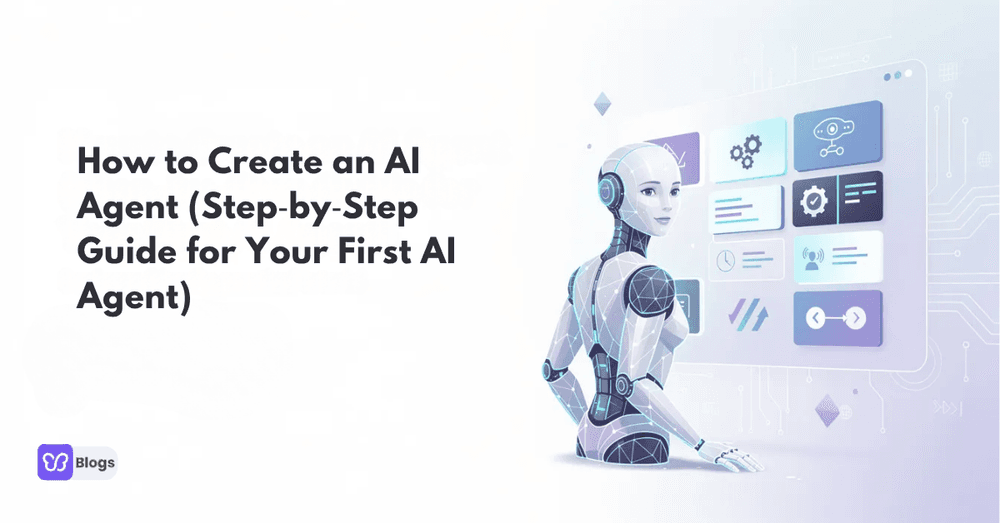
An ai agent is an AI system that perceives input, reasons through a process, uses tools, and takes action toward a goal. In 2026, stronger models, better orchestration frameworks, and safer deployment options make this the right moment to build your first one.
This guide walks through the whole journey: understanding what agents are, planning a focused use case, assembling the building blocks, choosing between no-code and coded paths, and getting to a production deployment with monitoring and control.
Introduction: What This Guide on AI Agents Will Cover
If you have searched how to build an ai agent, the best way to begin is with one focused use case. Agents can be created in a handful of steps: define the purpose, connect data sources, add tools, test behavior, and deploy safely.
The guide is written for two audiences at once: non-technical founders who want a no-code or low-code path, and developers who want the Python route with real frameworks. Both paths share the same fundamentals, so nothing here is wasted whichever way you build.
Expect practical detail throughout: planning questions, component choices, workflow patterns, training loops, deployment options, and the pitfalls that sink most first attempts.
Understanding AI Agents and Agentic AI
To be effective, AI agents must perceive their environment and act on it. In practice that means reading input from a user, a website, an email account, a database, or an API, then deciding which tasks to perform using prompts, tools, memory, and rules.
The difference from classic chatbots is agency: chatbots mostly respond, while agents plan multi-step work and execute it. The same capability ladder shows up in commerce, where Customer support agents resolve tickets end to end and sales agents update the CRM without being asked twice.
The category keeps specializing too, from research assistants to creative tools like AI interior design generators. Whatever the niche, every serious deployment shares one requirement: rigorous testing before the agent touches anything that matters.
Planning: Define the Goal of Your First AI Agent
The fastest route to a working agent is a narrow use case. Starting low-risk builds trust and validates the technology before you hand agents broader control. A strong first choice is an email summarizer and responder: it reads emails, summarizes context, drafts replies, and routes anything unusual to a human.
Before building, answer the planning questions below. Written answers become your test cases later.
- Who is the user? One founder, a support team, or internal staff.
- What is the input? Emails, PDFs, web pages, or forms.
- What actions are allowed? Draft a reply, update the CRM, create a task.
- What is the success metric? Time saved, accuracy, or response quality.
- What can fail? Wrong summary, bad tone, or missing context.
The last question is the one beginners skip and pay for later. Naming the failure modes up front is what lets you design the guardrails instead of discovering the need for them in production.
Core Building Blocks for Building an AI Agent
Every agent, simple or elaborate, is assembled from the same five blocks: an LLM for reasoning, tools for acting, memory for context, orchestration for sequencing, and evaluation for knowing whether it works. These blocks are reused whether you ship one agent or a fleet.
Models: as of mid 2026, teams prototype with capable general models and specialize later, mixing a strong frontier model for planning with cheaper models for routine steps. Tools: function calls, web access, code execution, and connectors. Orchestration frameworks such as LangGraph manage the loop of plan, act, observe, and retry.
Memory deserves special attention. Short-term context keeps the current task coherent; long-term storage, often a vector database, lets the agent recall facts and past outcomes across sessions. Evaluation harnesses close the loop by replaying test cases on every change.
Option 1: How to Create an AI Agent Without Coding (No-Code / Low-Code)
This path is for people who want an agent without programming experience. Visual workflow tools such as n8n, Make, and Zapier-style builders, plus AI dashboards, let you assemble triggers, model calls, and actions by dragging blocks.
Enterprise-grade options exist too: platforms like IBM watsonx Orchestrate package agent building with governance, so larger teams get permissions and audit trails alongside the low-code interface.
A simple no-code flow looks like this: choose a trigger, such as a new email; connect a model step to summarize and draft; add an action step to save the draft or create a task; finish with a human review gate. The pattern transfers to dozens of use cases without a line of code.
Option 2: How to Build an AI Agent with Code (Python Example)
Developers who want programmatic control usually reach for Python with direct model APIs or frameworks such as LangChain, LangGraph, CrewAI, and AutoGen. AutoGen is an open-source framework for multi-agent systems, while BabyAGI remains a useful experimental reference for task-driven agent loops.
The minimal coded agent is a loop: take the goal, ask the model for the next step, execute the chosen tool, append the observation to memory, and repeat until done or until an escape condition fires. Everything else, retries, permissions, logging, is hardening around that loop.
Structure the code so each tool is a small, testable function with explicit permissions. When the agent misbehaves, you want to know exactly which tool call did it, and unit tests on the tools are the cheapest insurance you will ever buy.
Designing Agentic Workflows for Reliability and Control
Knowing how to build agents is not enough; the workflows must be reliable, constrained, and observable. A pattern that earns its keep is plan, execute, reflect: plan the sub-tasks, execute tool calls, observe outputs, reflect on whether the goal is complete, then escalate, retry, or stop.
Task decomposition keeps each step small enough to verify. Escalation rules define what always goes to a human: refunds, deletions, outbound communication to customers, anything irreversible.
Design the failure path as carefully as the happy path. An agent that stops cleanly with a clear handoff beats one that improvises under uncertainty.
How to Train an AI Agent and Improve It Over Time
In 2026, training an agent usually means improving prompts, data, tools, routing, and evaluation rather than training a foundation model from scratch. The improvement engine is feedback: thumbs up or down, corrected answers, tool errors, failed tasks, latency, and cost.
Each feedback type maps to a fix. Wrong facts point at retrieval. Bad tone points at the prompt. Tool errors point at schemas and permissions. Slow runs point at model routing.
Keep a regression set: real cases the agent once got right. Every prompt or tool change runs against it, so improvements never quietly break behavior that already worked.
How to Set Up AI Agents in Production Environments
Production deployment means thinking beyond prompts. You need user needs mapped, performance metrics defined, and an environment that matches the workload: serverless functions for spiky traffic, containers on managed runtimes for steady workloads, internal dashboards for staff tools, chat interfaces for customers.
The checklist before launch: scoped permissions, rate limits, audit logging, alerting on error spikes, a kill switch, and a documented owner. Monitoring should answer, at any hour, what the agent did and why.
Roll out in stages: internal users first, then a small customer segment, then full traffic, with each gate requiring the previous stage's metrics to hold.
Common Pitfalls When You Build Agents (and How to Avoid Them)
Beginners fail for predictable reasons: the goal is too broad, tools have too much permission, there are no test cases, the prompt is treated as the whole system, and nobody reviews logs until customers complain.
The fix for all five is the same discipline: keep the first agent narrow. One agent that drafts, one human that approves, one metric that proves value. Complexity comes later, and only with evidence.
A useful ritual: weekly log review for the first month. Ten minutes with real conversations teaches more about your agent's weaknesses than any design document.
Advanced Topics: Multi-Agent Systems and Specialized Agents
Once a simple agent works, multi-agent systems become worth exploring. They earn their complexity when one agent cannot reliably plan, research, write, review, and verify everything alone.
Common role splits: a planner, a researcher, a writer, a reviewer, and a compliance checker. Communication protocols between agents matter as much as the agents themselves; most multi-agent failures are routing and handoff failures.
Specialized agents follow the same build pattern with deeper domain data and stricter evaluation. The fundamentals from this guide scale unchanged; only the tolerance for error gets smaller.
You now have the full roadmap for making ai agents: define a use case, choose models, connect tools, add memory, design workflows, test behavior, and deploy with monitoring and security. The difference between a demo and a system is everything after the first working run.
Start this week with the checklist:
- Pick one narrow, low-risk use case and write the five planning answers.
- Choose your path: no-code builder or Python framework.
- Wire the smallest loop: one input, one model call, one action.
- Add the human review gate before anything customer-facing.
- Build a regression set from your first twenty real cases.
- Schedule the weekly log review for the first month.

Author
Debutify
Debutify is the easiest way to launch and scale your eCommerce brand.