Artificial Intelligence Logo Generator: Complete Guide to AI-Powered Logo Design
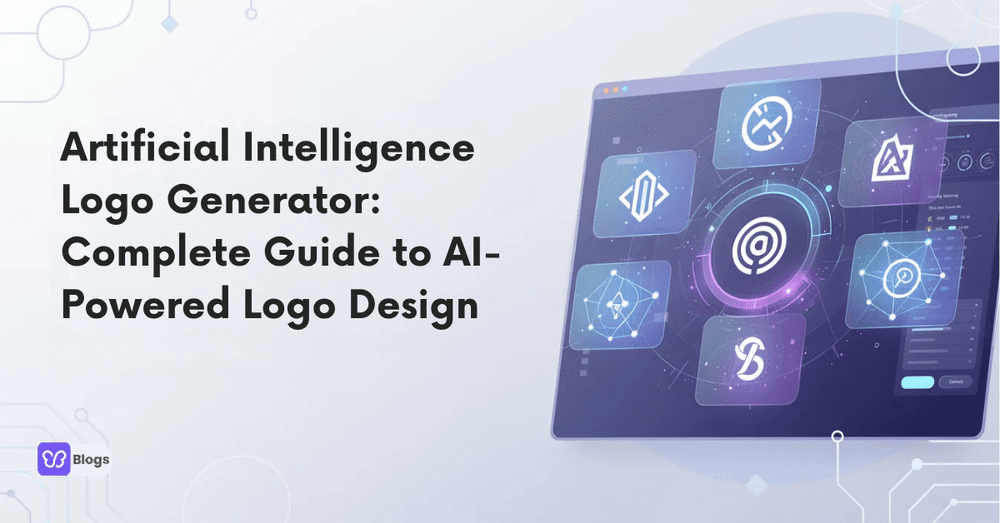
An artificial intelligence logo generator helps you create a professional logo in your browser without hiring a designer or learning complex graphics software. In this guide, you will learn how these AI tools work, how to choose free vs paid plans, and how to turn a new logo into a complete brand identity.
What is an Artificial Intelligence Logo Generator?
An artificial intelligence logo generator is a logo generator that uses machine learning to create logo design options from your business name, slogan, industry, and design preferences. Unlike older template-only tools, many browser-based platforms launched since around 2020 can suggest layouts, icons, fonts, and colors automatically.
In simple terms, an ai logo generator, logo creator ai, or logo artificial intelligence platform asks a few questions about your business name and style, then produces dozens of ready-to-edit concepts. Strong platforms let you customize every element and export professional file formats, which makes them a genuine starting point for branding rather than a toy.
How to Create an AI Logo Step-by-Step
You can generate an ai generated logo in minutes, even if you have no design skills. Most tools ask for basic details, including business name and preferred styles, then use artificial intelligence to create branding based on company information.
- 1. Enter your business name: start with your business name and optional slogan. This text drives the core ai logo design, so check spelling carefully before you generate
- 2. Choose your industry: selecting your industry helps the tool pick relevant icons, symbols, and color directions
- 3. Pick style preferences: choose fonts, colors, and layouts you like so the generator learns your direction
- 4. Generate and shortlist: review the suggestions and keep the three to five strongest concepts
- 5. Customize the winner: adjust icon, spacing, colors, and typography until the mark feels like yours
- 6. Export the right files: download PNG for web use and vector formats when available for print and scaling
Key Features of an Artificial Intelligence Logo Generator
A serious artificial intelligence logo platform should do more than create pretty images. It should help you fine tune your own logo until it is a perfect fit for your brand.
- Automatic suggestions: an ai powered logo maker recommends colors, symbols, icons, premium fonts, and layouts based on your prompt and industry
- Mockup previews: test the ai generated logo on a website, business card, social media designs, flyers, and merchandise before committing
- Full editor control: move, resize, recolor, and swap every element instead of accepting fixed templates
- Multiple file formats: download PNG, JPG, and where possible SVG or PDF for print-quality use
- Brand kit extras: leading platforms bundle color codes and font pairings so your AI design workflow stays consistent across every asset
Free vs Paid Artificial Intelligence Logo Maker Plans
An artificial intelligence logo maker free option is best for testing. A paid online logo maker is better when your company needs professional rights, source files, and brand assets.
Free plans usually include:
- Limited concepts and templates
- Basic PNG download
- Smaller artificial intelligence logo images
- Fewer options to edit or customize
Paid plans usually unlock:
- Full commercial rights
- Vector logo files
- A full brand kit
- Unlimited edits and higher-resolution exports
Artificial Intelligence Logo Ideas & Inspiration
AI is helpful when you feel stuck and need artificial intelligence logo ideas quickly. Use the logo creator ai to test 10 to 20 variations, changing icon, color, or layout each time.
Try prompts like:
- Minimal artificial intelligence ai logo with circuit brain icon in neon gradients
- Finance artificial intelligence company logo with dark navy, silver, and secure shield symbol
- Education ai logo with open book, circuit lines, and friendly rounded type
- Ecommerce brand logo with shopping bag, bold sans-serif, and vibrant accent color
Each variation teaches you what works, and after a few rounds the strongest direction usually becomes obvious.
Building a Brand Identity with AI Logos and Brand Kits
A logo is just the beginning. The best ai logo maker tools help turn a new brand into a complete brand identity with a brand kit, color codes, font combinations, and layout rules. A consistent ai logo design can be applied across business cards, websites, social media, packaging, and merchandise.
Best Practices When Using a Logo Artificial Intelligence Tool
The biggest mistakes happen when people use too many colors, unreadable fonts, or overcomplicated symbols. To get the perfect logo from an artificial intelligence logo maker, keep the brief specific and the design simple.
- Use one to two fonts and a limited palette
- Keep the business name legible at favicon size
- Test the ai generated logo in black and white
- Save multiple file formats and back up source files
- A/B test different versions with your audience before finalizing, the same way you would test email subject lines
Frequently Asked Questions About AI Logo Generators
This FAQ answers common concerns about rights, uniqueness, and usage of ai logo tools.
Not every ai logo generator offers the same quality, licensing, or export control. The best logo creator ai balances affordability, customization, and professional output. Look for a simple interface for first-time users, industry-specific artificial intelligence company logo templates, strong export quality with complete logo files, and a brand kit that carries your identity everywhere. Choose on those criteria and your new logo becomes the foundation of a complete brand.

Author
Debutify
Debutify is the easiest way to launch and scale your eCommerce brand.