AI App Builders Explained: What Store Owners Should Know Before Building Anything
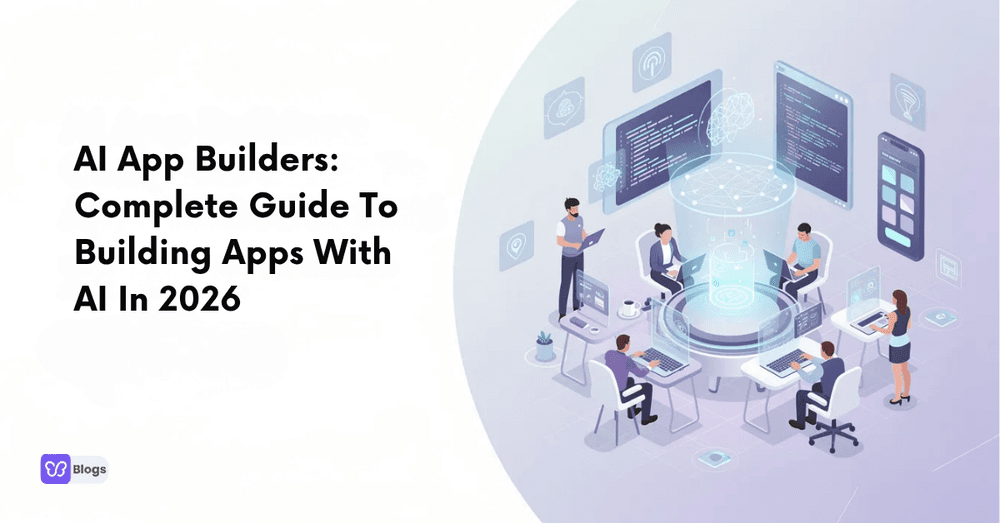
In 2026, an app idea no longer has to wait behind a long engineering queue. A founder or operator can describe a workflow in natural language and get a working app with screens, a database, and logic, generated as software instead of built line by line.
The reason a store owner should understand this shift is that it changes the economics of every internal tool they have ever wanted. The dashboard, the order tool, the supplier tracker: each one used to be a build decision. Now it is a describing decision, and the difference is worth understanding before you describe anything.
Quick Overview: What Is An AI App Builder?
An AI app builder turns a description into a working application. It generates the user interface, the workflows behind it, and the data that connects them. Tools like Web app builders generate the code itself, while others assemble from components.
The output spans the surface of a real product: color schemes and layout on the visible side, API management underneath. The common first builds are familiar: Customer support tools and customer onboarding flows, because they are the tasks every business understands well enough to describe.
The store lesson is that the barrier to internal tooling has collapsed. The question is no longer can we build it. It is can we describe it clearly enough, and do we know what we want it to do? The discipline of app building has moved upstream, into the clarity of the brief, which is where good operators already excel.
Why AI App Builders Matter Now
The timing is not accidental. The models matured, the chatbot interface became natural, and the cost of a first attempt dropped to nearly zero. The adoption numbers reflect it: Hostinger's AI app builder statistics show growth that no enterprise software category has matched.
The strategic point is that experimentation is now cheap enough to be routine. The businesses that treat app building as a weekly habit instead of a yearly project accumulate tools their competitors cannot match, because each tool was a conversation instead of a budget line. The habit is the advantage, and the habit is available to everyone.
Understanding AI App Development (Core Concepts)
The core concepts are worth knowing in outline. Generation produces the first version. Testing decides whether it works. And the data layer, the same one that powers the CRMs every business already runs, is what the app reads and writes.
The outline matters because it names the parts you stay responsible for. The machine generates. You test, you decide, and you own the data underneath. The businesses that understand the division build well. The ones that expect the machine to own all three end up with software that reflects their lack of judgment, faithfully.
Planning Your First AI App (From Idea To MVP)
The planning that works is the planning that shrinks. Start with one workflow, one user, and one measure of done. The first version should be embarrassingly small, because small is what ships, and shipping is what teaches you what the second version should be.
The shrinking discipline is the whole trick of building anything, and AI has not changed it. The businesses that succeed with generated apps are the ones that resist the temptation to describe everything at once, because every added requirement multiplies the ways the first attempt can disappoint. Describe one thing well. Fix the next thing deliberately. The stack builds itself.
Choosing The Right AI App Builder Or Platform
The choice runs on three axes. How well does it generate from your kind of description? How deeply does it connect to the systems you already run? And what happens to the app, and your data, if you leave? The platforms answer these differently, and the differences are the decision.
The third axis deserves the emphasis it rarely gets. The app you build lives inside a platform the way a store lives inside its host, and the exit terms decide whether you own your work or rent it. The businesses that ask about the exit before the first build keep their options. The ones that do not learn the price of options later, when the price is highest.
Key Features To Look For In Modern AI App Builders
The features that matter cluster around the lifecycle. Solid data management underneath. Real AI prompt management for the parts that reason. And a loop that captures user feedback so the app improves from the people who use it.
The feedback loop is the feature that separates tools from toys. A generated app that cannot learn from its users is a first draft that stays a first draft. The platforms that close the loop produce software that gets better with use, and that compounding is the difference between a tool you tolerate and one you depend on.
Using AI To Build An App: Step-By-Step Workflow
The workflow settles into a loop. Describe the workflow plainly. Generate. Test it against the cases you know will happen. Refine the description, not just the output. And repeat until the app does what you meant, not merely what you said.
The loop rewards the same skill that makes a good manager: saying clearly what you want, checking the work honestly, and correcting with specifics. The businesses whose people already manage well build well with these tools, because the tools respond to the same input management always has: a clear brief, delivered with patience.
Designing Safe & Governed AI Apps
The governance layer is not optional, because an app that can act can also err. Permissions decide what it touches. Logs make its actions traceable. And a human checkpoint on the expensive decisions keeps a mistake from becoming an incident.
The store parallel is complete. Every automation a business adopts is a small agent with a reach, and the discipline that keeps it safe is identical: limit the reach, record the actions, and keep a person answerable for the decisions that cost money. The discipline is cheap. The incidents it prevents are not.
Working With AI Agents, Assistants, And Orchestration
The frontier is orchestration: multiple agents, each with a role, coordinated on a workflow. One gathers, one decides, one executes, one checks. The pattern is management applied to software, and it inherits all of management's lessons, including the one about clear roles and clean handoffs.
The inheritance is the insight worth keeping. The businesses that will run agent teams well are the ones that already run human teams well, because the failure modes are the same: unclear ownership, blurry handoffs, and no one checking the result. Management skill has become a technical capability, which is a strange and wonderful turn for anyone who ever ran a team.
Best Practices For Prompting, Testing, And Iteration
The best practices are consistent across every tool. Give context before instructions. Show an example of the output you want. Test the edge cases, not just the happy path. And iterate one change at a time, so you know what worked.
The practices transfer unchanged to every AI tool a store uses, which is why they are worth learning once and applying everywhere. The brief with context, the worked example, the edge case test, the single change: four habits that improve every output they touch, from apps to product copy.
To make this cycle effective, test complete workflows rather than individual screens alone. Through end to end testing for web applications, teams can verify that user actions, application logic, and stored data produce the intended result. In a supplier tracker, for example, an update submitted through a form should appear correctly in the dashboard. Repeating these checks after revisions provides concrete feedback for the next iteration.
The habits are free, and they compound.
When To Use No-Code Builders vs Code-First Platforms
The split is about control. The no-code route trades control for speed, which is the right trade for the first version of almost anything. The code-first platforms trade speed for ownership, which becomes the right trade when the app is load-bearing. Firms that handle custom software development see the graduation happen so often it has become a pattern.
The progression is the strategy. Build the first version fast, prove the idea, and move to ownership when the app earns it. The businesses that follow the progression get speed now and control later, which is the best of both. The ones that start at the expensive end pay for capability they have not learned to use, and the lesson arrives as an invoice.
Real-World Use Cases You Can Build Today
The use cases that work today are unglamorous, and that is why they work. The internal tracker. The approval flow. The dashboard that answers the morning questions. The intake form that feeds the system instead of an inbox. Each one is small, clear, and immediately useful.
The unglamorous cluster is exactly where a store's time goes, which is why the category matters more to small businesses than to large ones. The enterprise has a department for the small tools. The store has an owner, and every small tool the owner builds is an hour returned to the work only the owner can do.
How AI App Development Companies Fit In
The agencies in this space play a specific role: they build the apps that matter enough to matter, the ones where the cost of getting it wrong exceeds the cost of expert help. For everything else, the in-house loop is faster and cheaper, and the honest agency will say so.
The division of labor is worth naming before anyone buys anything. The agency for the load-bearing work. The in-house loop for everything else. The businesses that respect the division spend their money where it counts and their time where it compounds, which is the entire art of buying development well.
Future Of AI App Building Beyond 2026
The direction is clear: better understanding of intent, deeper connection to real systems, and agents that maintain what they build. The gap between describing an app and running one keeps closing, and every year of progress makes the describing skill more valuable.
The forecast for a store is therefore simple. The ability to describe a workflow clearly is becoming the ability to have it built, and the businesses that practice the describing now will have the tools their competitors are still shopping for. The practice costs nothing but attention, and the attention is the investment.
The app-building era belongs to the businesses that describe well and test honestly, and the discipline gathers into one checklist. Before you build your first AI app, run it:
- Describe one workflow, one user, one measure of done.
- Ask what you own and what you rent, before the first build.
- Test the edge cases, not just the happy path.
- Set permissions and logging before the app can act.
- Iterate one change at a time.
- Build the small unglamorous tools where your time actually goes.
The queue that used to stand between an idea and an app is gone, and what replaced it is a conversation. The businesses that hold the conversation well get the apps, and the apps get the hours back.

Author
Debutify
Debutify is the easiest way to launch and scale your eCommerce brand.