Business Tips17 min read26 Jun 2026

Software as a Service ERP: Complete Guide to SaaS Enterprise Resource Planning
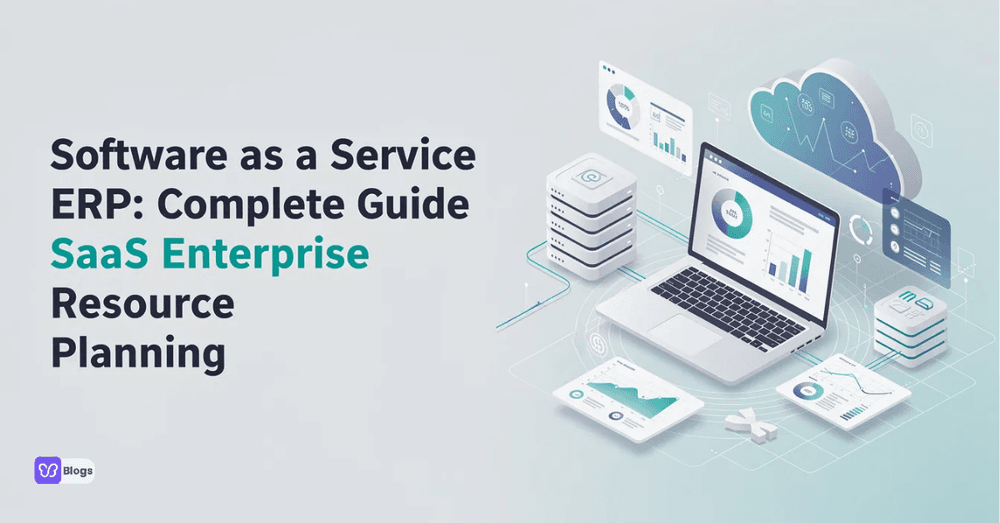
Software as a Service ERP: Complete Guide to SaaS Enterprise Resource Planning

Introduction to Software as a Service ERP

Software as a service ERP is enterprise resource planning software delivered through the cloud on a subscription basis. Instead of installing bulky applications on local servers, your team accesses finance, operations, inventory, and project modules through a browser - anytime, anywhere. With the global ERP software market reaching $32.6 billion by 2024 and cloud computing reshaping how companies run, this delivery model has become the default for growing organizations that need agility without massive upfront risk.

SaaS enterprise resource planning combines the depth of classic enterprise resource planning ERP capabilities with the flexibility of cloud services. A modern saas erp platform centralizes financial management, supply chain management, project management, customer relationship management, and human resources into one integrated system. Rather than stitching together disconnected spreadsheets and point solutions, business operations flow through a single data model that everyone - from warehouse staff to the CFO - can trust.

If you have been running on premises erp or patchwork tools, you already know the pain: slow upgrades, siloed business data, and expensive software maintenance. SaaS ERP is a cloud-based service accessed via the internet, eliminating most of those headaches. Later in this guide, we will dig deeper into erp vs saas trade-offs, but the short version is that SaaS shifts you from capital expenses to predictable operational expenses while accelerating innovation.

Here is what this guide covers:

  • What saas erp software actually is and how it works
  • Costs, pricing models, and total cost of ownership
  • Scalability for SMBs through enterprise
  • Core modules including customer relationship management (CRM), supply chain, and project services
  • How to evaluate vendors and choose the right saas erp solution for your organization

What Is SaaS ERP (Enterprise Resource Planning)?

A saas erp system is enterprise resource planning software that lives in the erp vendor's data center and is delivered to you over the internet. You pay a subscription, open a browser, and start working. There is no server room to maintain, no upgrade weekends, and no need for a large internal IT team.

Here is what that means in practice:

  • Software as a service delivery: the software provider hosts, secures, and updates the application. SaaS ERP is managed by the software provider, unlike on-premises ERP where your team owns every layer of the stack.
  • Subscription pricing: SaaS ERP systems are typically subscription-based services, billed monthly or annually per user or per module.
  • Browser and mobile access: SaaS ERP is accessible from any location with an internet connection. Users of SaaS ERP can access systems from any internet-connected device, supporting mobile access for remote and distributed teams.
  • Automatic maintenance: SaaS ERP allows for automatic updates and maintenance by the vendor, covering security patches, tax regulation changes, and new features without disrupting your workflow.
  • Reduced IT burden: SaaS ERP reduces the IT burden by allowing the vendor to manage technical maintenance. SaaS ERP systems reduce the strain on internal IT departments, freeing your staff to focus on strategic work rather than infrastructure firefighting.

An erp system saas delivers core enterprise resource planning software functions across the entire business: finance and accounting, procurement, inventory, production planning, and human resources. SaaS ERP eliminates the need for extensive hardware investments, making enterprise-grade technology accessible to mid-market manufacturers and saas companies alike. A distributor managing hundreds of SKUs, a professional services firm tracking project profitability, or a fast-scaling SaaS startup automating subscription billing - all of these are typical users of saas based erp today.

Cloud ERP vs SaaS ERP vs On-Premises ERP

The terms "cloud ERP" and "SaaS ERP" are often used interchangeably, but they are not identical. All software as a service erp is cloud-based, but not every cloud erp system qualifies as true multi-tenant SaaS. A hosted erp deployment, for example, might place a traditional erp application on a cloud provider's infrastructure without changing the software architecture. A single-tenant cloud erp software setup gives you a dedicated instance but still differs from the shared, continuously updated model of genuine saas erp solutions.

On premises erp solutions, by contrast, are installed on company-owned servers. The organization purchases perpetual licenses, manages upgrades internally, and shoulders the full burden of security, backups, and hardware refresh cycles. On-premises ERP requires significant hardware investments and maintenance - a reality that drives many companies toward SaaS alternatives.

Here is a compact comparison:

FactorSaaS ERPCloud-Hosted / Private CloudOn-Premises ERP
Deployment speedFastest (3–6 months typical)ModerateSlowest (12–18+ months)
Upfront costLow (subscription)ModerateHigh (licenses + hardware)
Customization depthConfiguration-focusedModerateDeep, including source code
UpgradesAutomatic by vendorVendor-assistedManual, costly
Ongoing costsPredictable subscriptionMixedMaintenance + staff + hardware
Security responsibilityVendor-managedSharedFully internal

SaaS ERP systems can be implemented more quickly than on-premises systems. SaaS ERP allows for faster implementation compared to on-premises systems, and SaaS ERP allows for faster implementation than on-premises solutions. SaaS ERP typically has lower upfront costs than on-premises ERP. SaaS ERP offers automatic updates, while on-premises requires manual upgrades.

Scenario: A fast-growing SaaS startup with a small IT team and urgent multi-currency needs would likely choose saas erp software to get live quickly with lower upfront costs. A heavily regulated defense contractor with air-gapped networks and deep legacy customizations might keep on premises erp for core operations while adopting erp saas solutions for less sensitive functions like expense management or CRM. Many organizations land somewhere in between, running a hybrid model that integrates saas based erp with remaining on-prem systems.

Core Capabilities of Modern SaaS ERP

Modern saas erp solutions stretch far beyond basic accounting. A complete saas enterprise resource planning suite unifies finance, supply chain, projects, services, and analytics in a single data model, giving leaders real-time visibility across the entire business. Every module in an erp software saas platform shares one database, which means the data your operations team enters is instantly available to finance, sales, and leadership - no batch syncs, no reconciliation headaches.

The subsections below walk through the key business functions commonly included in enterprise resource planning erp platforms.

Financial Management & Accounting

SaaS ERP financials cover general ledger, accounts payable and receivable, cash management, and multi-currency support. Real-time visibility into revenue, costs, and profitability across regions and products allows CFOs to make faster decisions with accurate financial reporting. Automated revenue recognition under ASC 606 / IFRS 15, streamlined closing processes, and built-in compliance reporting reduce manual effort and risk. SaaS ERP integrates CRM, financial management, and analytics tools so that financial data flows directly from sales orders and service contracts without re-keying.

Supply Chain, Inventory, and Product Control

Saas erp software manages forecasting, purchasing, inventory, and logistics in one system. Material requirements planning (MRP), reorder-point automation, and warehouse management (locations, bin tracking, lot and serial numbers) support physical product businesses end to end. Centralized data helps avoid stockouts and overstock, improving working capital and customer satisfaction. Integration with suppliers and logistics partners through portals or APIs provides real-time updates - and when IoT data is layered in, organizations have shortened order fulfillment time by over six business days.

Customer Relationship Management (CRM)

Embedded customer relationship management in SaaS ERP unifies leads, quotes, orders, and service tickets. Having sales, marketing, and service data in the same platform as finance and operations creates a genuine 360-degree customer view, with opportunity tracking and pipeline forecasting tied directly to inventory and revenue. ERP integration improves customer management and operational performance by eliminating duplicate data entry and giving every team the same version of the truth. Some erp saas solutions offer native CRM modules; others integrate tightly with external CRM tools via open APIs.

Project and Service Management

Project-driven businesses use saas erp system modules for budgeting, resource planning, and time and expense capture. Features like project profitability tracking, milestone billing, and resource utilization dashboards help consulting, IT services, and professional services firms optimize margins. Service management capabilities - support contracts, SLAs, field service scheduling - link directly to inventory and billing, ensuring nothing falls through the cracks.

Real-Time Data, Analytics, and Reporting

Dashboards with live KPIs, drill-down reports, and self-service analytics are built into modern erp system saas platforms. SaaS ERP systems provide real-time reporting and analytics capabilities that power forecasting, "what-if" analysis, and scenario planning. Role-based views let CEOs, CFOs, operations managers, and sales leaders each see the metrics that matter most. Increasingly, artificial intelligence and machine learning inside software as a service erp surface anomalies, flag risks, and generate actionable recommendations - moving the erp platform from a system of record to a decision-support engine.

Key Business Benefits of SaaS ERP

Companies are replacing legacy premises erp with saas erp solutions for a straightforward reason: modern business benefits outweigh the switching costs. SaaS ERP enhances operational efficiency by automating business processes and reducing manual processes. SaaS ERP enhances operational efficiency through automation that streamline operations across various business functions. In measurable terms, SaaS ERP can reduce errors by 36 percent, shorten cycle times, and free teams to focus on strategic work rather than data wrangling.

Top benefits at a glance:

  • Lower upfront costs and predictable ongoing costs
  • Scalable licensing that grows with your business
  • Faster innovation through automatic vendor updates
  • Better user experience with mobile access and modern interfaces
  • Concrete outcomes: shorter order cycles, lower DSO, and improved operating margins

A saas erp offers these modern business benefits because multi-tenant erp software saas platforms typically deliver upgrades three to four times per year without disruptive re-implementations. You pay for what you actually use, turning capital expenses into predictable operating expense.

Cost Efficiency and Predictable Ongoing Costs

Software as a service erp replaces large upfront license fees and hardware purchases with a recurring subscription. Cost drivers include per-user pricing, module-based add-ons, storage tiers, and integration costs. Compared to on premises erp, you dramatically reduce the need for internal infrastructure and specialized ERP administrators.

Consider a simple example: a 50-user implementation at $100 per user per month costs $60,000 per year. An equivalent on-premises deployment might require $400,000 in licenses and hardware upfront, plus annual maintenance fees and dedicated staff. Over a 3–5 year window, the total cost of ownership for SaaS is typically far lower - especially when you factor in upgrade costs and staffing. SaaS ERP reduces upfront costs compared to traditional systems and lowers upfront barriers, allowing access to enterprise-grade technology for businesses that previously could not justify the capital expenses. Cloud ERP adoption will grow from 26.4% to 48.4% by 2024, confirming this shift from capex to operational expenses.

Scalability and Business Agility

A saas erp system lets you scale licenses, storage, and environments up or down with seasonal demand or business growth. SaaS ERP provides scalability to adapt to business growth, and SaaS ERP enables effortless scalability without disruptive infrastructure projects. As your business grows, SaaS ERP can easily scale to add users and features. This is a scalable solution that supports experimentation - piloting new processes or modules with lower risk and faster time to value.

Fast-growing saas companies and e-commerce brands rely on this elasticity to enter new markets quickly. SaaS ERP automates billing and revenue management for saas businesses, handling subscription models, usage metering, and multi-entity consolidations. You can add legal entities, currencies, or locations globally without re-architecting the system. SaaS ERP enables scalability to accommodate business growth at every stage.

Automatic Updates, Security, and Compliance

Erp providers push automatic updates for security patches, tax changes, and new features several times a year. SaaS ERP provides automatic updates and maintenance by the vendor, and SaaS ERP allows for seamless integration with other cloud solutions. Typical security measures include data encryption at rest and in transit, single sign-on (SSO), role-based access control, SOC 2 and ISO 27001 certifications, and data center redundancy.

For regulated industries, built-in audit trails, standardized processes, and segregation of duties simplify compliance. Relying on specialized erp vendors often yields stronger security than many small internal IT teams can provide on their own - these vendors invest millions annually in security infrastructure and certifications.

SaaS ERP vs On-Premises ERP: Making the Right Choice

When comparing saas erp vs on-premises ERP - the classic erp vs saas debate - the trade-offs center on control versus speed. On-prem gives you deep customization and total data control. Saas based erp gives you faster deployment, lower ongoing costs, continuous innovation, and less IT burden.

A survey found that 91% of finance executives say SaaS enables new technology adoption, which is why the momentum is heavily toward cloud. Still, on-premises remains justified in specific situations:

  • Extreme data sovereignty requirements (defense, certain government agencies)
  • Air-gapped or offline environments with unreliable internet connection
  • Heavy legacy customizations that are prohibitively expensive to replicate in SaaS
  • Organizations that have already invested heavily in on-prem infrastructure and want to amortize those costs

Many organizations choose a hybrid model, running cloud erp software alongside remaining on-prem systems. The critical evaluation factor is total lifecycle cost - not just year-one pricing - when comparing erp software saas to traditional licensed erp solutions. A saas solution often wins on five-year TCO even when subscription fees initially look comparable to maintenance renewals.

How SaaS ERP Supports Different Types of Businesses

Saas erp solutions are no longer only for large enterprises. SMBs, startups, and mid-market firms are among the fastest adopters because of lower upfront costs, modular pricing, and faster erp implementation cycles. The saas industry has matured to the point where vertical templates and best-practice configurations from leading saas erp providers significantly lower implementation time and risk.

Here is how different business types benefit:

  • Product-based manufacturers: prioritize supply chain management, MRP, warehouse management, quality control, and multi-site inventory within their new erp system.
  • Distributors: rely on demand forecasting, supplier portals, automated replenishment, order fulfillment, and logistics integration to streamline operations.
  • Professional services firms: focus on project management, resource utilization, time and expense tracking, and billing - all core business processes that drive margins.
  • SaaS companies and saas businesses: need subscription billing, multi-entity financial consolidations, revenue recognition, and churn analytics, making a saas erp platform the natural fit.

A saas enterprise resource planning system supports multi-entity and multi-currency operations for global business growth. Whether you are managing three entities or thirty, the right cloud erp system handles local tax compliance, language localization, and inter-company eliminations - transforming business operations from a fragmented patchwork into a unified, governed ecosystem.

Evaluating SaaS ERP Vendors and Solutions

Choosing the right saas erp solution requires more than comparing feature checklists. You need to evaluate each software vendor on long-term roadmap, financial stability, partner ecosystem, and ongoing support infrastructure. Alignment with your existing tech stack - especially CRM and productivity tools - is critical for adoption and user buy-in.

Start by comparing multiple erp saas solutions using structured RFPs and detailed demo scripts that reflect your actual business processes. Ask for references from companies in your industry, vet implementation partners, and assess customer success programs. A vendor that looks great in a generic demo may struggle with your specific workflows.

Functional Fit and Industry Requirements

Key questions to assess functional coverage:

  • Does the erp software handle your depth of financial management, manufacturing, distribution, or project accounting?
  • Are industry-specific capabilities (lot traceability, subscription billing, compliance reporting) native or bolt-on?
  • Can the platform support future needs like advanced analytics, artificial intelligence, or emerging technologies?

Build a prioritized requirements list and map it directly to demo scenarios with shortlisted erp vendors. Industry-specific capabilities can make or break a deployment - a generic tool that lacks your key business functions will force workarounds that erode ROI.

Architecture, Integration, and Extensibility

API quality, webhooks, and pre-built connectors matter when connecting a saas erp system to e-commerce platforms, CRM tools, and data warehouses. True multi-tenant software as a service erp should allow configuration and extensions without breaking upgrade paths. Understand the difference between low-code customization, standard configuration, and risky source-code modifications - only the first two keep you on the vendor's upgrade train.

Sandbox environments and testing tools are essential for safely validating new integrations. If a vendor cannot provide a dedicated test instance, that is a red flag for any serious erp implementation.

Pricing Models and Total Cost of Ownership

Common pricing approaches for saas erp software include per-user licenses, module-based fees, and consumption-based elements (transactions, storage, API calls). But the sticker price is only part of the story. Hidden costs frequently include:

  • Implementation consulting and project management
  • Data migration from legacy systems
  • Training and change management
  • Premium support tiers and ongoing support contracts
  • Custom integrations and software development for connectors

A five-year TCO comparison framework between saas erp solutions and on premises erp deployments should include all recurring costs, upgrade expenses, staffing, and downtime. Predictable, subscription-based ongoing costs make budgeting easier but must be monitored as user counts and enterprise data volumes grow.

Implementation Best Practices for SaaS ERP

While erp software saas reduces technical complexity - no servers to rack, no operating systems to patch - change management remains the make-or-break factor. A successful saas erp implementation requires the same organizational discipline as any major transformation.

SaaS ERP implementation involves seven key steps: discovery and current-state mapping, requirements definition, design and configuration, data migration, testing (unit, integration, and user acceptance), training, and go-live with post-launch ongoing support. Executive sponsorship is critical for successful SaaS ERP projects because it ensures budget continuity, cross-functional cooperation, and organizational accountability.

Best practices to keep your project on track:

  • Focus on standard processes first. Avoid unnecessary customization during initial rollout - adopt vendor best practices and iterate later.
  • Build a cross-functional project team spanning IT, finance, operations, and supply chain.
  • Define clear KPIs tied to enterprise resource planning outcomes: order cycle time, inventory turns, project margins, customer satisfaction.
  • Involve users early. Involving users early improves the success of SaaS ERP projects by building familiarity and reducing resistance at go-live.
  • Plan for data migration carefully. Data migration is a significant challenge during SaaS ERP implementation - dirty or fragmented business data from legacy saas systems and spreadsheets can derail timelines.

Realistic timelines vary: three to six months for small-to-midsize firms, nine to twelve months for larger multi-entity or manufacturing-heavy deployments. Common pitfalls include scope creep, underestimating data complexity, and neglecting user adoption planning.

Implementation Best Practices for SaaS ERP

Future of Software as a Service ERP

The future of software as a service erp is being shaped by embedded AI, composable architectures, and industry-specific cloud suites. Through 2026 and beyond, modern saas erp systems will move from transaction-processing engines to proactive decision-support platforms.

Key trends to watch:

  • AI and agentic automation: AI integration can reduce ERP errors by 36% and close times by 3.5 days. Companies using chatbots within their erp platform saw a 36% productivity improvement. These capabilities are accelerating software development cycles across the saas industry.
  • Vertical and industry-specific suites: generic horizontal ERP is giving way to vertical cloud erp software tailored for manufacturing, professional services, healthcare, and construction. Vertical SaaS is growing at 24–31% CAGR, outpacing horizontal alternatives.
  • Composable, modular architectures: organizations are moving toward API-driven, plug-in modules that can be layered, replaced, or scaled independently - reducing vendor lock-in and supporting emerging technologies.
  • Convergence of platforms: cloud erp software, CRM, HR, and analytics are merging into unified saas platforms. A single cloud provider can now deliver service enterprise resource planning capabilities alongside workforce management and business intelligence.
  • Security and compliance as core requirements: regulatory demands around data privacy, ESG reporting, and cross-border data governance are intensifying. Saas providers are responding with built-in compliance modules, audit trails, and certifications that protect enterprise data and financial data alike.

Selecting and implementing the right saas erp solution is not just a technology purchase - it is a strategic move that reshapes how your organization runs daily business operations. The companies that treat ERP modernization as a business transformation, not an IT project, are the ones that capture lasting competitive advantage. Start by mapping your core business processes, shortlisting erp solutions that match your industry, and planning a phased rollout that delivers quick wins while building toward a fully connected, intelligent enterprise.

Debutify

Author

Debutify

Debutify is the easiest way to launch and scale your eCommerce brand.
Share post