Atlas AI Store Builder: Complete 2026 Guide to the Atlas Website Builder for Shopify
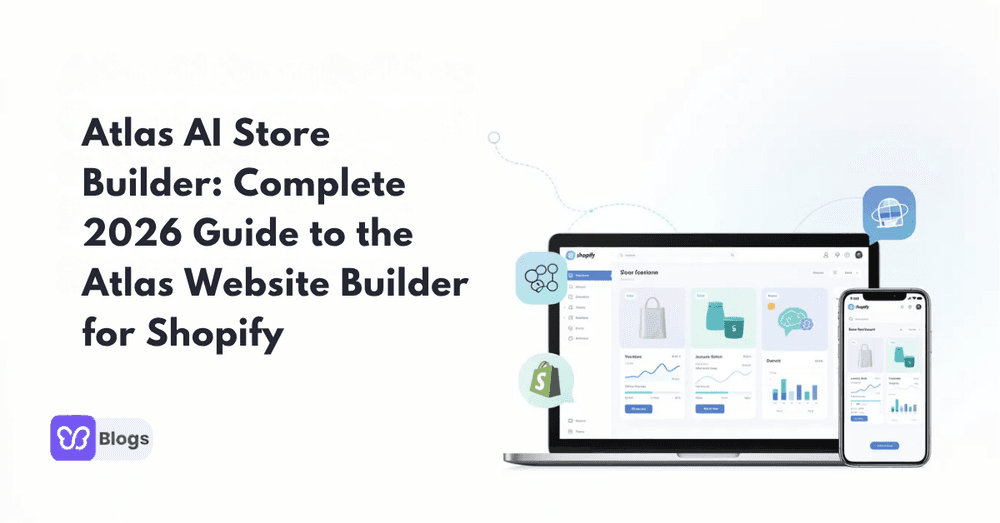
Launching a Shopify store used to mean weeks of design work, theme hunting, and app installations. In 2026, atlas ai has changed that equation entirely.
This guide is designed for Shopify merchants, dropshippers, and e-commerce entrepreneurs who want to streamline store creation and maximize conversion rates. Understanding Atlas AI's capabilities can help you decide if it's the right tool for your business in 2026.
This guide breaks down everything you need to know about using this ai store generator to go from product idea to live store in minutes.
What Is Atlas AI? (Quick Answer First)
Atlas ai is a Shopify-native ai store builder that transforms a single product link into a complete, conversion-focused store. The platform operates directly inside your Shopify admin, using AI to generate product pages, homepage layouts, copy, and even product images based on market research of your chosen product.
Merchants commonly refer to the tool as both atlas ai store builder and atlas store builder. The focus is clear: high-converting one-product or small catalog stores designed for dropshippers, TikTok advertisers, and creators launching limited drops. Atlas AI Store Builder generates a complete store from a product link in under 2 minutes, allowing users to quickly test multiple products without extensive setup time.
The main outcomes are straightforward. You can launch a store in under two minutes, access built-in upsells that can increase average order value by 30-50%, and customize everything using Shopify’s native theme editor without touching code.
How Atlas AI Works: From Product Link to Live Store
The workflow follows a simple “paste link → AI builds store” pattern. Once installed from the Shopify App Store, the atlas shopify app becomes your primary store building process tool, eliminating the need to juggle multiple applications.
Here’s the step-by-step flow:
- Install the app from the Shopify App Store and connect it to your Shopify account
- Paste a product link from AliExpress, Amazon, Alibaba, or an existing Shopify store
- Atlas analyzes the product using AI that examines competitor positioning and conversion best practices
- AI generates your entire store including homepage, product page, cart upsells, checkout flows, and basic info pages
This is not a standalone SaaS platform. The atlas builder operates as a native Shopify app, meaning all editing happens within Shopify’s own theme editor and settings. The speed of store generation allows users to test more products quickly, enabling the launch of multiple stores in a shorter timeframe. Most merchants see their complete store ready for preview within two minutes.

Key Features of Atlas AI Store Builder
The atlas ai store builder consolidates several tools into one subscription. Here are the core capabilities merchants should evaluate:
- Instant AI store generation: From a single URL, Atlas generates layouts, headlines, descriptions, and product images. AI analyzes market data to create conversion-optimized layouts tailored to your product category.
- Built-in upsells and bundles: Quantity breaks, cart upsells, and post-purchase offers come standard in the atlas ecommerce workflow. Atlas AI Store Builder provides built-in upsells and bundle offers, which can increase average order value by 30-50%, streamlining the sales process without needing extra apps.
- Conversion-focused design: Speed-optimized, mobile-first layouts with urgency elements like countdown timers, trust badges, and social proof sections come pre-configured.
- No-code customization: Edit colors, fonts, sections, and content using Shopify’s theme editor. No coding required for most use cases.
- Template saving: Save your best-performing page templates and apply them to new products for rapid A/B testing cycles.
- Shopify-native experience: No external editor, no exporting or importing themes. Everything lives inside your existing Shopify dashboard and remains compatible with other apps in the Shopify ecosystem.
The Atlas Bolt Theme and Atlas Website Builder Experience
The visual foundation of the atlas website builder experience is the proprietary atlas bolt theme, sometimes called Atlas Premium Theme. Unlike many ai store generator tools that customize Shopify’s default Dawn theme, Atlas Bolt is specifically designed for one-product and dropshipping stores.
Key design characteristics:
- Visual quality: Smooth animations, modern typography, full-width hero sections, FAQ blocks, and trust badges create a polished, professional appearance.
- Section library: The Atlas Bolt theme includes over 35 customizable sections designed for high conversion rates, making it suitable for one-product stores and enhancing user experience. These include hero units, testimonials, guarantee blocks, bundle offers, comparison tables, and urgency timers.
- Structure trade-off: Most atlas stores share a similar structure and animation style. This accelerates launch but can reduce brand uniqueness, something to consider if you’re targeting premium product categories.
- Editor interaction: Merchants customize via Shopify’s theme editor instead of a separate drag and drop interface, which suits users already familiar with Shopify’s admin.
The premium theme is included in paid plans, so merchants effectively get a premium theme and builder in a single subscription rather than purchasing them separately.
Use Cases: Who Should Consider Atlas AI Store Builder?
Understanding whether atlas ai fits your business model matters more than feature lists. Here’s where the tool excels:
- Ideal users: One-product dropshipping brands, TikTok and UGC advertisers, and creators launching limited merch drops benefit most from the rapid launch capabilities.
- Validation workflows: Entrepreneurs wanting to spin up 5-10 test stores per week to validate product ideas find the speed invaluable. AI technology in store builders can significantly reduce the time spent on setup, allowing users to go from product idea to a live store almost instantly.
- Non-technical founders: Those who don’t want to manage multiple apps for upsells, templates, and themes appreciate the consolidated approach. Atlas makes this consolidation possible with no coding required.
- Less suited for: Large catalogs with complex multi-collection structures needing custom navigation. Atlas is optimized for one-product stores, which can be a limitation for users looking to build multi-product catalog stores or diverse product categories.
- Hybrid approach: Users prioritizing unique visual branding or persona-specific copywriting might combine Atlas with other tools for specific pages while using it for core product funnels.
Pricing and Plans for Atlas AI in 2026
Pricing evolves, so verify current details on the Shopify App Store listing. Here’s the general structure as of 2026:
| Plan | Monthly Cost | Key Features |
|---|---|---|
| Free Preview | $0 | Generate stores, preview-only (cannot publish) |
| All-in-One | $39/month | Live publishing, Atlas Bolt theme, store and page builder, listicles and advertorials, bundle upsells, custom cart drawer |
| Add-ons | from $10/month per tool | Extra Atlas Pages, Atlas Cart orders, and Atlas Bundler revenue tiers |
Atlas AI Store Builder offers a free plan that is preview-only, allowing users to see what a store would look like but not publish it or use it live. For serious use, the All-in-One plan costs $39 per month, with optional add-on tiers from about $10 per month per tool.
The Atlas Bolt theme, which is included with the Atlas AI Store Builder, can be purchased separately for a one-time fee of $249, without the AI tools. This option suits merchants who want the conversion-focused design without the full AI generation capabilities.
Value consideration: Atlas saves merchants from purchasing separate theme subscriptions ($20-40/month), page builders ($15-30/month), and upsell apps ($10-30/month). The bundled approach can result in net savings of $65-150/month compared to assembling equivalent tools individually.
Atlas AI vs Other AI Store Generators
Merchants often compare atlas ecommerce tools with alternatives. Here’s how the competitive landscape breaks down:
- BuildYourStore: BuildYourStore is considered one of the strongest alternatives to Atlas AI because it provides a complete store setup, including product selection and branding, which is beneficial for beginners who need more guidance.
- Dropmagic: Dropmagic offers unique AI-generated designs for each store, contrasting with Atlas AI’s single theme approach, making it a preferred choice for those seeking store uniqueness across multiple products.
- GemPages: GemPages is an alternative that provides a high level of creative control and design flexibility, allowing users to replicate successful designs from other websites quickly. Better for multi-product focus but steeper learning curve.
- PageFly: PageFly is recognized as a robust alternative for users who need extensive customization capabilities and are planning to scale their stores long-term with large catalogs.
- Shopify Magic: Shopify Magic is a free, integrated solution within the Shopify admin that allows users to generate product descriptions and basic layouts without additional costs, making it suitable for those on a budget. Unlike atlas, it lacks the specialized conversion-focused approach and built-in upsells.
- EComposer: EComposer is an innovative AI Page Builder, allowing users to effortlessly generate high-converting pages or even an entire storefront with just a single text prompt. No worries about AI rigid structure, EComposer offers exceptional design flexibility paired with a massive library of over 400 ready-to-use templates and over 30 built-in CRO extensions. EComposer is a good choice for beginners looking for a perfect balance between AI features, deep visual customization, and ease of use.
Where Atlas wins: Fast link-to-store workflow, optimized one-product pages, and bundled upsell logic without extra apps. Where alternatives win: Unique design per brand, persona-based copy, large catalog handling, or lower upfront cost.
Pros and Cons of the Atlas AI Store Builder
A balanced view helps faster decision-making:
Advantages:
- Speed is unmatched, complete stores in approximately two minutes versus 40+ hours manually
- Built-in bundle offers and cart upsells eliminate extra app subscriptions
- Shopify-native workflow means no exports, imports, or external editors
- Premium theme included in subscription provides immediate professional appearance
- Beginner friendly with no coding required for setup or customization
- Strong for one-product funnels and rapid product testing
Limitations:
- Every Atlas store uses the same theme, which can make them easily recognizable and limit brand differentiation across the dropshipping community
- Atlas generates generic AI copy that is not tailored to specific audience personas, which may reduce effectiveness in targeting potential customers
- The customization options in Atlas are limited to the Shopify theme editor, which may not provide the pixel-level control that some users desire
- Recurring subscription costs accumulate, two years at $39/month equals $936
- Less ideal for merchants managing collections with multiple products requiring complex navigation
Getting Started: How to Try Atlas AI on Your Shopify Store
Ready to test the platform? Follow these steps:
- Find the app: Search for atlas ai store builder in the Shopify App Store and click install.
- Grant permissions: The app requires access to store data, inventory, theme settings, and product information. Review the privacy policy before proceeding.
- Generate your first store: Simply paste a product link from AliExpress, Amazon, or another source. Choose your niche or style preference, then let the ai store generator create your pages.
- Review and customize: Adjust store layout, colors, fonts, copy, and product images using Shopify’s theme editor. Atlas includes tools for creating branded, studio-style product photos from uploaded source images.
- Launch and test: Publish with a small ad budget or organic traffic. Track conversion rate, average order value, and bounce rate. Atlas claims typical users see significant AOV improvements through the built-in upsell mechanisms.
- Iterate: Save successful page templates and apply them to subsequent products for faster validation cycles.
Frequently Asked Questions About Atlas AI
1. Is Atlas AI free?
There is a free trial that lets you generate and preview stores, but publishing requires the paid All-in-One plan at $39 per month.
2. Can I build a full store or just a landing page?
Atlas generates complete Shopify stores including homepage, product page, info pages, and checkout flows. The atlas team designed it for product-first funnels rather than isolated landing pages.
3. Does Atlas work for multi-product stores?
Technically yes, but the atlas store builder is structurally optimized for single hero product layouts. Large catalogs benefit more from flexible page builders.
4. Do I need coding skills?
No. The atlas website builder is designed for non-technical merchants using Shopify’s visual editor tools. Everything from generation to customization happens inside the Shopify editor, so no code is required.
5. Can I use Atlas with other Shopify apps?
Yes. As a standard Shopify theme and native Shopify app combination, Atlas works alongside most marketing, reviews, and shipping apps without conflicts.
Conclusion: Is Atlas AI Store Builder Right for Your E‑commerce Strategy?
Atlas ecommerce tools make the most sense for fast one-product launches where speed and conversion optimization outweigh brand uniqueness. Dropshippers testing product ideas and creators launching limited drops will find the 2-minute workflow transforms their validation process.
Align your choice with catalog size, design expectations, and budget tolerance. For beginners, Atlas replaces several separate tools, theme, builder, upsell apps, in a single subscription. Platforms enhance strategic planning by translating data into insights, and Atlas applies this principle to store creation.
The practical next step: install the trial, build one test store from a product link, and evaluate whether the generated output matches your conversion goals. Your first sale could be minutes away from your first paste.

Author
Debutify
Debutify is the easiest way to launch and scale your eCommerce brand.